Ethernet LAN features
| Cabling technology |
10/100/1000Base-T(X) |
| Ethernet LAN interface type |
Gigabit Ethernet |
| Ethernet LAN data rates |
10, 100, 1000 Mbit/s |
Management features
| Universal Plug and Play (UPnP) |
Y |
| Web-based management |
Y |
Protocols
| DMZ support |
Y |
| DHCP client |
Y |
| DHCP server |
Y |
Wireless LAN features
| Wi-Fi band |
Dual-band (2.4 GHz / 5 GHz) |
| Top Wi-Fi standard |
IEEE 802.11n |
| WLAN data transfer rate (max) |
300 Mbit/s |
| Wi-Fi standards |
IEEE 802.11a, IEEE 802.11b, IEEE 802.11g, IEEE 802.11n |
Security
| Firewall |
Y |
| MAC address filtering |
Y |
Other features
| Bandwidth (second) |
5 GHz |
| Bandwidth (first) |
2.4 GHz |
Antenna
| Antenna gain level (max) |
4 dBi |
| Antennas quantity |
4 |
| Detachable antenna(s) |
Y |
Additionally
| Ethernet LAN connection |
Y |
| Ethernet LAN (RJ-45) ports quantity |
4 |
600N Concurrent Dual Band Gigabit Router
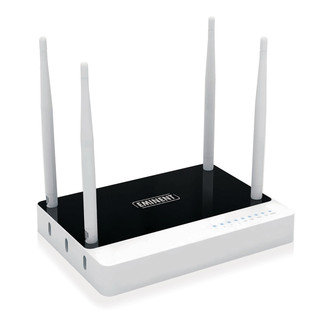
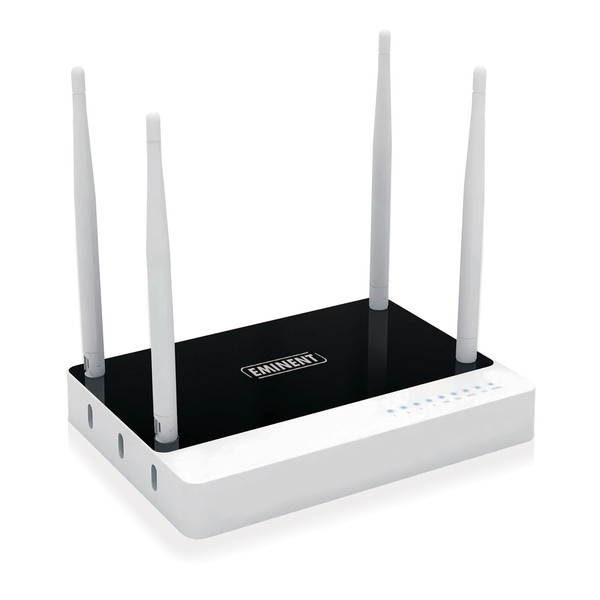
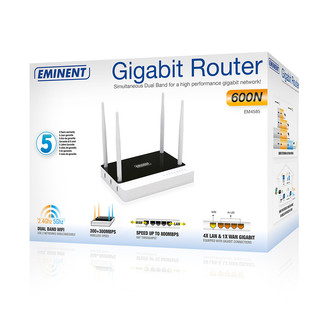
The Eminent EM4585 Concurrent Dual Band Gigabit Router with four antennas shares your Internet connection at the highest speed. Use the 2.4Ghz and 5Ghz band simultaneously to maximize the throughput and avoid interferences. The high performance WiFi network is perfect for online gaming and transferring music, videos and photos. Thanks to the Gigabit WAN port, this router is ideal for high-speed cable and fiber Internet. Create a guest network and share your Internet connection with your family and friends.
Concurrent Dual Band Router with separated antenna system
The EM4585 is a Concurrent Dual Band Gigabit Router. Both the 2.4Ghz and 5Ghz frequency can be used at the same time. The 2.4Ghz band is besides wireless routers also used by many devices like microwave ovens, wireless phones and baby monitors. So this band endures many interferences. By using the 5Ghz band you will have a cleaner frequency with less interferences. Besides enjoying the advantages of dual band, you also will benefit from the four antennas on the Gigabit Router. Two antennas are committed for the 2.4Ghz range and two antennas for the 5Ghz range. This separated antenna system located on top of the router ensures an optimal data transfer.
Unique wizard for easy installation
Access the installation wizard via your web browser to install the EM4585 Dual Band Gigabit Router and setup your Internet connection, wireless network settings and security preferences. If you have a WPS-enabled wireless device, you can even use the WPS function to secure your network with just one touch of a button!
Features for advance network users
The Eminent EM4585 Dual Band Gigabit Router has many additional features. Expand your wireless signal by using the WDS or wireless bridge features. Just install a second Eminent EM4585 Dual Band Gigabit Router throughout your home or office and be sure that you will have the best signal and throughput. The fast processor with Traffic Control makes sure that your Internet connection will always be as fast as possible.
Easy guest network configuration
Add and isolate extra SSIDs if needed. Set up a secondary network for guest users. This is very useful for business locations. The clients still have internet access without having admission to the company network. This is also useful at home. Grand internet access to your friends without admitting them to your private home network.
Backwards compatibility
The Eminent EM4585 Concurrent Dual Band Gigabit Router is backwards compatible with 54/11Mbps wireless devices, and standard 100Mbit wired networks. Use your existing wireless or wired network adapter to connect. To gain maximum speeds and range we advise you to use an Eminent N network adapter and/or a Gigabit network adapter.