Security
| Firewall security |
NAT |
| MAC address filtering |
Y |
Networking
| Media access protocol |
CSMA/CA, ACK |
| Receiver sensitivity |
54Mbps: Typical -69 @ 10% PER\n11Mbps: Typical -85 @ 8% PER |
Other features
| Non-operating relative humidity (non-condensing) |
10 - 90% |
| xDSL connection |
N |
| Interface |
RJ-45 |
| Outdoor range |
200m |
| Networking features |
Fast Ethernet |
| Power supply type |
DC |
| Frequency range |
2412 - 2484 MHz |
Management features
| Universal Plug and Play (UPnP) |
Y |
| Quality of Service (QoS) support |
Y |
| Web-based management |
Y |
Protocols
| DMZ support |
Y |
| Supported network protocols |
TCP/IP |
Ethernet LAN features
| Ethernet LAN interface type |
Fast Ethernet |
| Full duplex |
Y |
| Ethernet LAN data rates |
10, 100 Mbit/s |
Additionally
| Indoors max range |
50m |
| Ethernet LAN connection |
Y |
| Ethernet LAN (RJ-45) ports quantity |
1 |
ENTRWI-G, 802.11b/g, 802.3/802.3u, 48/54/100Mbps, 2412 - 2484 MHz, TCP/IP, 50m/200m, black
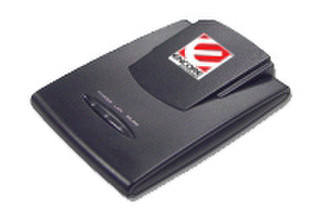
Wireless Travel Router
Encore Wireless-G Travel Kit is a small-size, low-power and portable device. It can function in 3 wireless modes: Router, Access Point and Access Point Client (or adapter). You can choose specific mode with the flip of a switch.
Router Mode
In this mode, ENTRWI-G offers a simple, secure wireless networking with a speed up to 54Mbps. The device supports 802.11g standard (5X faster than 802.11b standard). The ENTRWI-G is an ideal router when you are on the road. With its compact design, Encore Wireless-G Travel Kit can be easily fit into any baggage. Use this router to surf the Internet, play online games or share office resources. The router mode has all the features of a standard wireless router with enhanced security features, including WPA-PSK and WEP encryption.
Access Point Mode
Connect ENTRWI-G to an Ethernet router (using a RJ-45 cable). Configure ENTRWI-G accordingly. Now, you just upgrade your old wired router into an 802.11g wireless router.
Access Point Client Mode (or adapter)
Connect ENTRWI-G to the Ethernet port of you desktop or laptop computer (using a RJ-45 cable). Configure ENRXWI-G accordingly. Now, you can use it like a regular 802.11g wireless adapter enabling your computer to access wireless network.
Use ENTRWI-G, when you are on the road and still wish to take advantage of the wireless mobility that you enjoy at home or in your office.
- Supports 3 wireless mode: Router, Access Point or Access Point Client (Adapter);
- Provides an universal power adapter (100~240V) and power-plug converters;
- Supports receiving power from the USB port on your computer without the need of power adapter;
- Compiles with the 802.11g wireless standard (54 Mbps);
- Backward compatible with the 802.11b wireless standard (11 Mbps);
- Supports WPA-PSK and WEP data encryption for enhanced security;
- Features friendly WEB-based configuration utility.