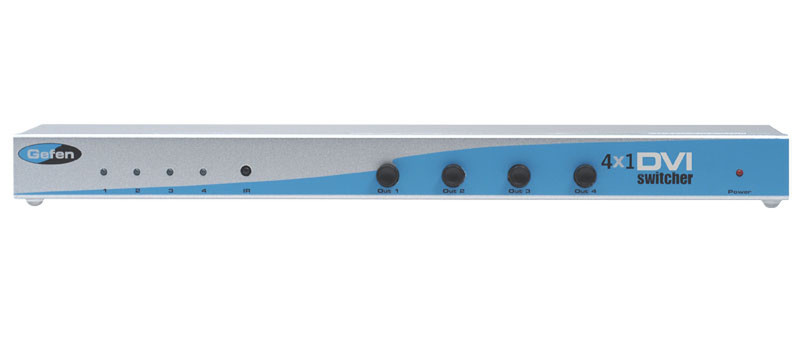
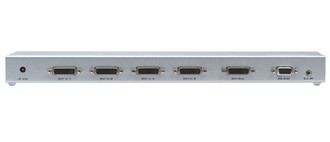
Gefen 4x1 DVI Switcher DVI video switch

Gefen 4x1 DVI Switcher DVI video switch

MPN: EXT-DVI-441N
🚚 Select the country of delivery:
Delivery from:
Germany
Updating price ... 📣 Send Price inquiry Не поставляется
Delivery cost & estimated delivery time:
От
days

Where to buy and prices (Advertising *)

On Top
в наличии
* Alle Preise inkl. der jeweils geltenden gesetzlichen Mehrwertsteuer, ggfs. zzgl. Versandkosten. Alle Angaben ohne Gewähr. Preisänderungen sind in der Zwischenzeit möglich.

Technical specifications

On Top

Technical details

Full HD Y
Video port type DVI
HDCP Y

Packaging content

Handheld remote control Y

Additionally

RS-232 port 1
4 x DVI-I In, 1 x DVI-I Out, 1920 x 1200, 165 MHz, RS-232, 3.5 mm Mini-Stereo, 10W <b>4x1 DVI Switcher</b>

The Gefen 4x1 DVI Switcher offers unparalleled flexibility in the setup of high definition theater and electronics systems. A plug and play solution, the 4x1 DVI Switcher connects four DVI source devices, such as DVI-based computer systems, and links them to one DVI display. You simply select what source will be viewed on the display using the IR remote control. The 4x1 DVI Switcher can also be controlled using any universal programmable remote, offering an alternative to multiple remote control confusion. Finally, there is an RS-232 serial port on the back of the unit, enabling a computer or control automation device such as Crestron (tm) to toggle input sources using the RS-232 interface.

An effective and reliable solution that eliminates the need to purchase several DVI displays, the 4x1 DVI Switcher requires no additional power supply to operate. The unit is equipped with a 5-volt DC input in the event that the unit requires additional power, as in the case of a DVI source not outputting the proper amount of voltage.

<b>How It Works</b>

Simply connect your DVI-compliant display to the Switcher's display output. Using the four high quality DVI cables that come with the 4x1 DVI Switcher, connect each DVI source device to a free DVI input on the Switcher. Once the DVI source devices and the DVI display are powered on and connected, toggle DVI source devices using the included RMT-4IR remote control or your own universal remote.
Фотографии

    Password recovery
    To recover your password, please enter in the box below your email address with which you have registered:
    The password reset code has been sent to your Email.
    Код уже был отправлен Вам ранее.
    Вы можете ввести его в поле выше, или получить новый код через сек.
    An error has occurred. Please check your e-mail address and try again.
    Ваш новый пароль:

    Name is empty


    Выберите страну доставки

    You have not written a message

    By clicking on the "Send" button, you agree that your data will be used to process your request. Further information and revocation instructions can be found in the data protection declaration.

    Your message has been sent!

    Close

    1
    Catalog
    Cancel Close
    Бренды:
      Выберите бренды
        Show more close
          Area search
          Worldwide
          Категории
            Product

