技术细节
| 类型 |
AV receiver |
| 连接器数量 |
1 |
| HDCP |
Y |
| 固件可升级 |
Y |
| 天线类型 |
2x2 internal |
| 音频系统 |
Stereo |
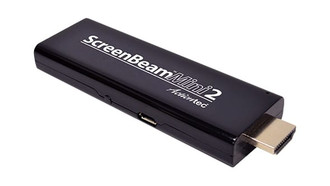
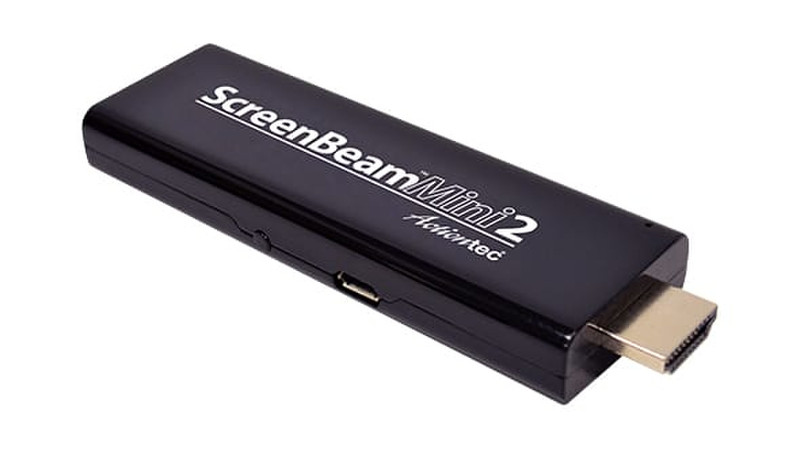
ScreenBeam Mini2 Windows 10 Continuum Edition wireless screen adapter
Love your phone or tablet but wish it did more? Now it can, with ScreenBeam Mini2 Continuum Edition. ScreenBeam Mini2 Continuum Edition lets users wirelessly dock Windows 10 mobile phones and tablets to a monitor, keyboard and mouse. Get a PC-like experience and use productivity applications to get things done, on-the-go. Now Windows 10 device users have mobility, a common platform across devices, and complete access to all of their content, anytime, anywhere. Add ScreenBeam Mini2 Continuum Edition for the total solution. Neat, sweet, and complete!
It’s easy to supplement core curriculum with rich, engaging multimedia, learning apps, educational programming, and even specialized online materials. Wireless display technology brings a whole new level of interactivity and collaboration to today’s modern classroom. The future of classroom technology is wireless – giving teachers the freedom to design their classrooms and curriculum in a way that best serves students and their learning experiences.
<b>With the ScreenBeam Mini2 Continuum Edition</b>
- Get a PC-like experience
- Wirelessly dock to a monitor, keyboard and mouse
- Work or play anytime, anywhere
- Increase productivity
- No Wi-Fi network needed
<b>Get a PC-like Experience</b>
Windows 10 phone, tablet and laptop users get “real work done” thanks to ScreenBeam wireless docking. ScreenBeam wireless docking gives users a PC-like experience by wirelessly connecting their mobile device to a monitor, keyboard and mouse. Work with favorite Microsoft Office apps and do things that can only be done with a full-size keyboard and mouse. Now the mobile phone or tablet acts like a PC and it all connects wirelessly, without hassle.
<b>Increase Productivity</b>
Business travelers use ScreenBeam wireless docking from their mobile device to create and edit content for business meetings and presentations using their favorite business applications. Then, they use it in conference rooms to display their presentations on the big screen to clients and co-workers. Users love the freedom and flexibility, letting users tap into the power of their devices anytime, anywhere. And while mobility is a major factor for device selection, users now have the comfort knowing they can wirelessly dock whenever they want and do serious work when needed.
<b>Wireless Display – Without Wi-Fi</b>
Enjoy better quality with a dedicated wireless connection directly to an HDTV. Plug it in and get pristine picture and sound, wirelessly. Best of all, users don’t need a Wi-Fi network or wireless router.
Impress Customers and Co-Workers
Now anyone in the room can connect and project, not just the participants within reach of cables. Users quickly appreciate the easy experience of swiping in to connect. Presenters are now able to move around the room and interact with participants more freely, fostering better interaction and collaboration.
<b>Easy to Set Up and Use</b>
Setting up ScreenBeam Mini2 Continuum Edition is simple. First, plug the ScreenBeam Mini2 Continuum Edition into the HDMI monitor or display. Second, connect the keyboard and mouse to the USB input and plug in the power. When ready to connect screen appears, open the Action Center on the Windows 10 device, select connect, and the device automatically detects the screen, keyboard, and mouse. It even automatically scales universal Windows applications, as needed.
<b>Work and Play in One Small Package</b>
It’s not just about work, it’s about fun too. Stream movies while surfing the web, text, tweet, talk all without interrupting what is playing on the big screen. With ScreenBeam, users get a dual screen experience and enjoy the best entertainment content on the big screen, while still having full access to everything on their mobile device.
<b>Industry Standard for Wireless Display</b>
ScreenBeam solutions are used as the validation platform for wireless display functionality by companies like Microsoft, Intel, and leading PC OEM and device companies. Actiontec is Microsoft’s lead partner for wireless display and worked with Microsoft to develop wireless display capabilities in Windows 8.1 and 10 with Continuum. ScreenBeam is an official development partner for Windows 10 Continuum and is deployed in 1,600 Microsoft campus conference rooms.
Because of Actiontec’s deep roots as the industry leader, and our ongoing investment in supporting industry device manufacturers, you can be assured that you’re deploying the most broadly compatible, feature rich wireless display platform.