显示器
| 显示器尺寸 |
10.1 " |
| 可视尺寸,横向 |
217 mm |
| 可视尺寸,纵向 |
135 mm |
| 原机长宽比 |
16:10 |
| 对比度 |
800:1 |
| 显示器亮度 |
350 cd/m² |
| 显示技术 |
IPS |
| HDCP |
N |
| 3D兼容性 |
N |
| 支持图形分辨率 |
1280 x 800 (WXGA) |
| 长宽比 |
16:10 |
| 显示器 |
LCD |
端口 & 界面
| DVI端口 |
N |
| 复合视频输出 |
1 |
| DC-IN插口 |
Y |
| HDMI端口数量 |
1 |
| VGA(D-SUB)端口数量 |
1 |
重量和尺寸
| 深度 |
139 mm |
| 宽度 |
220 mm |
| 高度 |
5 mm |
多媒体
| 集成电视调谐器 |
N |
| 内置摄像头 |
N |
| 内置扬声器 |
N |
25.654 cm (10.1 ") , 1280 x 800, IPS, 350cd/m2, 800:1, HDMI
HDMI 4 Pi - 10.1" Display 1280x800 IPS - HDMI/VGA/NTSC/PAL
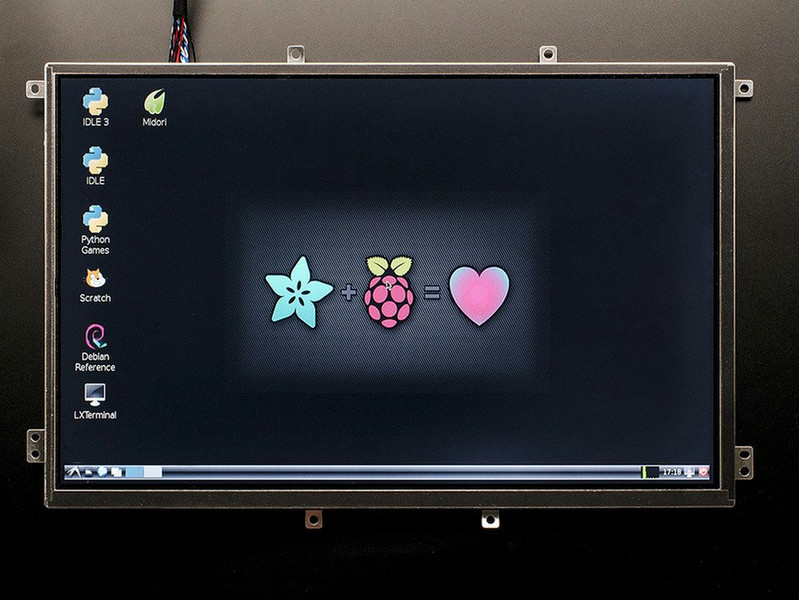
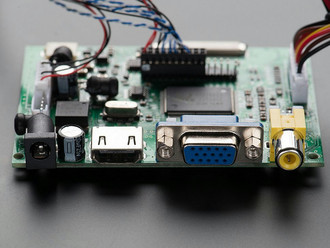
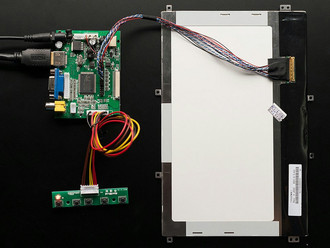
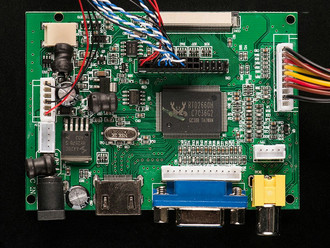
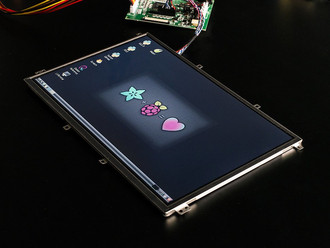
Yes, this is a beautiful bright 10.1" TFT display with incredibly high resolution and great angle-visibility! We tried to get the thinnest, brightest, highest resolution display that would be good for embedded computing usage. The visible display measures 10" diagonal and is a 'raw' display as is used in a tablet, ultra thin with some mounting tabs around the edge. We include a driver board with HDMI, VGA and Composite inputs. The display is very easy to use - simply connect a 9-12VDC adapter to the 2.1mm center-positive DC jack, then connect a digital video source to one of the ports. Voila, a display!
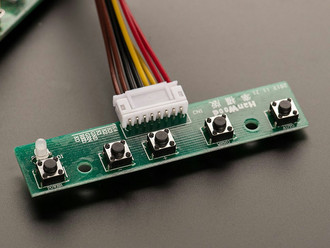
There's a little wired PCB with little buttons that let you enter a menu system for adjusting brightness, color and contrast. It tried to auto-detect which input you have and switches to that one or you can 'select' from the menu which to display.
To demonstrate it, we took some photos with the display connected to a Raspberry Pi, but it will also work connected to any device with HDMI, VGA or NTSC/PAL output. It will not work with a device that only outputs DVI (without a DVI to HDMI converter) or SECAM.
For use with a Raspberry Pi we suggest editing config.txt to set the HDMI to 1280x800 in case it doesn't detect the resolution properly. You can see our suggested config.txt in the Technical details tab. The easiest way to edit the config.txt is to put the Pi SD card into an every day computer and edit config.txt with any text editor and save.
For use with a BeagleBone black, we found it works when plugged in, no configuration required.