无线局域网的特点
| 无线局域网连接 |
Y |
| Wi-Fi标准 |
IEEE 802.11n |
| 无线局域网类型 |
IEEE 802.11n, IEEE 802.11g, IEEE 802.11b |
性能
| 网上管理 |
Y |
| 接收机灵敏度 |
802.11b: -76 dBm@11M, 802.11g: -67dBm@54M,\n802.11n: HT20 -64dBm@65M, HT40 -61dBm@150M |
能量控制
| 输入电流 |
1.2 A |
| USB供电 |
N |
| 输入电压 |
5 V |
另外
| 数据传输率(最大) |
150 Mbit/s |
| 连接方式 |
Wireless |
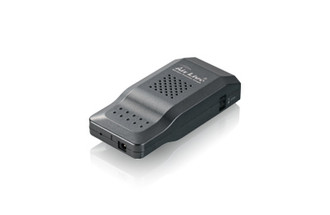
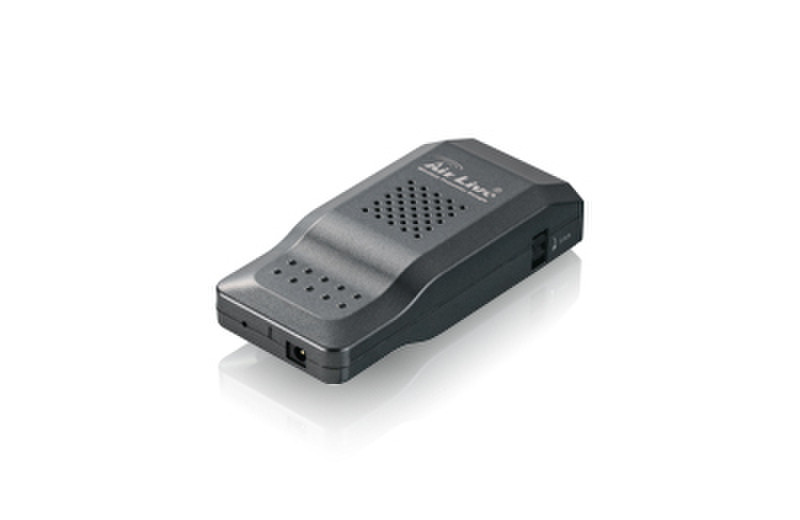
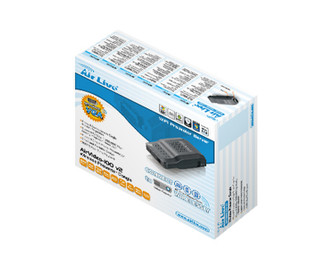
AirVideo-100v2 - Wireless Presenter Dongle, IEEE802.11b/g/n, 150Mbps
The AirLive Wireless Presenter Dongle, AirVideo-100v2 is the most efficient and cost-effective method to conduct a conference presentation. With AirVideo-100v2, you may now upgrade your projector instantly with Wi-Fi capability by simply plug-connect the AirVideo-100v2 to your projector. The AirVideo-100v2 fully maximizes the value of existing network equipment and projector.
<b>High Performance Wireless Projection</b>
With the revolutionary high performance wireless projection, you can easily share the multimedia on the big monitor with friends without cable hassle.
<b>Easy installation</b>
Download the WPS client software from web management page directly, or make a “Plug & View” token to project wirelessly right away
<b>Plug & View</b>
Perform your presentation wirelessly without swapping the cable when switching between presenters. There is an easy tool to make a Plug & View USB Token on web management menu, you can just plug the token into a USB port and connect to your existing network equipment (via wirelessly or wire). In seconds, the screen will be projected wirelessly.
<b>Split screen projection</b>
Up to 4 computers can be projected in single screen projection. Thus, you can easily do Side-By-Side comparison from 4 computers/ PDAs to increase meeting productivity.
<b>Wireless VGA</b>
Don’t worry about complexity cabling, you can just plug the AirVideo-100v2 into the project, via wireless feature, you can easy to show the presentation on a screen.
Smartphone, Notebook, Tablet projection
Presentation on projector is so much easier than before when combines with Mobishow and Smartphone/ Tablet. By launching MobiShow utility, MobiShow brings your mobile screen to big screen and which can play photos and PtG files stored in your mobile phone for presentation.
<b>High Quality Projection</b>
Perform presentation without boundary; Smoothest and Finest image display quality with no content limitation. It is the best choice for still images and slides.
<b>Wireless Protocol (AP and Client mode)</b>
The AirVideo-100v2 will always work at AP mode and it acts as a central hub for different Wireless LAN Clients.
You can also enable the AP-Client Mode function to let AirVideo-100v2 join the existing Access Point through Wi-Fi. This feature provides the flexibility of wireless network deployment in enterprise environment.
<b>Best Accessory for Macbook Business Traveler</b>
If you own a MacBook, you need to buy a MiniDisplay Port-to-VGA converter cable in order to connect with video projectors. A better alternative is to buy the AirVideo-100v2. The AirVideo-100v2 is extremely light and small to carry, and it offers you the ability to do the presentation wirelessly. Better yet, you can download the Mac client software directly from AirVideo-100v2's web management page. It is really simple and easy to use with Macintosh computers.
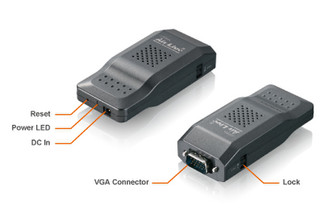
<b>Compatibility and Power over VGA*</b>
Compatible to Projector/LCD TV/Monitor with standard VGA input connectors. Self-powered by VGA port; power adapter is not longer required.