读取速度
| DVD-RW 读取速度 |
6 x |
| DVD+R读取速度 |
16 x |
| DVD-R读取速度 |
16 x |
| DVD-R 双层读取速度 |
8 x |
| BD - RE的读取速度 |
2 x |
| BD - R读取速度 |
12 x |
| BD- R 双层读取速度 |
8 x |
| DVD-RAM读取速度 |
12 x |
| CD-RW 读取速度 |
24 x |
| DVD+R双面读取速度 |
8 x |
| CD-R 读取速度 |
48 x |
| DVD+RW 读取速度 |
8 x |
| CD读取速度 |
48 x |
写入速度
| CD写入速度 |
48 x |
| CD重写速度 |
48 x |
| DVD+R写入速度 |
16 x |
| DVD-R写入速度 |
16 x |
| DVD+RW烧录速度 |
12 x |
| DVD-RW写入速度 |
12 x |
| DVD-R 双面写入速度 |
12 x |
| DVD+R双面写入速度 |
12 x |
| DVD-RAM写入速度 |
12 x |
| BD - RE的重写速度 |
8 x |
| BD-R写入速度 |
8 x |
| CD-RW 写入速度 |
48 x |
| CD-R写入速度 |
48 x |
性能
| 光盘类型支持 |
DVD-RW DL, DVD-RW, DVD-RAM, DVD-R DL, DVD-R, DVD+RW DL, DVD+RW, DVD+R DL, DVD+R, DVD, CD-RW, CD-ROM, CD-R, CD, BD-ROM, BD-RE, BD-R, BD |
| 光驱类型 |
Blu-Ray DVD Combo |
| 光盘直径 |
120, 80 mm |
记录模式
| 数据包写入 |
Y |
| 一次性区段刻录 |
Y |
| 一次性完整刻录 |
Y |
| 一次性逐轨刻录 |
Y |
| 随机写入 |
Y |
| 多区段 |
Y |
存取时间
| BD-ROM驱动器平均随机访问时间 |
250 ms |
| DVD 驱动器平均随机访问时间 |
150 ms |
| CD驱动器平均随机访问时间 |
150 ms |
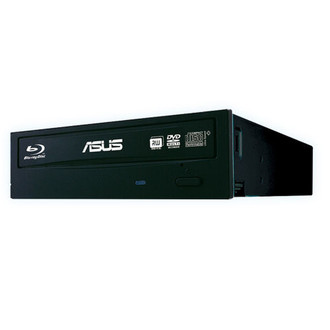
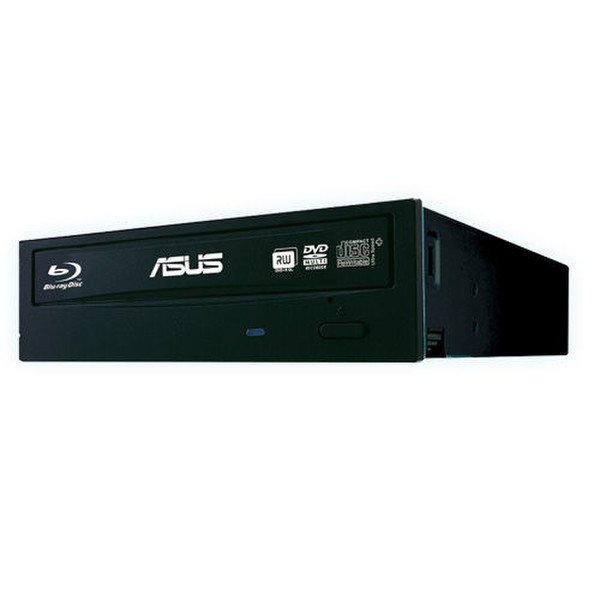
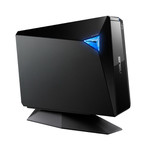
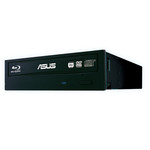
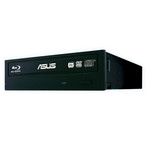
BW-12B1ST, BD-R 8x, CD-R 48x, DVD+RW 8x, DVD-RW 6x, DVD+R(DL) 8x, CD-RW 24x, SATA
<b>The World's Fastest Blu-ray Burner at 12X Speed</b>
-Windows 8 Compatible
-Fastest 12X Blu-ray writing speed
-E-Green saves over 50% power consumption
-Blu-ray 3D support, 2D to 3D DVD conversion, DVD upscaling to HD 1080p (optional)
-Dolby EX and DTS-HD (5.1 channels)(optional)
<b>12X Blu-ray High Speed</b>
With the fastest 12X Blu-ray writing, it only takes 11 mins to back up 25GB* of data
<b>The Best Burning Quality</b>
OTS Technology increases burning success rates and provides users fast and high quality operation
<b>Green Focus</b>
E-Green auto-closes drive application when not in use, saving over 50% power consumption.
<b>Data Protection Solution</b>
E-Hammer helps users delete data permanently on a writable disc (CD-R and DVD-R), ensuring data security with no need to destroy the disc.
<b>Double the Security On-the-Go</b>
Disc Encryption II doubles the security with password-controls and hidden-file functionariy, protecting important user data.
<b>Drag-and-Burn</b>
Friendly interface with only three simple steps to burn a disc, making the process easier than ever
<b>Blu-ray 3D Support</b>
ASUS supports latest Blu-ray 3D technology, but the Blu-ray playback software is subjected to change by area. Please check with your supplier for exact offers.