显示器
| 显示器尺寸 |
19.5 " |
| 垂直扫描范围 |
50 - 60 Hz |
| 长宽比 |
16:9 |
| 触摸屏技术 |
Capacitive |
| 响应时间 |
5 ms |
| 高度调整 |
N |
| 对比度 |
3000:1 |
| 显示器分辨率 |
1920 x 1080 pixels |
| 视角,水平 |
178 ° |
| 视角,垂直 |
178 ° |
| 像素 |
0.225 x 0.225 mm |
| 显示器亮度 |
250 cd/m² |
| Full HD |
Y |
| 支持图形分辨率 |
1920 x 1080 (HD 1080) |
| 显示器 |
LED |
端口 & 界面
| 包含电缆 |
AC, DisplayPort |
| USB2.0端口的数量 |
2 |
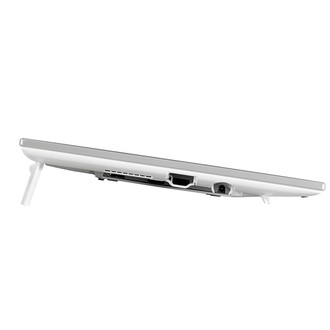
| DisplayPort 数量 |
1 |
| HDMI端口数量 |
1 |
重量和尺寸
| 重量(含底座) |
3600 g |
| 深度 |
25.2 mm |
| 重量 |
2300 g |
| 宽度 |
463.8 mm |
| 高度 |
274.8 mm |
性能
| 扬声器数量 |
2 |
| 内置麦克风 |
N |
| 同步接触点(Windows7) |
10 |
| 连接到PC |
Y |
| RMS的额定功率 |
2 W |
| HDCP |
Y |
| 内置摄像头 |
N |
| 内置扬声器 |
Y |
能量控制
| 功耗(一般操作) |
41 W |
| 功耗(待机) |
0.3 W |
| 交流电(AC)输入电压 |
100-240 V |
| 交流电(AC)输入频率 |
50/60 Hz |
| 电源类型 |
AC |
人体工程学
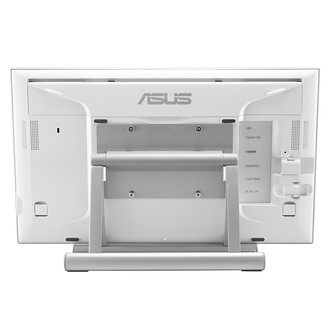
| VESA 安装支架 |
Y |
| 线缆锁插槽 |
Kensington |
| VESA 安装系统兼容界面 |
100 x 100 mm |
| 倾斜调整 |
Y |
| 液晶显示器指示灯 |
Y |
| 墙壁支架 |
Y |
| 倾角 |
20 - 75 ° |
其他功能
| 集成电视调谐器 |
N |
| 深度(含底座) |
116.5 mm |
| 高度(含底座) |
274.8 mm |
认证标准
| 认证 |
BSMI, CB, CE, CU, FCC, J-MOSS, PSE, RoHS, VCCI, WEEE, WHQL (Windows 8.1), RCM, UL |
包装数据
| 包装盒厚度 |
137 mm |
| 包装重量 |
4700 g |
| 包装盒宽度 |
554 mm |
| 包装盒高度 |
431 mm |
另外
| 水平扫描范围 |
31 - 68 kHz |
| 显示器的颜色数量 |
16.78 million colours |
| 产品色彩 |
White |
| 显示器对角线(公制) |
49.5 cm |
| 能源效率等级 |
Unspecified |
49.53 cm (19.5 ") , 1920x1080, 250 cd/㎡, 3000:1, 178°/178°, 5ms, 16.7M, Capacitive 10-point multi-touch, 2 x 1W RMS, HDMI , DisplayPort, USB, microUSB, White
Easily Write
Simply Work
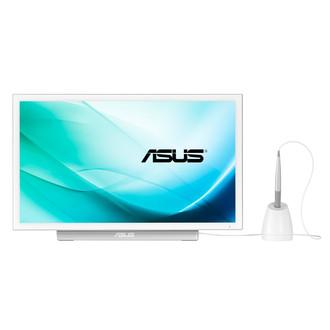
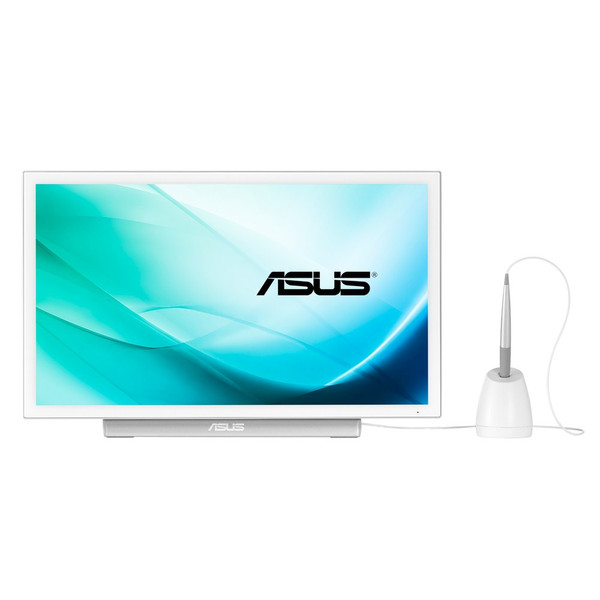
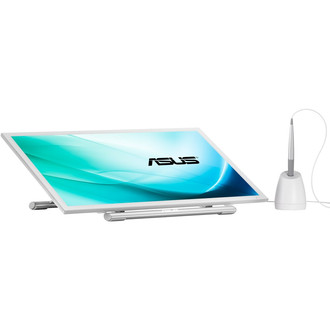
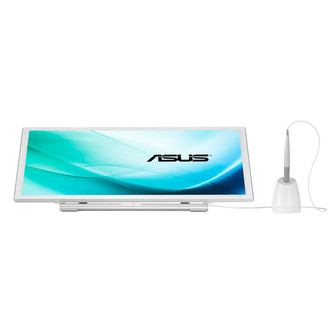
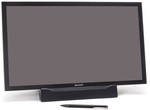
The PT201Q gives you unprecedented levels of interaction, allowing you to simultaneously make inputs through your fingers or the bundled digitizer pen. Now you can draw precise lines or write smoothly directly on screen with the digitizer pen in your dominant hand, leaving your other hand free to manipulate onscreen elements – so you can zoom or rotate images, open or save files, or click on the task bar in an instant.
3 Switchable Modes
A side shourtcut button lets you easily switch between digitizer pen, fingertip, or simultaneous input modes. It recognizes both fingertip and digitizer pen input, but gives priority to the latter.
On top of that, palm rejection technology also means you can even rest your hand on the screen without interfering with what you’re doing.
Natural Writing Experience
The PT201Q comes bundled with a digitizer pen so you can draw, take notes or mark presentations directly onscreen. And it feels entirely natural too — 1024-pressure level detection means line thickness and colors change in relation to the pressure you exert. You can even select eraser or right-click functions through a special shortcut button on the pen. Software dependent. Please check software compatibility table at the bottom of this webpage prior to use.
Intuitive Fingertip Control
10-point touch control gives you precise input, even when you’re using it with a friend or two, so collaborating on projects has never been this easy.
The PT201Q display is Windows® 8.1-compatible and designed to offer great performance as well as intuitive control; letting you smoothly transition between onscreen typing and navigating. And remember, it’s not just for work; you can have some fun with it too! You can easily pinch-zoom or rotate images, or scroll through webpages on the PT201Q.
Outstanding Visuals with 178° Wide Viewing Angles
The PT201Q features a large 19.5-inch display that’s capable of showcasing up to 16.7 million colors in stunning Full HD. It features a 178-degree wide-view angle so there’s no color shift even when you’re viewing it from extreme angles; while 250 cd/m² brightness ensures you can read what’s onscreen even under bright office lights.
Adjustable Tilt Angles for an Ideal Viewing Position
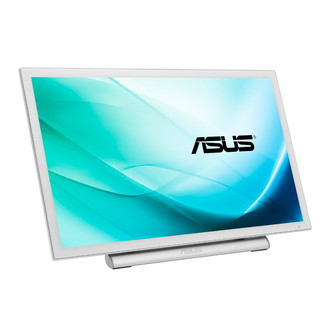
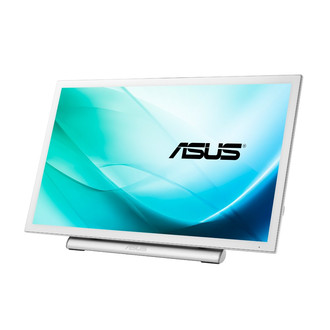
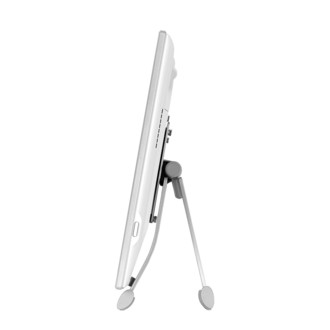
The PT201Q has an adjustable stand with 20 – 75 degree tilt angles to give you an ideal viewing position. Alternatively, you can detach the display from the stand so you can use it flat on the desk. The PT201Q has an ergonomic design that promotes good posture and minimizes wrist strains, allowing you to get the most out of its 10-point touch display.
Extensive Driver-free Connectivity with Windows®
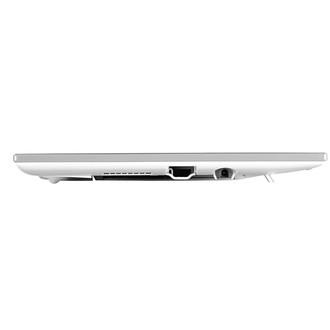
You can hook up the a PT201Q to your PC or notebook through HDMI or DisplayPort. There’s also a USB port for a mouse, keyboard or other devices. And if you’re using Windows® 7/ 8/ 8.1 , there’s no need to download any additional drivers, so you can get right down to work with your Windows PC.