技术细节
| DisplayPort 输入 |
1 |
| DisplayPort 输出 |
1 |
| 面板类型 |
IPS |
| RS-232 输入端口 |
1 |
| RS-232 输出端口 |
1 |
| LED背光类型 |
Direct-LED |
| DisplayPort版本 |
1.1a |
端口 & 界面
| 遥控器(IR)输出 |
1 |
| DVI端口 |
Y |
| 遥控器(IR)输入 |
1 |
| 音频(左、右声道)输出 |
1 |
| 分量视频(YPbPr/YCbCr)输入 |
1 |
| VGA(D-SUB)输入端口 |
1 |
| 复合视频 |
1 |
| DVI-D接口数量 |
2 |
| USB 端口数量 |
1 |
| RS - 232接口 |
Y |
| HDMI端口数量 |
2 |
设计
| 边框宽度(顶部) |
2.3 mm |
| 边框宽度(底部) |
1.2 mm |
显示器
| 有效显示区域(宽×高) |
1073.8 x 604 mm |
| 色域 |
72% |
| HD 类型 |
Full HD |
| 原机长宽比 |
16:9 |
| 显示类型 |
LED |
性能
| 面板寿命 |
50000 h |
| 多显示器支持 |
Y |
| OSD语言数 |
21 |
| 营业时间(小时/日) |
24/7 |
| 屏幕显示 |
Y |
另外
| 以太网连接器 |
Y |
| 以太网路(RJ-45)连接接口数量 |
1 |
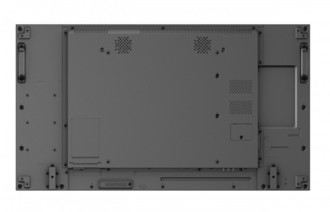
49", LED, 1920 x 1080, 16:9, 60 Hz, USB, RJ-45, DVI-D, RS232, D-sub, 1077.6 x 607.8 x 103.8 mm, 21.6 kg
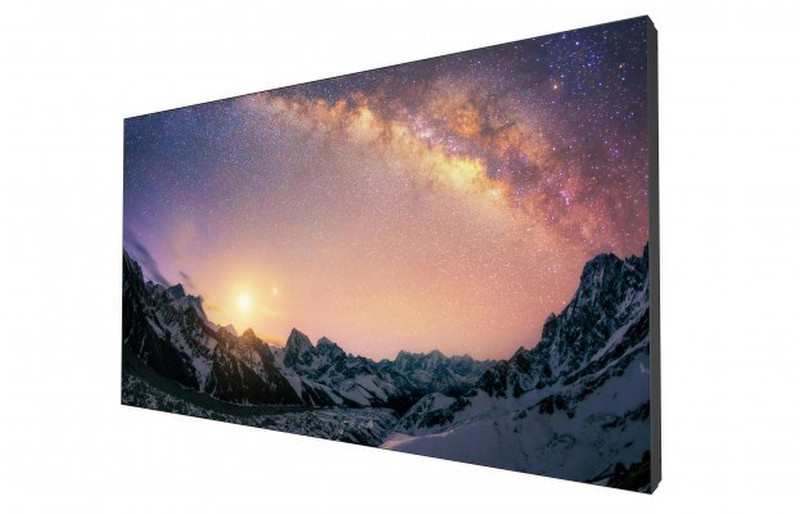
The PL490 is the video wall solution optimized for the finest image quality and easiest content management. Featuring a 4K screen engineered with an ultra-narrow 3.5mm bezel gap, the PL490 makes us of daisy chaining technology to immerse your customers in a seamless viewing experience that’s impactful and distraction-free. By marrying USB plug-and-play simplicity with content scheduling system, the PL490 also provides a hassle-free solution for distributing content across all displays. With the PL490, you can have an unrivaled video wall solution that will inform and impress your customers.
Ultra-Narrow Bezel Design for Immersive Experience
Boasting an ultra-narrow bezel design at 3.5mm, video wall installations with the PL490 are free of visual distractions and primed to offer a seamless viewing experience that will delight and captivate your customers.
DP Daisy Chain Delivering Stunning 4K Clarity
Featuring industry-leading DisplayPort1.1a daisy chain technology, the PL490 is equipped to display stunning 4K UHD images across a video wall installation up to 15x15 without using splitters. To further boost the ease of content management, the PL490 supports X-Sign software compatibility, allowing you to easily create and enrich your 4K video messages with over 100 built-in templates.
Display and Distribute Content with Ease
Plug a USB flash drive into the PL490 to instantly play multimedia content. After inserting the USB flash drive, you can precisely arrange a playlist and schedule content playback times so they fit your business’s needs.
Effortless Display Management
Multiple Display Administrator (MDA)
The MDA application helps you control and manage multiple displays simultaneously through your local network. Besides providing great convenience, MDA also enables powerful functions such as integration with centralized monitoring, and the ability to easily blank displays that are not in use, lowering your power costs and helping the environment.