打印速度
| 打印速度(黑色,一般质量,A4/US Letter) |
27 ppm |
性能
| 打印 |
Colour printing |
| 经济型印刷 |
Y |
| 双面打印功能 |
Not supported |
| 印刷颜色 |
Black, Cyan, Magenta, Yellow |
| 数字发送器 |
N |
| 烤貝/ 影印 |
Colour copying |
| 传真 |
N |
| 扫描 |
Colour scanning |
| 打印技术 |
Inkjet |
| 打印墨盒数量 |
4 |
能量控制
| 功耗(平均打印) |
16 W |
| 功耗(节能) |
0.7 W |
| 节能模式 |
Y |
| 功耗(关闭) |
0.2 W |
纸张处理
| 日本JIS B系列尺寸(B0. .. B9) |
B5 |
| 无边距打印纸张尺寸 |
10x15, 2L, A4, A6, Index card, Letter |
| 自定义介质宽度 |
98 - 215.9 mm |
| 照片纸张尺寸 |
10x15 cm |
| 自定义介质长度 |
148 - 355.6 mm |
| 非ISO打印介质尺寸 |
2L, Executive, Index card, Letter |
| ISO A 系列文件最大尺寸 |
A4 |
| 信封尺寸 |
DL, 10, Monarch, C5 |
扫描
| 扫描驱动程序 |
WIA, ICA, TWAIN |
| 输出色彩深度 |
24 bit |
| 扫描至 |
E-mail, File, Image |
| 最高扫描分辨率 |
19200 x 19200 DPI |
| 输入色彩深度 |
30 bit |
| 光学扫描分辨率 |
2400 x 2400 DPI |
| 最大扫描面积 |
A4 (210 x 297) mm |
复印/影印
| 复印量(最大) |
99 copies |
| 多合一打印 (N=) |
2, 4 |
| 最大复印分辨率 |
1200 x 2400 DPI |
| 复印缩小/放大设置 |
25 - 400% |
输入容量
| 纸张输入类型 |
Paper tray |
| 标准输入能力 |
100 sheets |
软件
| 包括驱动器 |
Y |
| 可支持的Mac操作系统 |
Mac OS X 10.6 Snow Leopard, Mac OS X 10.7 Lion, Mac OS X 10.8 Mountain Lion, Mac OS X 10.9 Mavericks |
联网
| 无线局域网连接 |
Y |
| 可支持的网络协议(IPv4) |
ARP, RARP, BOOTP, DHCP, APIPA(Auto IP), WINS/NetBIOS, DNS Resolver, mDNS, LLMNR responder, LPR/LPD, Custom Raw Port/Port9100, FTP Server, SNMPv1/v2c, TFTP server, ICMP, Web Services |
另外
| 打印速度(彩色,一般品质,A4/US Letter) |
10 ppm |
| 打印噪音水平 |
50 dB |
| 以太网连接器 |
N |
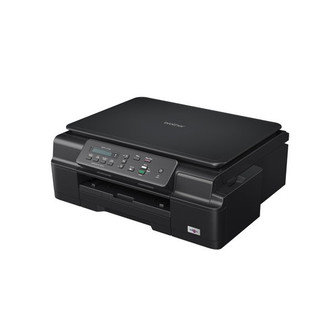
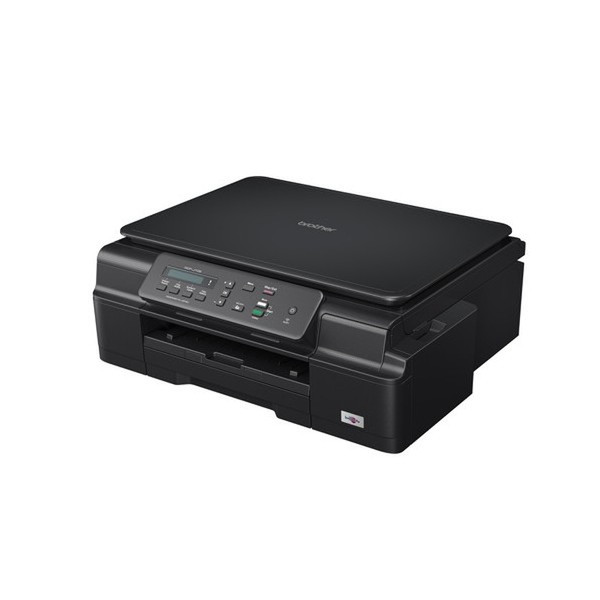
DCP-J105 - 27ppm, 1200 x 600dpi, A4, 64MB, USB 2.0, 802.11b/g/n, 7.1kg
Save on Repairs
Lamination Technology & Piezo Technology enhanced durability and minimises print head damage, helping you save on repair and replacement costs.
Enjoy Lower Running Costs
Enjoy low ink costs with affordable 2,400^ super high page-yield InkBenefit cartridges. Reduce ink wastage with an individual ink cartridge system that allows you to replace only the colours you need. Plus, easily produce 2-up and 4-up on a single sheet. This saves paper when viewing drafts or layouts. ^ Refers to black ink. Colour ink: 1,300 page-yield. Approximate page-yield declared in accordance with ISO/IEC 24711.
Improve Productivity
Featuring high print speeds of 11/6ppm*, time is saved when there are multiple users or large volume printing tasks.
Users can utilise their time more efficiently instead of waiting for their printouts.
* ISO/IEC 24734. Click here to find out more about Brother print speed.
Save Time
Enjoy convenience of less-frequent ink purchases with super high-yield InkBenefit cartridges. Plus, save valuable time as you can still print in black even if colour cartridges run out.
Simplify the Way You Work
With the free iPrint&Scan app, you can now print directly from your iPhone, iPod Touch or iPad. Plus, you can scan documents from your Multi-Function Centre straight to your Apple gadgets. In addition, save resources and share your multi-function centre across your wireless network.
Professional Quality
Our colour inkjet series deliver consistent and high quality results with sharp images and crisp text. Our Multi-Function Centres offer unique colour enhancement designed to optimize your color prints with true to life colours. Brother black pigment ink will provide you with sharp text printing on standard paper. It is water resistant so it won't smudge. You get consistently sharp text every time.