端口 & 界面
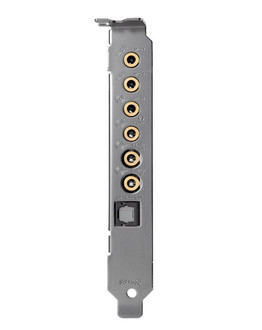
| 超重低音输出 |
Y |
| Line-out |
Y |
| 数字音频光学输出 |
1 |
| 音频(左、右声道)输出 |
1 |
| 主机接口 |
PCI-E |
| 耳机输出端口 |
1 |
| Line-in |
Y |
| 麦克风/音频输入插孔 |
Y |
系统要求
| 需要CD-ROM 驱动器 |
Y |
| 最低内存 |
1024 MB |
| 最小硬盘空间 |
600 MB |
音频
| 输出信号-噪声比(信噪比) |
106 dB |
| 音质 |
24 bit |
| 內置式 |
Y |
| 数字模拟信号转换器 |
24-bit/192kHz |
技术细节
| 环境音效扩展(EAX)功能配置 |
4.0 |
| 支持 OpenAL 功能 |
Y |
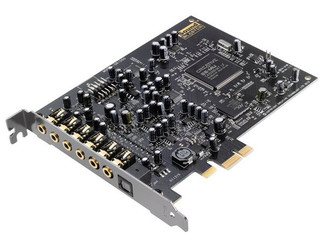
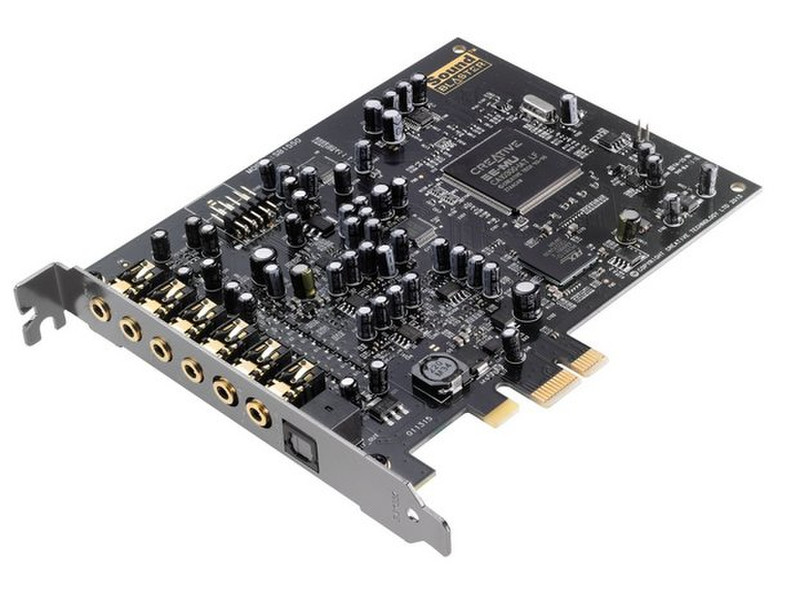
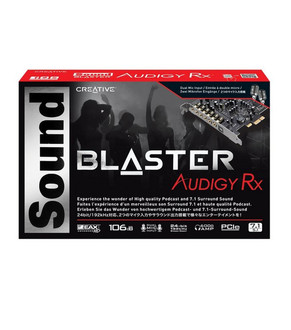
Sound Blaster Audigy Rx PCIe - E-MU, 7.1, 106dB, 1x TOSLINK
The Sound Blaster Audigy Rx is an advanced sound card that represents the perfect upgrade from basic motherboard audio to immersive cinematic surround sound. With its advanced chipset designed to process our legendary EAX reverb engine, you can look forward to experiencing superb 7.1 multi-channel audio. It also features an SNR of 106dB and the Sound Blaster Audigy Rx Control Panel, a dedicated PC software that allows you full control of every aspect of your sound card.
If you're big on entertainment, you would also love it for its EAX Studio software that allows for additional hardware-accelerated environmental effects to your music, movies, games as well as for your voice input and communications.
E-MU chipset for advanced effects processing
Sound Blaster Audigy Rx features the Creative E-MU chipset, which was designed to process our legendary reverb engine EAX (Environmental Audio eXtensions) and deliver amazing cinematic audio playback effects without having to bog down your CPU. This ensures you get great quality effects and audio without affecting your computer's processing power.
Dual microphone inputs
The sound card has two microphone inputs to allow you to grab a friend to sing simultaneously! Or, use the second input to record the music accompaniment while you sing. The possibilities are endless!
Super low-latency audio recordings
Enjoy reduced latency with the support of Audio Stream Input/Output (ASIO) drivers, making Sound Blaster Audigy RX the perfect solution for high-quality, low-latency audio recordings.
Control and customize your audio
Sound Blaster Audigy Rx Control Panel is a dedicated PC application that lets you control and customize every aspect of your sound card. You can adjust your Creative Multi Speaker Surround (CMSS or CMSS 3D) settings to upmix stereo content to your multi-channel speaker system and add acoustic depth to your multi-channel content. Or, use Mic Monitoring and Stereo Mixing to hear yourself while you record and so that you can hear the effects instantly.
Fine-tune your EAX settings
The powerful EAX Studio software lets you control and perform detailed adjustments to all of the EAX Advanced HD settings such as adding environmental effects to your music, movies and games, or change the key of your music on the fly to match your voice.