纸张处理
| 非ISO打印介质尺寸 |
Statement, Oficio, Letter, Legal, Folio, Executive |
| 信封尺寸 |
9, 10, C5, B5, 7 3/4, DL |
| ISO A 系列文件最大尺寸 |
A4 |
| 日本JIS B系列尺寸(B0. .. B9) |
B5 |
打印技术
| 打印技术 |
Laser |
| 打印墨盒数量 |
1 |
| 占空比(推荐) |
8000 - 30000 pages per month |
| 占空比(最高) |
300000 pages per month |
性能
| 可支持的Mac操作系统 |
Mac OS X 10.5 Leopard, Mac OS X 10.6 Snow Leopard, Mac OS X 10.7 Lion, Mac OS X 10.8 Mountain Lion |
| 处理器频率 |
800 MHz |
输出容量
| 最大输出能力 |
550 sheets |
| 标准输出容量 |
550 sheets |
输入容量
| 多功能托盘容量 |
100 sheets |
| 标准输入能力 |
550 sheets |
| 最大输入容量 |
3300 sheets |
打印速度
| 首页时间(黑白,正常) |
4 s |
| 打印速度(黑色,一般质量,A4/US Letter) |
66 ppm |
| 双面打印速度(黑色,标准质量,A4/US Letter) |
40 ppm |
Laser, A4, 1200 x 1200 dpi, 66 ppm, Gigabit Ethernet, 3 x USB, Dual-Core 800 MHz, 1GB DDR3, 925 W, 43300 g, Black
<b>Outstanding long-term value</b>
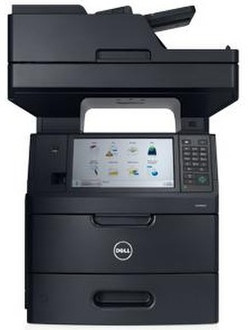
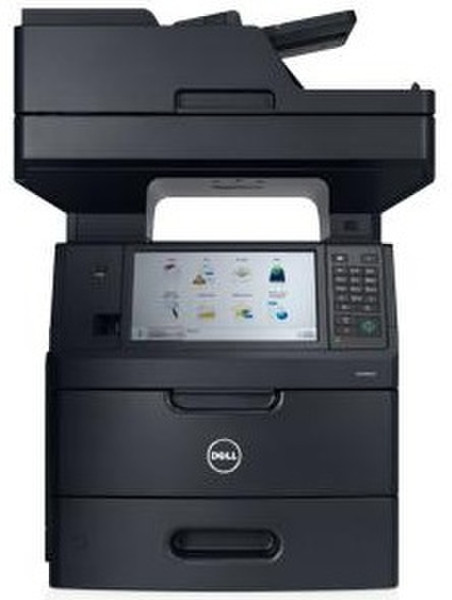
Print, copy, fax and scan for large workgroups with the Dell™ B5465dnf Multifunction Printer, featuring fast printing, inbox solutions and advanced security features.
<b>Powerful performance and outstanding value</b>
Print, scan, copy and fax from one robust device. The B5465dnf mono laser multifunction printer offers 4-in-1 versatility and long-term value with high-performance features, such as:
- Superfast printing of up to 66 ppm (A4).
- Outstanding cost-per-page with optional extra-high-yield cartridge that prints up to 45,000 pages.
- High duty cycle of up to 300,000 pages per month to help meet high-volume printing demands.
- Gigabit Ethernet connectivity and optional external wireless adapter that helps maximize data transmission speeds across your network.
<b>Highly efficient productivity features</b>
Help improve office efficiency with handy shortcuts and enhanced usability features offered by the B5465dnf multifunction printer.
Scan two-sided documents at up to 70 spm with built-in Duplex Automatic Documents Feeder with dual scan sensor.
- Scan documents and save digital files directly to email or to one of 30 folder destinations on the network.
- Easily scan and print both sides of an ID card, such as an insurance or business card, on one page with Card Copy.
- Quickly access and print frequently used forms stored on a website, an FTP site or in a network folder using the Forms and Favorites feature.
- Create up to 25 copy, fax and email shortcuts that are quickly accessible through the printer control panel.
- Print directly from your Android™ mobile device with Dell Mobile Print.
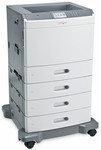
- Add an optional 550-sheet input paper tray and a 2100-sheet high-capacity feeder with caster base to allow a maximum input paper handling of up to 3,300 sheets.
<b>Intuitive design and simple management</b>
Quickly enhance office imaging capabilities and help boost workforce efficiency with the easy automated manageability of the B5465dnf multifunction printer.
- Swiftly navigate menu and configuration settings with the intuitive 10.2” (25.9 cm) color LCD touch screen.
- Remotely access the printer control panel display with the Embedded Web Server (EWS) to modify settings, view printer status, release held print jobs and perform other print-related tasks.
- Help eliminate the clutter on your PCs with Dell Open Printer Driver (OPD), a single solution that can reduce the huge workload of driver deployment and setting changes.
- Monitor, manage and create reports for all Dell printers on your network with the Dell OpenManage™ Printer Manager (OMPM).
<b>Protective security features</b>
Safeguard sensitive information without disrupting your printing capabilities with the powerful security features of the B5465dnf multifunction printer.
- Help prevent restricted documents from collecting unattended in the output tray with Confidential Print, a valuable utility that holds jobs in the print queue until a PIN is entered at the printer display for secure printing and pickup.
- Help ensure data transmission security with support for SNMPv3 and IPV6 with IPsec authentication and encryption.
- Support WPA2 and 802.1X wireless security with optional wireless card.
- Control local and remote admission to specific menus, functions and workflows with security templates available through the B5465dnf access controls.
<b>Service and support for your multifunction printer</b>
Keep your downtime to a minimum and your business running to the maximum with outstanding support from Dell.