安全
| MAC(媒体存储控制)地址过滤 |
Y |
| 认证方法 |
Radius |
性能
| 频段 |
2.4 GHz |
| VLAN支持 |
Y |
| 以太网的数据传输率 |
10, 100 Mbit/s |
| 2.4 GHz |
Y |
| 网上管理 |
Y |
另外
| 以太网路(RJ-45)连接接口数量 |
5 |
| 数据传输率(最大) |
100 Mbit/s |
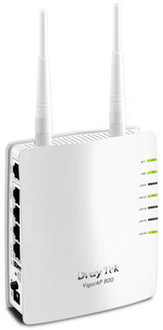
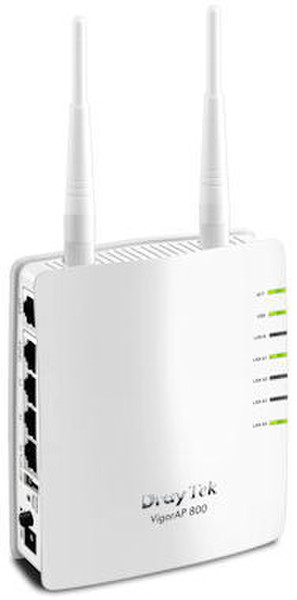
Vigor AP-800 Wireless Access Point
The DrayTek Vigor AP-800 is a standalone wireless access point, ideal for adding wireless connectivity to an existing LAN, or for expanding the range of an existing wireless LAN by using the WDS features.
<b>Wireless Security</b>
The AP-800 features multiple levels of wireless security. Encryption using WEP, WPA, WPA2 (802.11i) is available you can also use the access control list (ACL) to specify the hardware addresses of clients which are permitted to connect (by MAC hardware address). Any unauthorised hardware is refused access.
For additional user authentication, you can activate 802.1x RADIUS (Remote Authentication Dial-in User Service) which allows you to centrally manage and store user names and passwords either within the AP-800 setup itself (thus not needing any external server) on an external radius server which can permit time limited, temporary or continuous access to your clients as required.
The Vigor AP-800 supports the 802.1q VLAN protocol so that if it is connected to an 802.1q enabled LAN, it can split tagged data (whether its different subnets or intended for different users) and broadcast each on its own SSID. This means, for example, that your guest WiFi access is provided on a separate isolated SSID with no access to your company data. (802.1q Feature ETA Q1/2011)
USB Printer Port
the AP-800 has a USB interface into which you can connect a regular printer. That printer is then accessible from any wireless or wired PC which connects to the AP-800, or a PC anywhere else on the network to whick the AP-800 is connected. This is ideal to provide printer access to wireless laptops but could also be used for installing a printer elsewhere in your home/office by using a pair of AP-800s to make a bridge.
<b>WMM - WiFi Multimedia</b>
The AP-800 implements intelligent wireless traffic prioritization for the most efficient management of wireless traffic by using the Wi-Fi Multimedia standard (WMM). WMM defines Quality of Service (QoS) in Wi-Fi networks. It is a precursor to the upcoming IEEE 802.11e WLAN QoS standard, intended to improve timing critical applications such as audio, video and voice applications over WiFi. WMM adds prioritized capabilities to Wi-Fi networks and optimizes their performance when multiple concurrent applications, each with different latency and throughput requirements, compete for network resources.WPS - WiFi Protected Setup
Wireless Security (encryption) is important to protect your data (privacy) but also to prevent unauthorised people from accessing your network or your Internet connection. The WPS system means that instead of having to create and enter long encryption keys, you can activate WPS registration. To activate, you press and hold the WPS button, then activate the WPS function on your PC; the two devices then automatically exchange encryption keys.
The same button on the AP-800 also serves as a physical on/off switch for the Wireless LAN if you wish to quickly disable it at any time, whilst still leaving your wired ports active.
<b>Dual-Band Upgradable</b>
By the addition of a simple plug in 'N65' USB module, the AP-800 can operate in the alternative '5.8Ghz' band simultaneously with the standard 2.4Ghz band. As it's simultaneous, you can still use the 2.4Ghz band for some devices. The 5.8Ghz band is much less widely used and therefore less congested. Your PC needs to support this band to take advantage but if it doesn't you can add the same 'N65' USB 'dongle to the PC to add it. The dual-band upgrade should be available by the end of 2011 (estimated); price to be confirmed.