性能
| 以太网的数据传输率 |
10, 100 Mbit/s |
| 重启按钮 |
Y |
另外
| 以太网路(RJ-45)连接接口数量 |
1 |
| 数据传输率(最大) |
100 Mbit/s |
IEEE802.11b/g/n, 64/128-bit WEP/WPA/WPA2, 1 x 10/100 Base-TX LAN, 112 x 132 x 42 mm
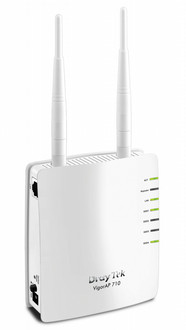
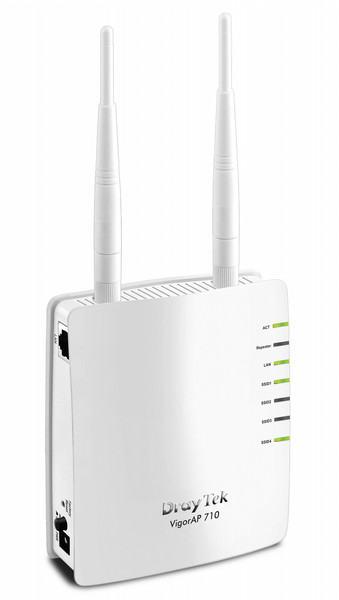
The VigorAP 710 is a Wireless Access Point and it provides the ultimate industry standard access to corporate network, the Internet, e-mail and residential wireless network. With mobile workforce demands, VigorAP 710 delivers reliable and secure wireless local area networks (WLANs). The extended range is enabled through its simplified but robust management and configuration.
<b>WMM for Wi-Fi application prioritization</b>
DrayTek implements intelligent wireless prioritization technology on VigorAP 710 for best utilization of wireless coverage. VigorAP 710 supports Wi-Fi Multi Media standard (WMM). It is a standard created to define Quality of Service (QoS) in Wi-Fi networks. It is a precursor to the upcoming IEEE 802.11e WLAN QoS draft standard, which is meant to improve audio, video and voice applications transmitted over Wi-Fi. WMM adds prioritized capabilities to Wi-Fi networks and optimizes their performance when multiple concurring applications, each with different latency and throughput requirements, compete for network resources.
<b>Multiple SSID with VLAN tag</b>
The VigorAP 710 supports 4 separate SSIDs and virtual LANs (VLANs). As a result, the VigorAP 710 divides itself into several virtual access points all within a single hardware platform. Many mobile networks deployed at corporate offices, hotels, shopping malls or restaurants can take advantage of this technology to support several applications such as public Internet access and inventory management. For example, guests of a company could be given wireless access for the Internet, but they are excluded from any access to the internal data server. For home users, they can set up different authorization for SSIDs to their K12 kids, young adults and parents to avoiding inappropriate contents accessed by underage family members.
<b>Comprehensive WLAN security control</b>
You can obtain the MAC addresses of each wireless client from its configuration utility or operating system. You then enter these addresses into a configuration page of VigorAP 710. When MAC address filtering is activated, VigorAP 710 performs additional check for wireless clients to prevent network breaking. Clients within the authenticated list will be able to join with the WLAN. Those who are not on the list will be denied while VigorAP 710 receives their request to join the WLAN.
With industry level security standards for wireless user authentication and data encryption, 802.11i (WPA2) offers strengthened and interoperable wireless networking security. The activation of 802.1x RADIUS (Remote Authentication Dial-in User Service) allows you centrally manage and store user names and passwords. You can ensure that only legitimate clients can be associated with corporate RADIUS servers.
<b>WDS for unlimited coverage extendibility</b>
The VigorAP 710 can extend over large areas (alike shopping mall) by its "WDS"(wireless distribution system). WDS takes care of the establishment of WLAN network with "point-to-point"and "point-to-multipoint"bridging and repeater modes. The repeater mode provides extend wireless access to additional clients where there is a relay AP repeats signal from a base AP to distant clients. The bridge-to-bridge mode allows two wired networks to be connected across some distance. The detachable antenna will let you replace with DrayTek antennas for directional signal shaping or mounting flexibility.