端口 & 界面
| 音响的连接 |
Y |
| 键盘接口类型 |
USB, PS/2 |
| 计算机数量 |
24 |
| 视频接口类型 |
HDMI/DVI-I |
| 鼠标接口类型 |
USB, PS/2 |
| USB 3.0(第 1代3.1)Type-A 端口数量 |
2 |
| HDMI端口数量 |
1 |
| VGA(D-SUB)端口数量 |
1 |
| DC-IN插口 |
Y |
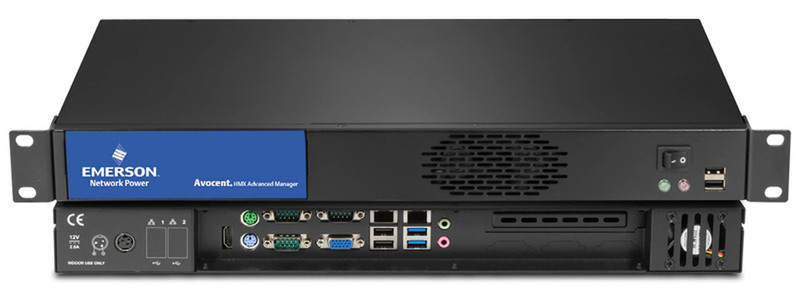
48.26 cm (19 ") , 1U, 432mm(W), 44mm(H), 230mm(D), 60W, 2.75kg
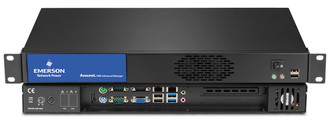
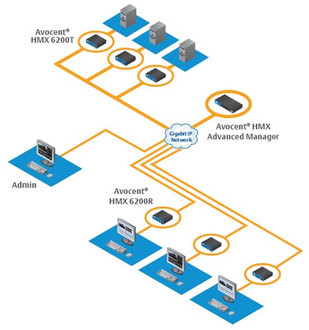
The Avocent® HMX Advanced Manager is a control suite which transforms extenders into a digital matrix solution. Using standard IP infrastructure it is possible to route any user station to any computer attached to the network without any compromises to video quality or control. It allows cooperative sharing of computers and the multicasting of video to any destination.
Secure access and communications
Using TLS (transport layer security) and HTTPS, communications between HMX units and the HMX Advanced Manager and between the HMX Advanced Manager and the outside world are all secure.
Redundant operation
For 24/7 reliability a second HMX Advanced Manager can be added to ensure constant uptime and with dual NIC interfaces on every HMX unit, systems can be easily designed for maximum resilience.
User access rights management and audit trails
Administrators can manage access rights to each device on a user by user basis either manually through the web browser or automatically using Active Directory. Reports showing the history of devices, user logins and device connections can be viewed and exported to a CSV file or via SYSLOG.
Control Channel and Presets connections
The HMX Advanced Manager can be used to make connections between an individual pair of transmitter and receiver devices centrally from within the management system. Using Presets, a list of pre-defined connections, multiscreen, video wall or signage setups can be forced with a single click.
SNMP v3 get / walk
External machines can interrogate the HMX Advanced Manager to find out the status of the network and units. SNMP v3 security is imple-mented, supporting AES/DES transport with MD5/SHA authentication.
External NTP server support – NTPv4.2
Connect up to 3 NTP servers with authenticated connections using MD5 and Key ID as defined in the NTP standards.
Centralized firmware upgrades
As well as managing its own firmware upgrade, The HMX Advanced Manager manages the upgrade of each device on the network and can deploy firmware to hundreds of devices at the same time, meaning a system-wide upgrade takes less time.
Easy matrix setup
Using Zero Configuration networking, the HMX Advanced Manager automatically obtains the MAC addresses of extender devices as they are attached to the network. The administrator allocates IP addresses, names and locations so that devices are easy to identify, configure and control.
- On screen display (OSD) at each user station
Users log in and choose channel connections from an intuitive OSD similar to that of a Digital TV. Users can also use Presets to change channels for multiple screens across multiple receivers.
- Remote OSD
The remote OSD allows the user to “push” video and control to another station or to a video wall or projector.
- Favorites and hotkey switching
Each user can select their favorite channels within the OSD and allocate a hotkey for fast
switching between channels.
- Choice of connection modes
Administrators can choose to give users the ability to connect in three modes: View only, Shared or Exclusive. Each permitted mode is then made available within the OSD.
- Fast video and USB switching
The HMX Manager provides extremely fast switching time to ensure a quality user experience.
- Easy centralized management
Accessed via a web browser, the dashboard gives a real time over-view of system connections and users.
- System backups
Backups of the database can be saved internally, externally or emailed automatically.
Automatic updates can be scheduled on an hourly, daily or weekly basis.