端口 & 界面
| S/PDIF输入端口 |
Y |
| CD/AUX音频输入 |
Y |
| 主机接口 |
PCI |
| 耳机输出端口 |
1 |
| S/PDIF输出接口 |
Y |
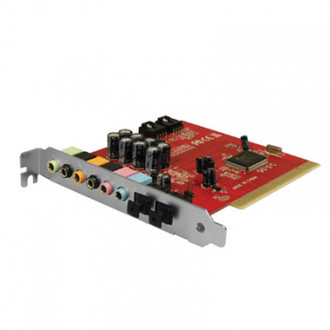
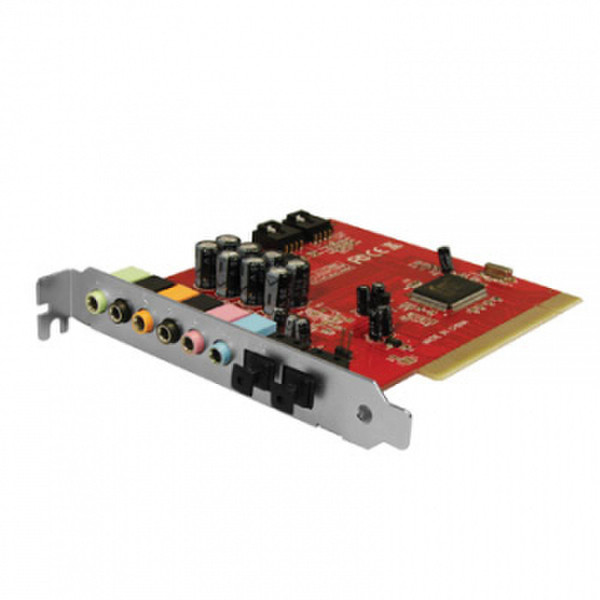
7.1 Sound Card with SPDIF
- 7.1 PCI sound card to build in PC.
- Suitable for headphones or 2.0, 2.1, 4.0, 4.1, 5.1, 7.1 speakerset
- Fitted with six 3.5mm audio sockets and two interal input sockets .
- Equipped with a input and a output SPDIF socket.
- Supports Directsound, 3D and A3D
- Easy installation
- Accessible helpdesk
- Multilingual user manual.
Fitted with six 3.5mm audio sockets
With the EM3752 Sound Card, you can connect all common speaker sets and headsets. You can connect your headphones or 2.0, 2.1, 4.0, 4.1, 5.1 and 7.1 speaker set using the 3.5mm jack inputs: Front, Rear, Center and Subwoofer. You can also connect a microphone to the 3.5mm Microphone input and any audio device to the Line In input.
With two optical sockets
You are now able to connect optical audio devices using the two special optical sockets on the sound card. The PCI sound card is fitted with one SPDIF input socket and one SPDIF output socket.
Connect internal audio devices
The EM3752 is fitted with one Aux In input socket and one CD In input socket. This allows you to play or record a Bluray, DVD, CD or any other internal audio device on your computer.
Easy to install
Installing the card with a common C-Media chipset is easy. Turn your computer off, add the PCI sound card to an empty PCI slot and reboot your computer. Windows Vista and Windows 7 will install the driver automatically. Use the easy to use Installation Wizard on the CD-rom to install the drivers when you have Windows 2000 or XP.
Accessories
Next to the Eminent EM3752 PCI Sound Card 7.1, the giftbox contains a CD-rom with easy installation wizard to install drivers on your computer. And you will have one TOSLINK cable to connect an optical device to your computer.