端口 & 界面
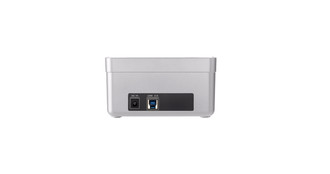
| DC-IN插口 |
Y |
| USB 3.0(第 1代3.1)Type-A 端口数量 |
1 |
| 主机接口 |
USB 3.0 (3.1 Gen 1) Type-A |
| 麦克风/音频输入插孔 |
N |
存储介质
| 内置硬盘驱动器 |
N |
| 集成读卡器 |
N |
| 支持硬盘驱动器接口 |
Serial ATA II, Serial ATA |
另外
| 包括 AC 适配器 |
Y |
| 数据传输率(最大) |
5000 Mbit/s |
| 以太网连接器 |
N |
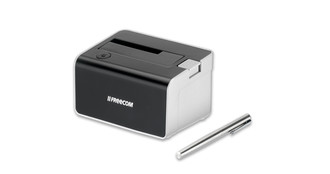
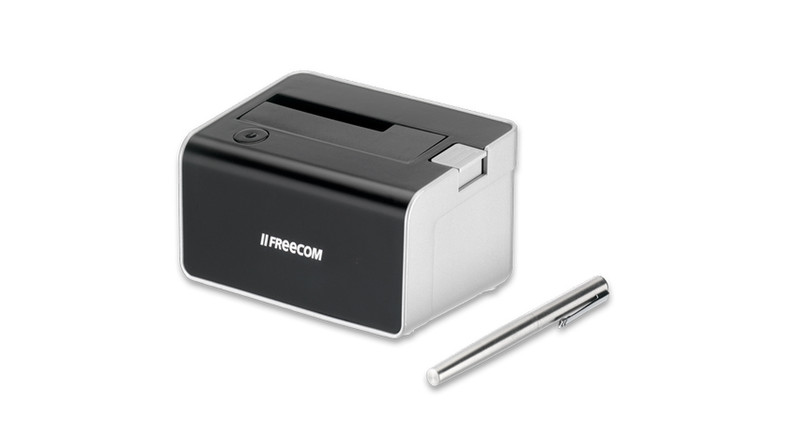
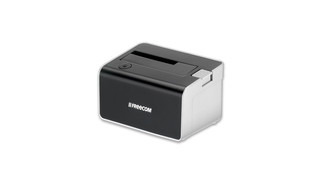
Hard Drive Dock USB 3.0, 2.5"/3.5" SATA/SATA II, 5000Mbps, 420g
<b>DOCKING STATION FOR 2.5“ AND 3.5“ HARD DRIVES</b>
Have an older hard drive laying around after a system upgrade? Are you a system administrator who needs to install multiple hard drives?
Looking for a good solution to easily connect and use your internal hard drive?
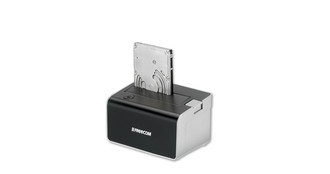
Look no further – this is the Freecom Hard Drive Dock 3.0, a docking station that turns any internal 2.5” and 3.5” SATA hard drive into an external drive. Simply click your internal hard drive in the dock, and it instantly becomes available to you, it will show up as an external USB 3.0 device. No
easier way to install and use an internal drive – ideal for temporary use of your (old) internal hard drive. An intelligent and convenient storage solution – by Freecom.
- Easy to use, easy to install docking station for all internal 2.5” and 3.5” SATA hard drives
- Fast and safe way to use your internal drive as an external USB 3.0 hard drive, without having to open your computer or an external enclosure
- USB 3.0 interface, providing fast data transfer speeds
- Prefectly suited for both professional and home use
- Ideal for software or drive-image installations, quick formatting or erasing data and making backups
- No cooling fan ensures quiet operation
- Compact size, only 13.6 x 9.5 x 7.7 cm, does not take up much space on your desk
- Two years manufacturer’s warranty and unlimited free helpdesk support
<b>IDEAL FOR HOME AND OFFICE USE</b>
<b>Home use:</b>
- Retrieve data from an old internal hard drive
- Quickly erase data or reformat an internal hard drive
- Make a backup of important documents and files
<b>Office use:</b>
- Retrieve data from an old internal hard drive
- Use it for easy and fast configuring of hard drives (software installation, drive-image installation)
- Quickly erase data or reformat an internal hard drive
- Make a backup of important documents and files
- Use the hard drive dock for software installations on multiple PC’s
- IT Service and support centers can use the hard drive dock for quick diagnostic checks on a suspected defect or malfunctioning drive