端口 & 界面
| RJ-45输入端口 |
1 |
| Number of HDMI outputs |
1 |
| RS-232 输入端口 |
1 |
| RS-232 输出端口 |
1 |
| HDMI输入 |
1 |
重量和尺寸
| 发射器尺寸(宽x深x高) |
110 x 80 x 26 mm |
| 发射器重量 |
200 g |
| 接收器的重量 |
200 g |
| 接收器尺寸(宽 x 深 x 高) |
110 x 80 x 26 mm |
技术细节
| 类型 |
AV transmitter & receiver |
4K Ultra HD, HDMI, RS-232, RJ-45, HDCP
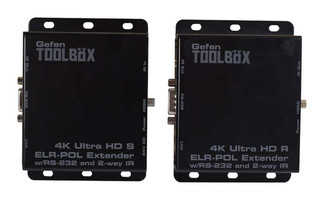
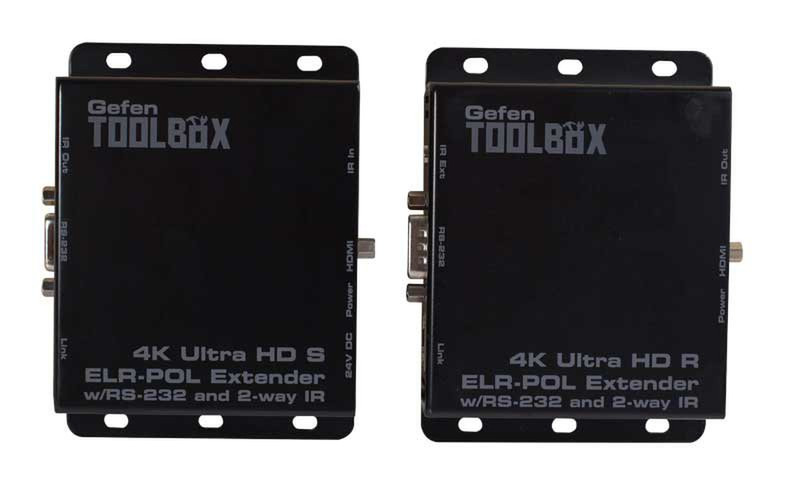
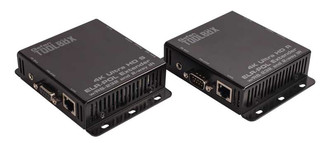
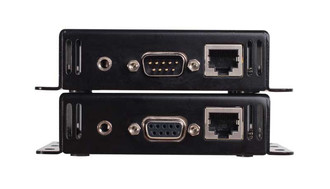
The GefenToolBox 4K Ultra HD ELR Extender for HDMI with POL uses Gefen's implementation of the HDBaseT® technology to extend HDMI up to 495 feet (150 meters) using one CAT-5e cable. Resolutions up to 4K Ultra HD with 7.1 channels of HBR (High Bit Rate) lossless digital audio are supported. This product provides RS-232 and 2-way IR extension between the Sender and the Receiver units, allowing the transfer of IR commands and RS-232 communications between two remote locations. RS-232 and Bi-Directional IR can be used to control A/V sources placed near the Sender unit and to send automation commands to the display or any other device placed near the Receiver unit. Gefen POL (Power Over Line) technology powers the Receiver unit using the same cable that extends the HDMI signal from the Sender unit. This feature eliminates the need for an external power supply for the Receiver unit and simplifies installation.
How It Works
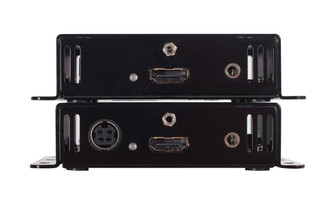
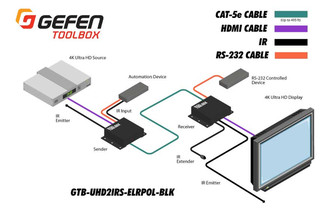
Connect the Sender unit to a Hi-Def source using the included HDMI cable. Use another HDMI cable to connect the Receiver unit to a display. Connect a single CAT-5e or better cable between the Sender and Receiver units. To control the source from the display location via IR, connect the included IR extender (Gefen part no. EXT-RMT-EXTIRN) to the IR Ext connector on the Receiver unit. Connect the included IR emitter (Gefen part no. GTB-IREMIT) to the IR Out port of the Sender unit and place the IR emitter over the IR sensor of the source. Point the IR remote at the IR extender to control the source. For IR control of a device placed near the Receiver unit (such as the display), connect the IR output from an automation control device to the IR In connector on the Sender unit. Connect an IR emitter (Gefen part no. EXT-IREMIT) to the IR Out port on the Receiver unit and attach the IR emitter to the IR sensor of the device being controlled. To extend RS-232 between the local and remote locations, connect the included male-to-female DB-9 cable from the Sender to an automation control device, and connect another DB-9 cable of the same type from the Receiver unit to the device to be controlled. Connect the included 24V DC power supply to the Sender unit and plug it into an available electrical outlet. Power to the Receiver unit is delivered from the Sender unit over the CAT-5e cable using Gefen POL technology. Power on all associated equipment.
Note: Shielded (STP) CAT-5e or CAT-6 is recommended. Unshielded (UTP) CAT-5e or CAT-6 may be acceptable depending on cable quality but is not the best choice. Care should always be given to keep these cables away from power lines and other sources of electromagnetic interference.