系统要求
| 最低处理器 |
Intel Pentium IV 2.4 GHz, Pentium D, Pentium M 1.3 GHz, Pentium Core Duo, AMD Athlon 64 |
| 最小硬盘空间 |
300 MB |
| 最低内存 |
512 MB |
| 平台 |
PC |
| Mac兼容性 |
N |
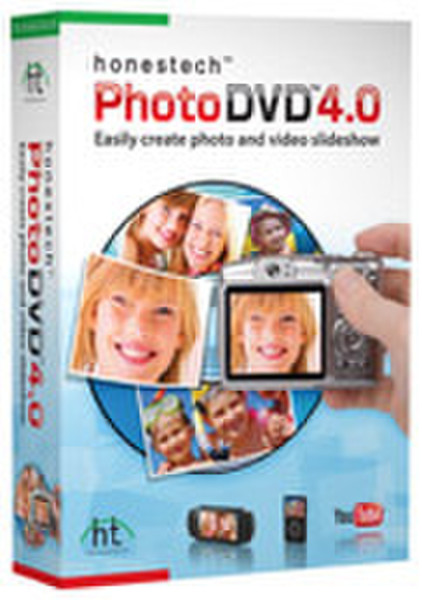
Photo DVD 4.0, EN
<b>With just a few clicks, you can create spectacular photo slideshows from your digital photos.</b>
honestech™ Photo DVD™ 4.0 allows you to create spectacular photo slideshows using ready made themes or custom building your own to create that one of a kind memory. Using the latest in multi-media technology, you can add motion effects, transitions and text to your images, along with background music and voice over narration. When you are finished, upload your memories to YouTube, or burn them to CD or DVD to give to your friends and family.
<b>Themed Templates</b>
You can create amazing slideshows with the help of ready-made Themes. The Themes included provide a specific mood or atmosphere to your photos, giving your slideshows that extra pizzazz.
<b>Special Effects</b>
You can add or change Transitions between slides, Motion to individual slides, or Title Effects to slides with titles.
<b>Various Outputs</b>
You can publish to multiple disc types including DVD, SVCD, and VCD, multiple file formats including MPEG 1, MPEG 2, AVI, DV-AVI and WMV, YouTube, iPod and PSP formats also.
<b>Various Themed Templates</b>
Create amazing slideshows with the help of ready-made themes.
<b>Create Video Slideshow</b>
Converts your favorite pictures and videos into a slideshow DVD or movie file.
<b>Edit Pictures</b>
Crop, rotate, remove red eye, adjust brightness and contrast or graphic effects to pictures with only a few clicks.
<b>Add Background Music</b>
Add music and voice-over narration to your favorite pictures.
<b>Various Effects and Menu Creation</b>
Offers many different transition, motion and title effects, and lets you create your own menus.
<b>Watch Video on PSP/iPod</b>
Convert created slideshow into MPEG4/AVC format and watch it on your portable device.
<b>Upload to YouTube/facebook</b>
Upload your slideshow directly from the software with One-Click option.
<b>DVD creation</b>
Burn your slideshow on DVD/CD and watch it on your TV.