其他功能
| 镜头系统 |
n/a |
| 数据压缩 |
Still: JPEG/EXIF v2.2; Video: QuickTime MOV (MPEG-4 compression) |
| 视频能力 |
Y |
| 接口 |
USB |
| 相机快门速度 |
1/8-1/2000, 64-1/1000 s |
聚焦系统
| 光学变焦 |
4 x |
| 数字变焦 |
4 x |
| 焦距 |
5.5 - 21.8 mm |
系统要求
| Mac兼容性 |
Y |
| 最小硬盘空间 |
200 MB |
| 最低内存 |
128 MB |
| 最低处理器 |
233 MHz processor or greater |
视频
| 最大视频分辨率 |
640 x 480 pixels |
| 视频录制 |
Y |
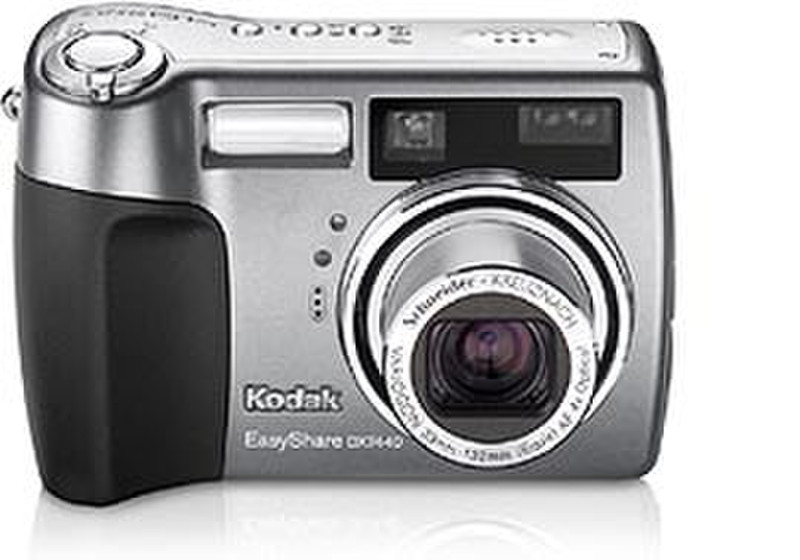
EASYSHARE DX7440 4.0MP 4X OPTICAL ZOOM LENS
4X optical zoom
4X advanced digital zoom l
4.0MP
32 MB internal memory, SD/MMC expansion slot
USB connection (USB 2.0 compatible)
Manual controls
Exposure compensation -- (+/- 2.0 EV in 0.3 EV steps)
Aperture -- wide (f/2.8-5.6) and tele (f/4.8-9.5)
Shutter speeds -- automatic: 1/8-1/2000 seconds; manual: 64-1/1000 seconds
ISO equivalents -- automatic: 80-200; manual: 80, 100, 200, 400, 800
Auto-focus -- multi-zone, center-weighted, selectable: left, center, right
Exposure metering type -- auto: TTL-AE matrix metering; selectable: multi-pattern, center-weighted, center spot
White balance -- auto, daylight, tungsten, fluorescent
Flash compensation -- +/- 1.0 EV in 0.3 EV steps
Flash mode -- auto, red-eye, fill, off -- for the right light every time
Custom mode
Custom mode allows you to create your own capture mode
Set your preference for PASM, picture quality, compression and more
The DX7440 remembers your settings until you change them
Other selectable custom settings include: jpeg compression, resolution, color and sharpness
Program auto, aperture priority, shutter priority and custom modes
Program mode (P) -- camera sets optimal shutter speed and aperture combination
Aperture priority mode (A) -- you choose aperture, the camera sets shutter speed
Shutter priority mode (S) -- you choose shutter speed, the camera sets aperture
Large 2.2" high-resolution indoor/outdoor display
View brilliant, sharp images even in direct sunlight
Auto picture-rotation lets you review vertical shots vertically
Review modes let you fast magnify up to 8X with zoom control, fast scroll through pictures, or view multi-up
Protect pictures from accidental erasure -- store and protect pictures, or create photo albums
First burst mode -- captures up to 6 frames in rapid succession at 2 fps
Last burst mode -- captures up to 30 frames at 2 fps, with the last 6 frames saved
Auto exposure bracketing -- 3 images with user-selectable brackets (+/-0.3, +/-0.7 or +/-1.0 EV)
22 scene and color modes
16 programmed scene modes
Portrait mode -- places subject in sharp focus, softens background
Night Portrait mode -- clearly captures both subject and background at night
Self Portrait mode -- use for close-up of self
Landscape mode -- ensures maximum sharpness for distant scenes
Night Landscape mode -- ensures maximum sharpness for distant scenes at night
Close-up mode -- captures sharp, full-frame images at close range
Beach mode -- use for bright beach scene
Party mode -- use for photos of people in indoor setting
Sport mode -- captures subject in action without blurring
Snow mode -- use for bright snow scene
Text mode -- ensures sharp text when photographing documents
Fireworks mode -- use for photos of fireworks
Flower mode -- captures close-up photos of flowers in bright light
Manner/Musuem mode -- use when sound or flash are not desired
Children mode -- captures action photos of children in bright light
Backlight mode -- use for photos when light is behind the subject
5 color modes
High color
Low color
Natural color
Sepia
Black and white
Movie mode
Continuous video with audio and on-camera playback
Select VGA (640x480) at 13 fps for maximum resolution or QVGA (320x240) at 24 fps for maximum frame rate
Shoot in continuous video mode or one of three optional video clip lengths
Memory is dependant upon size of external memory card
QuickTime video format allows for universal sharing
On-camera Share button
Simple sharing starts right on the back of the camera
Exclusive Share button, lets you tag your favorite pictures to print or email later
On-camera picture collection to share your pictures anytime, anywhere using the Favorites feature
KODAK EASYSHARE Software
The DX7440 includes KODAK EASYSHARE Software
Works seamlessly with EASYSHARE Cameras and Docks to enable one-button transferring and sharing
The easy way to view, edit, organize, print or view a slide show from your computer