处理器
| 处理器频率 |
475 MHz |
| 图形处理器系列 |
NVIDIA |
| CUDA |
Y |
内存参数
| 图形适配器内存类型 |
GDDR5 |
| 数据宽度 |
256 bit |
| 内存时钟速度 |
1400 MHz |
| 独立显卡适配器內存 |
2 GB |
性能
| DirectX版本 |
11 |
| OpenGL版本 |
4.0 |
| 最高着色模型版本 |
5.0 |
| PhysX |
N |
| 集成电视调谐器 |
N |
| HDCP |
Y |
端口 & 界面
| 接口类型 |
PCI Express 2.0 |
| DVI-I接口数量 |
1 |
| DisplayPort 数量 |
2 |
另外
| 图形处理器 |
Quadro 4000 |
| 双dvi(互应式数字视频) |
Y |
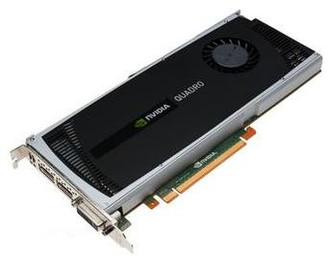
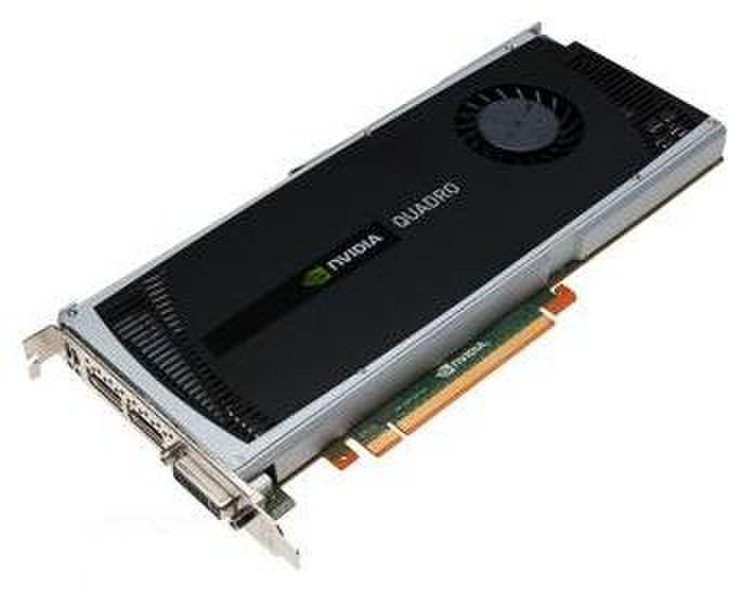
NVIDIA Quadro 4000 256-core CUDA 2GB Dual-Link DVI, Dual DisplayPort, Stereo Graphics Card
The NVIDIA® Quadro® 4000 integrates high-performance computing with advanced visualization, transforming modern workflows and drives a broad range of design, animation and video applications. Quadro 4000 features fast 64-bit double precision floating point capabilities to ensure the accuracy of your results. From medical imaging to structural analysis applications, precision is assured without sacrificing performance. With Quadro 4000, your work flows - design, iterate and deliver higher quality results in less time.
Features & Benefits:
- 2 GB 256-bit, GDDR5 memory configuration, 89.6 GB/s memory bandwidth
- 256 CUDA Parallel Processing Cores
- 475 MHz Core GPU Clock, 1400 MHz Memory Clock
- Dual-Link DVI-I and two DisplayPort monitor connectors and a 3-pin mini DIN stereo 3D bracket; attach up to two, 2560 x 1600 resolution monitors, to any of the three monitor ports
- NVIDIA® Scalable Geometry Engine that improves geometry performance across a broad range of CAD, DCC and medical applications
- Dual Copy Engines enables the highest rates of parallel data processing and concurrent throughput between the GPU and host accelerating techniques
- Shader Model 5.0, OpenGL 4.1 and Microsoft Direct X 11
- Includes a DVI-to-VGA monitor adapter that allows attachment of one VGA analog monitor, to the Dual-Link DVI-I display connector, with a 2048 x 1536 maximum resolution
Note: Attach DVI-D digital monitors, 1920 x 1200 maximum resolution, using the DisplayPort to Single-Link DVI-D Monitor Cable (45J7915). For more information, please visit: www.lenovo.com/support/monitoraccessories
For more information, please visit: or www.lenovo.com/support/graphiccards
For more information on options, accessories, including compatibility, please visit: www.lenovo.com/accessoriesguide