输入容量
| 多功能托盘容量 |
50 sheets |
| 纸张输入类型 |
Paper tray |
| 标准输入能力 |
300 sheets |
| 纸张输入数量 |
2 |
| 最大输入容量 |
850 sheets |
联网
| 管理协议 |
HTTP HTTPs (SSL/TLS) SNMPv1, SNMPv2c SNMPv3 WINS IGMP APIPA (AutoIP) DHCP ICMP DNS Bonjour DDNS mDNS ARP NTP Telnet Finger |
| 可支持的网络协议(IPv4) |
TCP/IP, AppleTalk |
| 可支持的网络协议(IPv6) |
TCP/IP, TCP UDP |
| 无线局域网连接 |
N |
| 连网功能 |
Y |
性能
| 处理器频率 |
800 MHz |
| 可支持的Mac操作系统 |
Y |
打印速度
| 双面打印模式 |
Manual, Auto |
| 首页时间(黑白,正常) |
6.5 s |
| 打印速度(黑色,一般质量,A4/US Letter) |
33 ppm |
| 双面打印速度(黑色,标准质量,A4/US Letter) |
14 ppm |
输出容量
| 最大输出能力 |
150 sheets |
| 标准输出容量 |
150 sheets |
能量控制
| 能源之星典型用电量(TEC) |
1.6 kWh/week |
打印技术
| 打印技术 |
LED |
| 印刷颜色 |
Black |
| 占空比(推荐) |
500 - 2500 pages per month |
| 占空比(最高) |
50000 pages per month |
| 经济型印刷 |
Y |
| 打印墨盒数量 |
1 |
设计
| 内置显示器 |
Y |
| 液晶显示器功率 |
Y |
| 备用的液晶显示器 |
Y |
纸张处理
| 非ISO打印介质尺寸 |
Universal, Oficio, Letter, Legal, Folio, Executive |
| 信封尺寸 |
9, 10, DL, 7 3/4 |
| ISO A 系列文件最大尺寸 |
A4 |
| 日本JIS B系列尺寸(B0. .. B9) |
B5 |
端口 & 界面
| 直接打印 |
N |
| 选择性连接 |
Wireless LAN |
另外
| 最大内部存储 |
128 MB |
| 以太网连接器 |
Y |
| 最大纸张输入数量 |
3 |
| 打印噪音水平 |
53 dB |
Monochrome Laser, Duplex, 35 ppm (Letter), Gigabit Ethernet, USB 2.0, Parallel, LCD, Bundle GR
<b>Convenient printing. Powerful performance.</b>
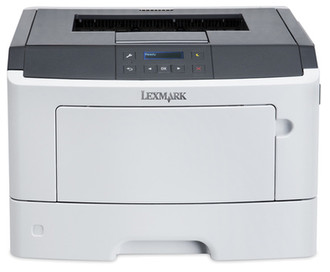
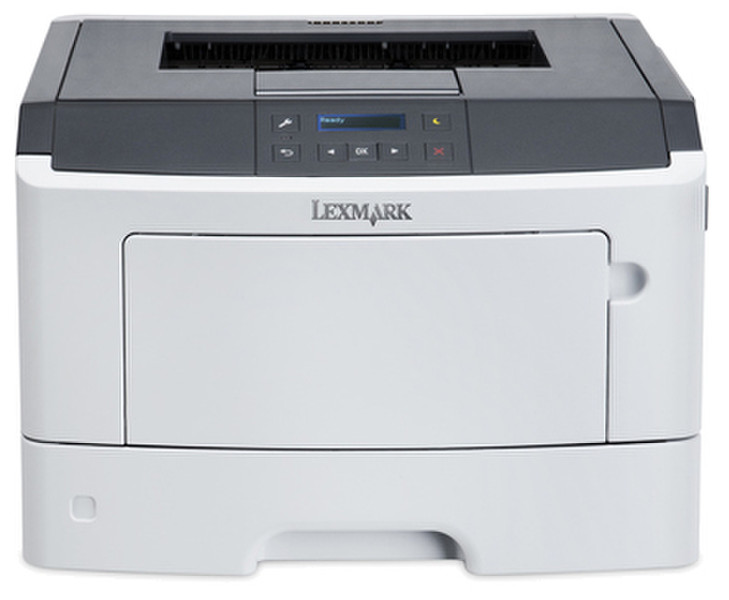
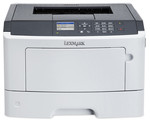
The Lexmark MS312dn combines a powerful processor, flexible network connectivity, two-line LCD display, eco-conscious features, and output at up to 35 pages per minute.
<b>Print complex documents fast</b>
Together, a powerful 800 MHz dual-core processor and 128 MB of memory easily handle complex documents.
<b>Reliable performance</b>
Easily print up to 2,500 pages per month, plus enjoy fewer maintenance hassles, thanks to our state-of-the-art paper handling.
<b>Run jobs without interruption</b>
An optional second tray raises input capacity to 850 sheets , so you won’t have to add paper as often.
<b>Get work done quickly</b>
Enjoy print speeds up to 35 pages per minute plus print your first page in as little as 6.5 seconds.
<b>Mobile printing</b>
Support for AirPrint gives iOS device users mobile printing, while optional Wi-Fi untethers the printer from physical network connections.
<b>Two-line LCD Display</b>
Monitor device and job status and configure special features via two-line APA display.