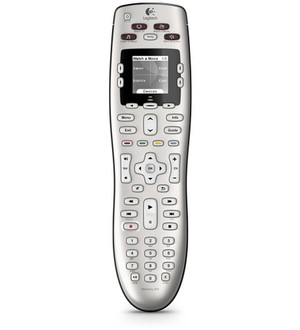
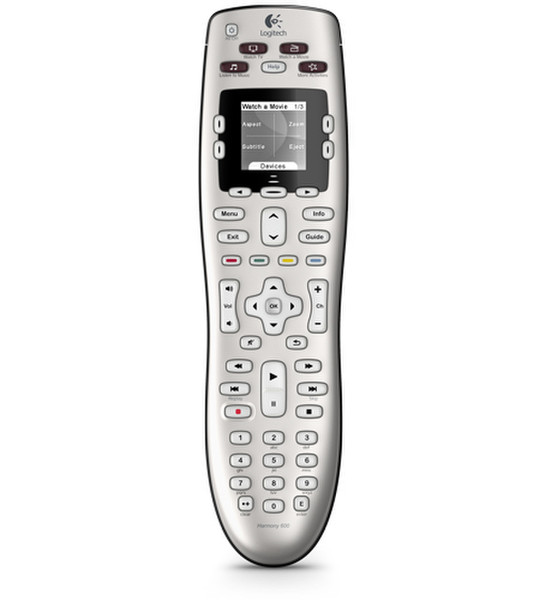
Harmony 600, Silver
<b>Backlit screen</b>
You’ll see the commands you need for the devices you’re using. The smart display can even provide help if you need it.
<b>Replaces 5 remotes</b>
It’s easy to say good-bye to that jumble of remotes on the coffee table.
<b>Live support</b>
If you have any questions, Harmony customer support is ready to help.
<b>Constantly updated device database</b>
Your remote won’t become obsolete when manufacturers release new products or when you buy a new TV or add a Blu-ray™ player to your setup.
<b>One-click activity buttons</b>
No more complicated lists of what to turn on or which button to select. Once you’re set up, you just select what you want to do—such as “Watch a DVD”—and your Harmony does the rest.
<b>Guided online setup</b>
You connect your remote to your computer and tell us what equipment you have. Then sit back and let our online software walk you through the setup process.
<b>Supports 5000+ brands</b>
Whether you have an aging VCR or a brand new Blu-ray™ player, you can be confident your Harmony remote will control the devices you have today and the ones you add tomorrow.
<b>Intuitive design</b>
Buttons are grouped by how you use them, shaped so you can feel your way around, and backlit—so you always know where you are.