设计
| 支持的主板外形 |
ATX |
| 格式要素 |
HTPC |
| 类型 |
PC |
其他功能
| 外部驱动器托架 |
1 x 5.25" |
| 内部驱动器托架 |
2 x 3.5" |
| 通风扇 |
120mm |
| 扩展插槽 |
7 |
端口 & 界面
| IEEE 1394/Firewire(火线)端口数量 |
1 |
LM300 Touch Pro - HTPC, ATX, micro ATX, mini iTX
Entertainment without boundaries
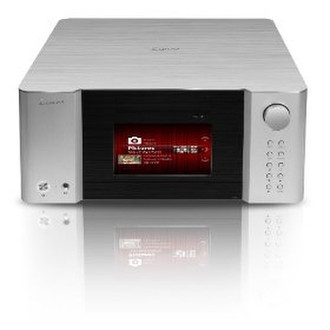
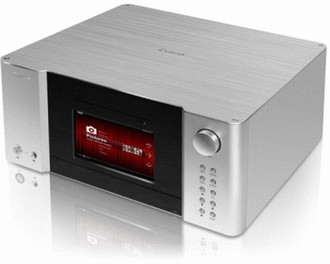
Being able to accommodate any computer components comfortably was one of the first design requirements of the LM300 Touch Pro. The LM300 Touch Pro is an accurate work of art. The body has been shaped to attain the highest visual appeal whilst being able to attract one’s eyesight at anywhere, anytime.
The perfect integration with FrontView
FrontView, the new user interface for iMON Touch LCD, not only shows much more information than iMON LCD can do but also let user control media and applications by his finger or stylus pen.
In Display Mode, FrontView displays System Info (CPU, RAM, HDD, Network usage rate) with Headline News. Also FrontView displays Media Info (Media File Name, Track No, Running Time, Total Time, Media File Info, Volume) with Graphic EQ when system plays media file. It displays Calendar and weather info too.
In Control Mode, user can control Playback (Play, Pause, Next, Prev, FF, Rew), Volume (Up and Down), Navigate menu(Up, Down, Right, Left, Enter, Menu and so on), Go to media (Music, Movie, Photo, DVD, TV and Webcasting) and various applications (Application Launcher, Task Switcher and Shutdown).
7" inches LCD touch screen
Featuring an impressive 7" inch LCD touch screen which provides the user with an interface to control your media center from the enclosure without the need to turn on your main display.
Multimedia controller
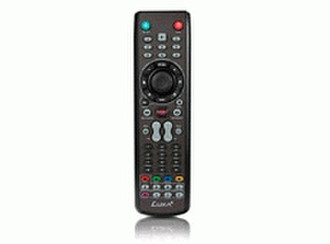
LM300 Touch Pro remote controller, a comfortable and advanced design completed through the expert experience. The PAD controller is designed to be able to be also used as four (up, down, left, right) arrow buttons on Keyboard.
Because the button layout of iMON PAD remote controller is well arranged and many media-play-related buttons are served, it?s very useful on applications such as MultiMedian and Windows Media Center.