其他功能
| 活动区域(宽X深) |
9 x 12 " |
| 包含便笺簿 |
Y |
| 按钮数量 |
3 |
平板
| 分辨率 |
2000 lpi |
| Working area |
230 x 300 mm |
| 最大读写高度 |
9 mm |
能量控制
| 电池类型 |
AAA |
| USB供电 |
Y |
| 输入电压 |
5 V |
| 支持的的电池数量 |
2 |
系统要求
| 最小硬盘空间 |
256 MB |
| 最低内存 |
128 MB |
| 最低处理器 |
Pentium III |
| 可支持的Mac操作系统 |
Mac OS 9.0, Mac OS 9.1, Mac OS 9.2 |
笔
| 压力敏感度等级 |
1024 |
| 精度笔 |
0.25 mm |
| 包含笔 |
Y |
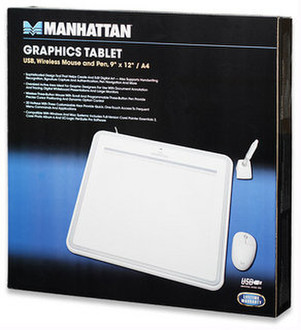
2000lpi, 200rps, USB, 1.1kg, white
A powerful digital tool that helps improve creativity and productivity.
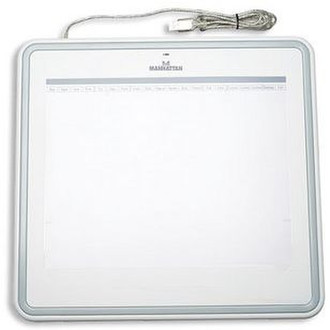
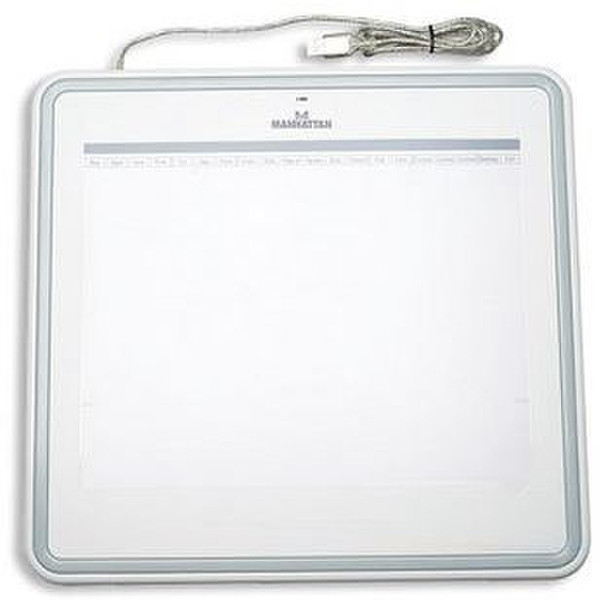
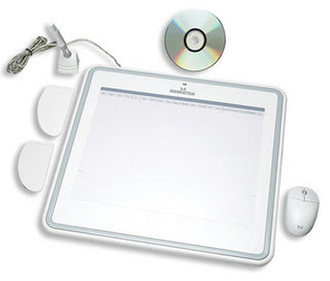
The MANHATTAN Professional Graphics Tablet offers a flexible way to work with Adobe PhotoShop, Illustrator and Flash, Corel Painter, Autodesk Maya and 3D Studio Max, Pro/E and other popular software applications. Full and trial versions of popular software applications are included. Ideally suited for photographers, designers and artists, its versatility can help a wide range of new users find innovative ways to help maximize creativity and productivity.
The Right Set of Features and Design Tools.
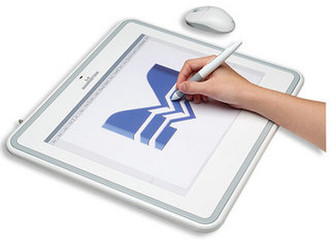
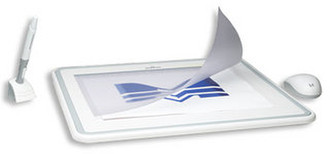
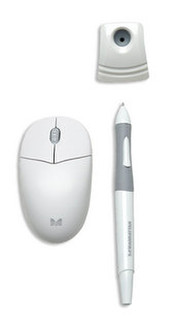
The lightweight RF wireless pen with 1,024 pressure sensitivity levels and tilt enable the creation of computer graphics, technical drawings and other digital documents in a way that's more natural and instinctive. Its three programmable buttons are easily customized to suit users and project requirements. The wireless three-button mouse with scroll uses RF technology instead of a ball or optics for smooth and accurate response, less maintenance and reliable life. Its ambidextrous, low-profile design is a comfortable fit in either hand. Automatic power-save reduces battery drain and keeps both devices ready for use. An integrated menu strip contains 20 built-in hotkeys for on-tablet control of frequent menu commands and application functions. Three programmable keys can be set to perform keystroke combinations or launch a menu item without using the mouse and interrupting workflow. A transparent overlay helps protect the active area and easily lifts to help secure documents and photos for tracing.
It's Not Only for Artists.
More precise and intuitive than a traditional keyboard and mouse combination, every point on the tablet has a corresponding location on the screen. Cursor positions are matched with pen movements providing a "pen tablet" function that helps support handwriting recognition for note-taking and meeting minutes, handwritten email and signatures, signature capture and authentication and pen navigation. The MANHATTAN Professional Graphics Tablet complements digital/web whiteboards in training, classroom and presentation applications.
Easy, Quick Installation for Comfort, Control and Productivity.
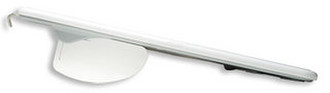
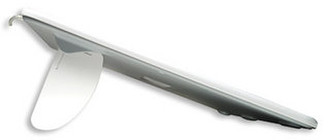
Compatible with Windows and Macintosh systems, the MANHATTAN Professional Graphics Tablet includes driver CD and a USB connection for quick setup without the need for an external power supply. Its low profile, generous cable and adjustable stand combine to provide natural, relaxed working positions to help reduce repetitive motion injury.
Features:
- Sophisticated design tool helps create and edit digital art - also supports handwriting recognition, signature capture and authentication, pen navigation and more;
- Oversized active area ideal for graphic designers, document annotation and tracing, digital whiteboard presentations and large monitors;
- Wireless three-button mouse with scroll and programmable three-button pen provide precise cursor positioning and dynamic option control;
- 20 hotkeys with three customizable keys provide quick, one-touch access to frequent menu commands and applications;
- Compatible with Windows and Mac systems; includes full-version Corel Painter Essentials 2, Corel Photo Album 6 and UC-Logic PenSuite Pro software.