系统要求
| 最小硬盘空间 |
2000 MB |
| 最低内存 |
256 MB |
| 最低处理器 |
500 MHz |
Microsoft Office Project 2007/ES, Win32
Microsoft Office Project Standard 2007 gives you robust project management tools with the right blend of usability, power, and flexibility, so you can manage projects more efficiently and effectively. You can stay informed and control project work, schedules, and finances, keep project teams aligned, and be more productive through integration with familiar Microsoft Office system programs, powerful reporting, guided planning, and flexible tools.
Understand and control project schedules and finances
Effectively track and analyze projects with a better understanding of the schedule and impact of changes. Benefit from better financial control and richer analytics.
- New! Trace the source of issues. Quickly determine factors that are affecting task dates and easily trace the source of issues to promote accountability. Task Drivers help you determine the factor (such as task dependency, calendar constraints, schedule date, or vacation time) driving the start date of the task, so you can follow a chain of factors back to find the root cause of a particular delay.
- New! See the impacts of a change. Office Project 2007 will automatically highlight all items that shift as a result of the most recent change you make. Now, with Change Highlights you gain a better understanding of the impacts of your choices.
- New! Experiment with what-if scenarios. Undo and redo changes to views, data, and options with Multiple Level Undo. You can undo actions or sets of actions from macros too, so you can test several what-if scenarios in order to fully understand the implications of each choice while making scope changes.
- New! Easily control finances. With the budget field, you can assign budgets to projects and programs. The new “Cost” resource type improves cost estimation and tracking. Other cost enhancements include more predefined fields, such as cost code, that map to financial fields tracked in project accounting systems.
- Enhanced! Flexible project tracking and analysis. Compute and track core metrics unique to your project by defining custom fields based on your formulas. Graphical indicators can alert you when specific conditions are met.
Effectively communicate and present project information
Improve the organization of your projects and people with the scheduling power and capabilities of Office Project Standard 2007. Easily report and communicate information in various formats according to the needs of stakeholders.
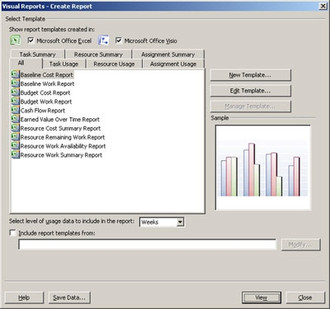
- New! Leverage charts and diagrams. The Visual Reports feature uses Microsoft Office Excel and Microsoft Office Visio Professional to produce PivotTable views, charts, graphs, and diagrams based on Project data. A user can easily define custom report templates and share these with other Project users.
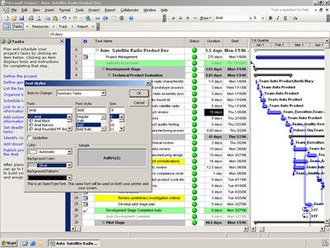
- New! Add visual highlights. You can change the background color of a cell or row with Background Cell Highlighting. Shade cells, similar to how you can in Excel, in order to convey additional meaning.
- Enhanced! Use improved views. With new enhancements to the Calendar interface and the addition of 3-D Gantt bars, you can create even more visually effective reports.
- Enhanced! Share information. Share and manage documents related to your projects using Microsoft Windows SharePoint Services workspaces (requires Microsoft Windows Server 2003 or later), which are integrated into the Tasks pane of the Project Guide.
Get productive quickly
Office Project 2007 helps you better organize work and people to help ensure projects are delivered on time and within budget.
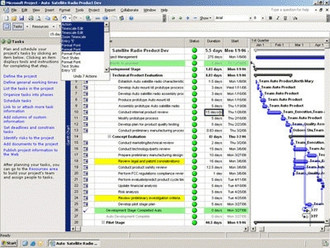
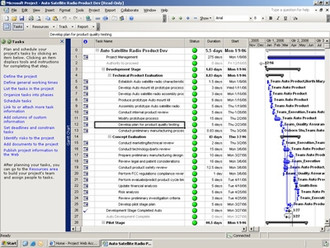
- Enhanced! Follow the Project Guide. Quickly master the project management process with the Project Guide, a step-by-step, interactive aid that helps you set up projects, manage tasks and resources, track status, and report project information.
- Enhanced! Get help as you need it. Access built-in online Help to get the latest training, articles, templates, and resources. Get timely and relevant assistance as you work with smart tags that alert you to alternatives when you make changes to your plan.
- Enhanced! Save time with templates. Start your projects prepopulated with a template to save time. Create your own custom template, or use one of the many new, out-of-the-box templates provided with Office Project Standard 2007. You can also download templates from the Web at Microsoft Office Online.