系统要求
| 最低内存 |
512 MB |
| 最小硬盘空间 |
1500 MB |
| 最低处理器 |
500 MHz |
产品特点
| 软件类型 |
Disk Kit |
| 支持的介质类型 |
DVD |
| 许可类型 |
Microsoft Volume License (MVL) |
OneNote 2010, DiskKit MVL, DVD, Win 32/64-bit, Portuguese
Microsoft OneNote 2010 gives you the ideal place to store and share your information in a single, easy-to-access location.
Capture text, images, as well as video and audio notes with OneNote. By sharing your notebooks, you can simultaneously take and edit notes with other people in other locations, or just keep everyone in sync and up to date. You can also take your OneNote 2010 notebooks with you—view and edit your notes from virtually any computer with an Internet connection or your Windows phone.
Create one centralized resource for all of your ideas
OneNote 2010 delivers an array of new and improved tools that make it easy for you to capture and reference your ideas and important information.
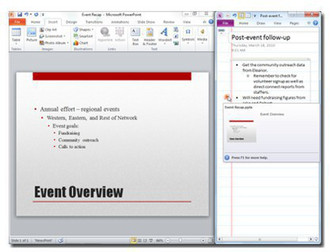
- Take notes while working in Microsoft Word 2010, PowerPoint 2010, or Internet Explorer using the new Linked Notes feature. OneNote provides a link to where you were in the source document at the time you took the note, keeping your ideas automatically connected to the content you create.
- Save time and make your important content easily accessible. Use the new quick filing feature in OneNote 2010 to collect information while working in other programs. Send a copy of content from documents, Web pages, e-mail messages, or almost any program to the exact location you want in your OneNote notebooks.
Manage information with tools that save time and simplify your work
It’s much easier to manage information when you can customize the way you work.
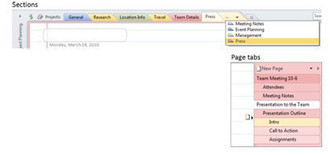
- Explore and manage your notebooks more effectively with an enhanced notebook navigation bar, improved tools for managing sections, and multi-level page groups.
- Save time with an advanced search experience that shows results as you type. OneNote 2010 learns from your searches and prioritizes results. You can also add wiki links to pages, sections, and section groups within your notebook to ensure related content is always easily accessible.
Work together more successfully
If you are one of the many people who work with others on projects, OneNote 2010 has good news for you.
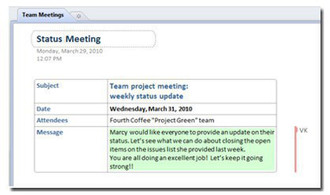
- In OneNote 2010, see recent changes highlighted automatically when you open a shared notebook along with an indicator showing who made each change.
- Retrieve content you inadvertently discarded from the Notebook Recycle Bin or restore previous page versions if someone has made changes to the notes you need.