系统要求
| 最低内存 |
1024 MB |
| 最小硬盘空间 |
30 MB |
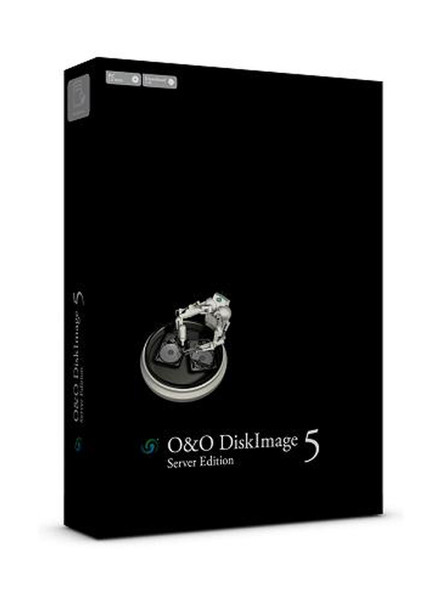
DiskImage Server Edition 5, 1 user, Box, DEU
DiskImage Server Edition 5
Creating images of entire servers is one of the standard measures currently taken by companies for protecting their data and system configurations. O&O DiskImage Server Edition takes this once step further by providing features that make your job as an Administrator significantly easier.
Among these features are the network support made possible by O&O Enterprise Management Console and the Job Assistant for time-scheduling a variety of jobs. Remote installation and creating images within a network can now be done directly from your workstation. What's more, forensic imaging for purposes of data recovery and the Start CD (which can be used even under defective Windows systems) are often the very last hope for your company’s data when trouble strikes.
Maximum security for your company data!
Reliable images across a network
Data loss represents an expensive risk to all companies. But it is also completely preventable. By continuous data imaging, whenever a loss of data occurs, companies can fall back on previously created images. With O&O DiskImage 5 Server Edition you can create reliable images - also in the network.
Differences to previous version
Besides the continuous maintenance and enhancement of the existing program components, version 5 comes with some major new features. In particular, the ability to restore an image or duplicate system partition onto machines withdifferent hardware is a major new innovation. The new One-click Imaging and advanced information bar serve to increase the user friendliness of the program. You can also select to be kept informed of activities by e-mail with the new version 5.
M.I.R. - Machine Independent Restoration
The new function M.I.R. (Machine Independent Restoration) enables restoration or duplication of system partitions onto machines with different hardware setups. This means an image or duplicate can not only be restored onto identical hardware, but also onto hardware where the processor or motherboard has been changed, for instance.
Imaging with no downtime
O&O DiskImage 5 Server Edition includes a mechanism, which ensures that the imaged data corresponds exactly to the moment of the begin of the imaging process: changes to the data set by the user or applications will not influence a running imaging process. The existing file system and the application environment have therefore no influence on the process. Only by harnessing this technology can consistent system images be created, while at the same time ensuring that the system runs without interruption, and remains continuously available.
Specially designed for server environments
O&O DiskImage 5 Server Edition was specifically designed to make the most modern systems more efficient, without unnecessarily straining older Hardware due to a high resource use. O&O DiskImage 5 Server Edition supports 64-bit server operating systems, dynamic data volume and of course fail-safe RAID configuration completely.
Automation, scripting and reporting
A comprehensively configured and time control enables you to comfortably create automated images with O&O DiskImage 5 Server Edition.In addition, O&O DiskImage 5 Server Edition can be controlled completely over script commands. Detailed reports are then compiled, informing you as to the results of every procedure or activity.
Choice of various types of images
Along with the new time-scheduled feature, O&O DiskImage 5 Server Edition lets you perform full and incremental imaging. Full imaging allows you to choose between a space-saving image of used sectors and an all-inclusive forensic imaging which can be used when restoring data - for example, in conjunction with the tools featured in the multiple award-winning O&O RescueBox. An Image of the changes can save you space, as you image only those data sectors which have changed since the last imaging procedure. In every image file, be that an Image of the changes or one split onto several storage volumes, all important information is saved. Even when single image files are lost, you can still carry out a partial data recovery of data that is still available.
Splitting Images
Images can be split into several files. For example, you can limit the size of an image to a maximum of 700 MB. An image of your drive can then be composed of several image files of each up to 700 MB. An automatic split is also possible, if for example the target drive is full or the maximum file size of the file system has been reached.
Virtual hard disks (VHD)
To make working with Microsoft Virtual PCs (VPC) easier, you can convert images to virtual drives (VHD). The converted image can then be mounted as a virtual drive on the VPC, with no need for installing O&O DiskImage there. Similarly, virtual hard disks (VHD)can be converted to Images (OMG).
System recovery with the Start CD
Our BareMetal technology enables you to resurrect a system using O&O DiskImage 5 Server Edition without having to previously install it. To achieve this, we have placed a start-capable CD at your disposal. The CD is based on Microsoft Windows Server and contains all the standard drivers from Windows. Thanks to the Wizard, additional drivers such as for Storage Controllers or Network cards can also be loaded after starting. The additional system rescue tools give you the chance to restore the original system and identify errors.
E-mail notification on activity status
The e-mail notification function is an option you can select to be kept informed of the progress of jobs or activities. You will also be notified of any errors so that you can act quickly to resolve them.
Managing O&O DiskImage in the network
The new O&O DiskImage Server Edition supports you with the help of the O&O Enterprise Management Console while creating images of network computers. In a few steps O&O DiskImage 5 Workstation Edition and O&O DiskImage 5 Server Edition are installed in the network and will improve your work. We will gladly consult you on the application of O&O Enterprise Management Console in your company. Just contact us!
Made in Germany. Made in Berlin
All O&O products are developed and perfected in Berlin, Germany. We have licensed parts of the Windows operating system specifically for O&O DiskImage, to avoid unpleasant surprises when restoring data and thus ensure a maximum of compatibility. We take care of our customers, since we know how important they are for us. And what’s more, we’ve been doing this for over ten years now! You can find further information on our Homepage www.oo-software.com.
Highlights:
- Express view with main functions;
- Simplified view of the Startpage;
- Adaptable size of target drive;
- M.I.R. Restoration onto different hardware;
- One-click imaging;
- E-mail notification of activities;
- Additional information bar;
- TrayIcon to provide information on service and job status;
- Also creates system partition images during operation;
- 1:1 copies of drives (cloning);
- Advanced burning functions to CD/DVD/Blu-Ray/HD-DVD;
- Works with Microsoft Virtual PC Disks (VHD);
- Start CD with base operating system and system rescue tools;
- Detailed reports;
- Control and management of the local network possible;
- and much more.