纸张处理
| 多页进纸检测 |
Y |
| 自动进纸槽(ADF)纸张重量(厚度) |
20 - 413 g/m² |
| 最大扫描范围(自动文档进纸器) |
216 x 356 mm |
| ISO A 系列文件最大尺寸 |
A4 |
内容包装
| 包含电缆 |
AC, USB |
| 包括驱动器 |
Y |
| 捆绑软件 |
Driver, ISIS, TWAIN |
| 快速入门指南 |
Y |
输入容量
| 自动进纸槽(ADF)容量 |
100 sheets |
| 标准输入能力 |
100 sheets |
系统要求
| 可支持的服务器操作系统 |
Windows Server 2003, Windows Server 2003 R2, Windows Server 2003 x64 |
| 可支持的Windows操作系统 |
Windows 7 Enterprise, Windows 7 Enterprise x64, Windows 7 Home Basic, Windows 7 Home Basic x64, Windows 7 Home Premium, Windows 7 Home Premium x64, Windows 7 Professional, Windows 7 Professional x64, Windows 7 Starter, Windows 7 Starter x64, Windows 7 Ultimate, Windows 7 Ultimate x64, Windows 8, Windows 8 Enterprise, Windows 8 Enterprise x64, Windows 8 Pro, Windows 8 Pro x64, Windows 8 x64, Windows 8.1, Windows 8.1 Enterprise, Windows 8.1 Enterprise x64, Windows 8.1 Pro, Windows 8.1 Pro x64, Windows 8.1 x64, Windows Vista Business, Windows Vista Business x64, Windows Vista Enterprise, Windows Vista Enterprise x64, Windows Vista Home Basic, Windows Vista Home Basic x64, Windows Vista Home Premium, Windows Vista Home Premium x64, Windows Vista Ultimate, Windows Vista Ultimate x64, Windows XP Home, Windows XP Home x64, Windows XP Professional, Windows XP Professional x64 |
扫描
| 输出单色深度 |
1 bit |
| 输出色彩深度 |
24 bit |
| 双面ADF扫描速度(黑白,A4) |
130 ipm |
| ADF扫描速度(黑白,A4) |
65 ppm |
| 输出灰阶深度 |
8 bit |
| 光学扫描分辨率 |
600 x 600 DPI |
| 双面扫描 |
Y |
| 输入色彩深度 |
24 bit |
性能
| 扫描驱动程序 |
ISIS, TWAIN |
| 扫描至 |
USB |
| 传感器类型 |
Colour CIS |
| 档案格式(数码发送器) |
JPG |
| 光源 |
RGB LED |
能量控制
| 输入电压 |
100 - 120 V |
| 功耗(一般操作) |
40 W |
| 功耗(关闭) |
0.5 W |
| 功耗(待机) |
3 W |
| 接受频率 |
50/60 Hz |
| 电源类型 |
AC |
重量和尺寸
| 深度 |
272 mm |
| 重量 |
4000 g |
| 宽度 |
300 mm |
| 高度 |
238 mm |
另外
| 扫描类型 |
ADF scanner |
| 最小扫描范围 (自动文档进纸器) |
48 x 54 mm |
| 产品色彩 |
Black, White |
| 彩色扫描 |
Y |
| 运行温度范围(T - T) |
5 - 35 °C |
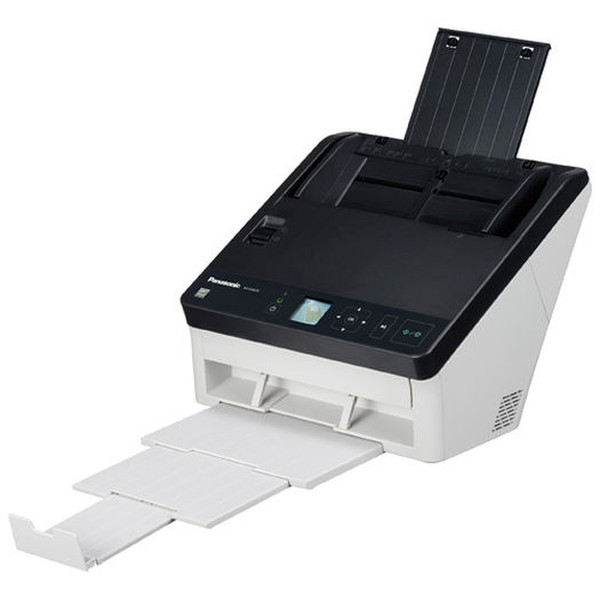
A4, Duplex, ADF, Light source RGB LED, 130ipm, USB 3.0, 40W, 4kg
KV-S1057C
One-touch, multi-size, multi-document scanning
- High-speed duplex scanning
- Up to 65ppm
- Reliable paper feed mechanism
- Multi-size and multi-document batch scanning
- One-touch operation
- Intelligent double-feed detection
- Barcode recognition
- Remote maintenance tool
- Auto preview/auto rescan
Time-saving, productivity-building scanning for any space
Looking for high performance in a compact package? Want to increase efficiency without increasing cost? The new KV-S1057 scanner brings you improved scanning speed and paper feed capability, multiple size and material scanning in one, and one-touch, no-fuss functionality for a range documents including passports – all in an easy-to-store, easy-to-access size.
All your binary or colour documents with 200dpi or 300dpi resolution can be scanned at the same speed – vastly improving productivity for your business.
100-sheet capacity
With the largest ADF capacity in its class. it allows you to scan high volumes at once, reducing the number of set-ups. While its first gate mechanism saves you valuable time when handling large number of documents.
Multiple document capability
From paper to mixed material to card, documents ranging from invoices and medical scripts to ID cards and passports can be loaded in one and scanned in an instant.
One-touch operation
You can pre-programme and select from up to 100 desired scan settings at the touch of a button.
Intelligent double-feed detection
The positions and lengths of attached paper strips, such as labels and photos, can be memorised to automatically disable Double-Feed Detection for any documents with the same format.
Central site management
Efficient scanner management across a network
When working in collaboration with Panasonic’s central site manager software, the KV-S1057 scanner is even easier to manage and more efficient in its operations. The software delivers effective control across an entire network, overseeing the status of each scanner, identifying where maintenance is required, notifying users when errors occur by email and updating the software and setting of every scanner in one collective action.
Auto preview
Eliminating the possibility of problematic scan settings
An integrated auto preview function automatically adjusts whatever is scanned, offering nine possible ‘candidate’ types. The user can then select the most suitable image with a single click, making any further adjustments that might be required. So there’s no need to waste time going through a trial-and-error process and highly legible electronic documents are produced quickly and easily.
Auto rescan
Simple rescanning of different documents
The auto rescan feature allows the user to adjust the image on a PC screen without rescanning the original document. Again, this saves time and effort.
Barcode index
The easy way to well-sorted documentation
The KV-S1057 scanner can also be specified with ‘Barcode Index’ software – a barcode recognition function that identifies barcode information on documents and forms and then sorts the documents appropriately. So all scanned items are sorted accurately, quickly and easily.