端口 & 界面
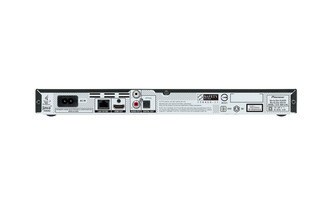
| HDMI |
Y |
| 数字音频光学输出 |
1 |
| HDMI端口数量 |
1 |
媒体类型
| 光盘类型支持 |
BD-R, BD-R DL, BD-RE, BD-RE DL, BD-ROM, CD, CD-R, CD-RW, DVD+R, DVD+R DL, DVD+RW, DVD-R, DVD-R DL, DVD-RW |
| 播放光盘格式 |
DVD-VR, DVD-Video |
| 播放光盘类型 |
BD-R, BD-R DL, BD-RE, BD-RE DL, BD-ROM, CD, CD-R, CD-RW, DVD+R, DVD+R DL, DVD+RW, DVD-R, DVD-R DL, DVD-RW |
视频
| Full HD |
Y |
| 支援色深技术 |
Y |
| x.v.Color支持 |
Y |
| 24P |
Y |
另外
| 以太网连接器 |
Y |
| 以太网路(RJ-45)连接接口数量 |
1 |
2ch, Blu-ray Disc player, GUI, BD-Live, x.v.Colour, 36bit, 192kHz/24-bit Audio DAC, HDMI, USB, Ethernet, 110-240V/50-60Hz, 13W, 360 x 39 x 208mm, 1.2kg
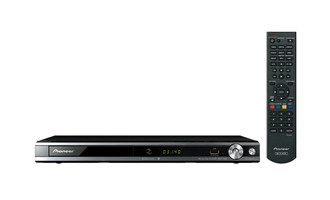
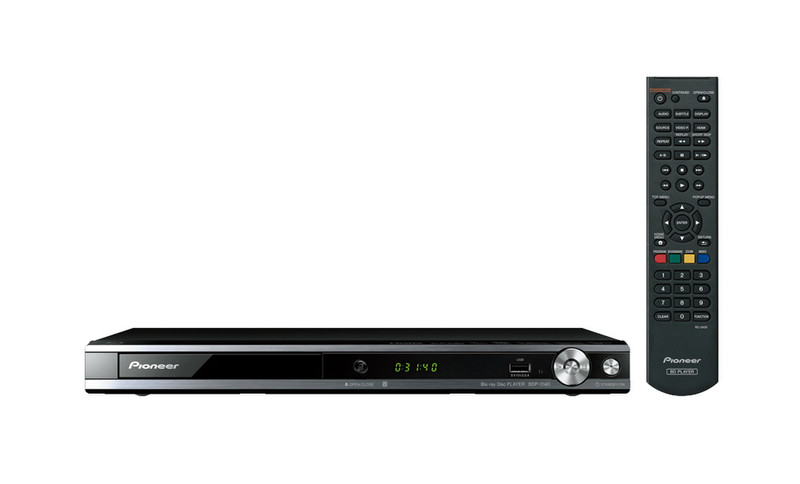
In a 360 mm-wide compact body, the BDP-3140 Blu-ray Disc player offers excellent playability for various formats and disc conditions, as well as user-friendly features including Continue Mode and Quick/Slow View with audio. You can even enjoy better pictures with the upscaling feature for your DVD collection, or listen to WAV and FLAC Hi-Res Audio files.
DVD Upscaling
In addition to Blu-ray Discs, DVDs can be played on the BDP-3140. What’s more, you can enjoy watching your DVD collection with improved pictures, thanks to the upscaling function.
Various Playable Formats (Disc/USB*)
A wide range of audio, video, and image files shown below can be played back via disc and USB. The BDP-3140 is compatible with almost any disc, regardless of format or condition. You can even listen to Hi-Res Audio, such as 192 kHz/24-bit WAV and FLAC files.
Quick (x1.5)/Slow (x0.8) View with Audio
For busy people who want to get the most out of their time, Quick View (x1.5) with Audio plays an one hour video in 40 minutes. Slow View (x0.8) with Audio is a useful function for language studies, or for practicing sports, dance, or a musical instrument, letting you take a closer look at a scene as well as pick up every sound.
Continue Mode
Just press the “CONTINUED” key on the remote to memorise a scene, then turn off the power. Later, you can carry on watching Blu-ray Discs from exactly where you left off.
Short Skip/Replay
If you want to skip a part,, or take another look at a scene you’ve missed, you can easily skip forward 30 seconds or skip back 10 seconds with a push of a button on the remote control.