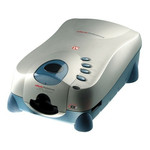
性能
| 处理器频率 |
1600 MHz |
| 占空比(最高) |
300000 pages per month |
| 每日占空比(最大值) |
1500 pages |
| 内置存储器 |
1024 MB |
| 扫描至 |
Cloud, E-mail, FTP, USB |
| 传感器类型 |
Dual CIS |
| 光源 |
LED |
纸张处理
| 自动进纸槽(ADF)纸张重量(厚度) |
40 - 157 g/m² |
| 最大扫描范围(自动文档进纸器) |
216 x 356 mm |
| 字符 |
Y |
| ISO A 系列文件最大尺寸 |
A4 |
| 支持扫描原稿类型 |
Plain paper |
能量控制
| 输入电压 |
24 V |
| 电流 |
1.67 A |
| 电源类型 |
AC |
扫描
| 双面ADF扫描速度(黑白,A4) |
30 ipm |
| ADF扫描速度(黑白,A4) |
15 ppm |
| 光学扫描分辨率 |
600 x 600 DPI |
另外
| 扫描类型 |
ADF scanner |
| 最小扫描范围 (自动文档进纸器) |
13.2 x 13.2 mm |
| 双面ADF扫描速度(彩色,A4) |
8 ipm |
| ADF扫描速度(彩色,A4) |
4 ppm |
| 黑/白扫描色彩模式 |
Grayscale, Monochrome |
| 彩色扫描 |
Y |
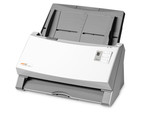
LED, 600dpi, 50 sheets, 2.8kg
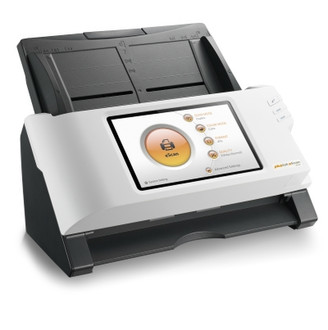
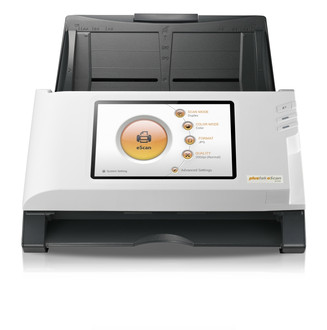
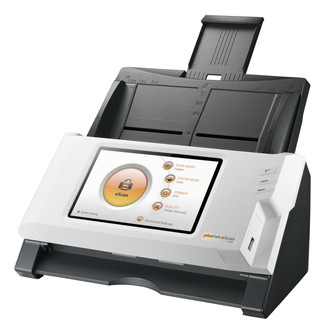
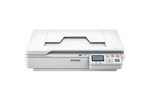
Plustek's eScan A150 allows end users to instantly power up the device for fast scanning. Its built-in 7" LCD touch screen is intuitive and offers a quick way to review or even crop targeted images, before delivering the final digitally captured data. People can send or save the final image in different file formats to multiple destinations such as: USB drive, network folder, mobile, e-mail or a variety of cloud service providers.
Setup Easily
eScan works as easy as an appliance. End users can just plug the network cable and turn it on to start. There is no need for IT staff setup and training. Just respond to the three easy intuitive steps on our large seven inch LCD screen and you are on your way.
Scan
A Big eScan button is always waiting for your touch. If you have other requirements simply change the scan setting; it’s done!
View
eScan allows you to validate the scanned images in the thumbnail mode. It also allows you to review each individual page in full page mode to crop, rotate, or even redact the page. If you are happy with the scanned thumbnail image, you are ready to deliver!
Save
eScan is loaded with 9 destinations to choose from: USB drive, network folder, mobile, eMail address, or variety of cloud (Dropbox, Google Drive, Evernote, Box, SharePoint or FTP). Once a destination is selected just enter your credentials, cheers!
Sending to multiple destinations
From time to time you may want to send same document to different destinations. The eScan allows you to send the same scanned document over and over again.