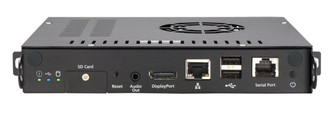
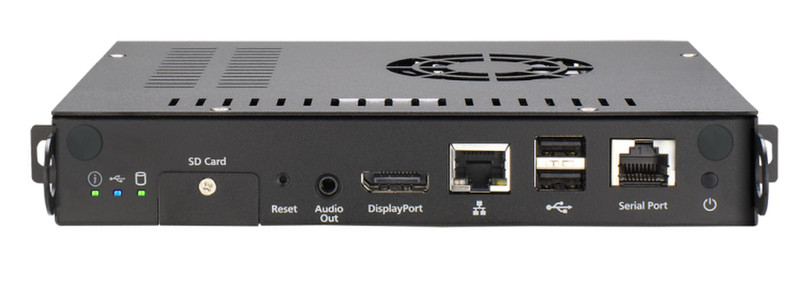
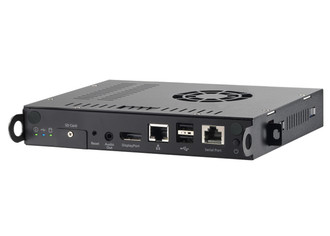
联网
| 以太网的数据传输率 |
10, 100, 1000 Mbit/s |
| 无线局域网连接 |
N |
存储介质
| 兼容性内存条 |
SDHC |
| 集成读卡器 |
Y |
| 存储驱动器接口 |
mSATA |
重量和尺寸
| 深度 |
148 mm |
| 宽度 |
200 mm |
| 高度 |
30 mm |
端口 & 界面
| USB2.0端口的数量 |
4 |
| S/PDIF输出接口 |
Y |
| 音频(左、右声道)输出 |
1 |
| DisplayPort 数量 |
1 |
文件格式
| 音频格式支持 |
AAC, AC3, MP3, WAV, WMA |
| 支持的视频格式 |
FLV, H.264, M-JPEG, MPEG1, MPEG2, MPEG4, VC-1, WMV |
| 支持的视频格式 |
BMP, JPG, PNG |
视频
| Full HD |
Y |
| 最大视频分辨率 |
2560 x 1600 pixels |
另外
| 产品色彩 |
Black |
| 以太网连接器 |
Y |
| 开/关切换钮 |
Y |
| 以太网路(RJ-45)连接接口数量 |
1 |
| 运行温度范围(T - T) |
0 - 45 °C |
iS-1650 - Intel Q67 Express, 4GB RAM, DisplayPort, JAE connector, OPS slot, SDHC, 4 x USB 2.0, 2U
iS-1650 is the industry OPS (Open Pluggable Specification) compliance module which provides the fast digital signage player deploy with the OPS ready monitor for content creation, scheduling, and remote management.
Furthermore, it’s capable of managing many digital signage players as a group at the same time without setting up additional servers.
Support dual display outputs at an editable full mode. Complex layouts with RSS,Flash, and H.264 Full HD video are available.
- Strong CPU performance: Powered by a high performance Intel® i5 processor, iS-1650 has strong ability to play more media files and more complicated layout arrangement.
- Dual display application: iS-1650 supports dual display outputs at an editable full mode. Moreover, each output is able to play different layout. Complex layouts include RSS, Flash, and H.264 Full HD video are available.
- Various rotation modes and multiple screen display: Connected monitors can be configured as a clone, independent, or extended large canvas, depending on the layout design, or monitor configuration , and the resolution can be changed dynamically.
- Easy steps to operate your digital signage. iSignager provides the easy content step from content creation to plan publish. The process is easy even non-technical people can be familiar quickly. The user interface of 3 main software functions is clear and easy to understand, users just need to do it step by step, and they can finish a expert class digital signage.
- Strong software ability covers your dsign,scheduling and management
- No firewall/router configuration required. Creating a digital signage network through internet, such as firewall and router settings could be very time-consuming even frustrating. In iSignager, the only thing users have to know is the central control server’s IP address, then only input it into player setting via web console, player will connect to server automatically using the server’s IP address. No any firewall/router configuration required.
- Strong command task to manager your digital signage players : Perform mission and power on/off automatically instead of requiring complicated manual configurations. iSignager saves your on-site management cost by scheduling on/off your remote players without acquiring any on-site effort!
- Diversified layout arrangements. The iArtist of iSignager has a strong user interface, multi-layer concept and timeline make you to get the hang of software very quickly. It enables users to design a multi-zone layout and define file playback, sequences, timing, and transition effects. In addition, users can use the intuitive drag-and-drop operation to create their own templates or layouts. The timeline view lets users define playlists intuitively.
- Central remote system management.