无线局域网的特点
| Wi-Fi标准 |
IEEE 802.11n |
| 无线局域网类型 |
IEEE 802.11n, IEEE 802.11g, IEEE 802.11b |
| WLAN的数据传输率(最大值) |
300 Mbit/s |
其他功能
| USB 端口数量 |
2 |
| xDSL connection |
N |
| 频段 |
2.4 GHz |
| 闪存 |
16 MB |
| 机架安装 |
N |
| 内置存储器 |
128 MB |
| Mobile network connection |
N |
以太网LAN特性
| 以太网LAN接口类型 |
Fast Ethernet |
| 以太网的数据传输率 |
10, 100 Mbit/s |
协议
| 动态主机配置协议服务器 |
Y |
| 动态主机配置协议客户 |
Y |
| 支持网络协议 |
IPv6, PPPoE, DDNS, QnoDDNS, DynDNS |
| DMZ支持 |
Y |
管理功能
| 网上管理 |
Y |
| 支持服务质量(QoS) |
Y |
| 通用即插即用(UPnP) |
Y |
安全
| MAC(媒体存储控制)地址过滤 |
Y |
| 网页(URL)过滤 |
Y |
| 防火墙 |
Y |
| 系统事件日志 |
Y |
| 虚拟专用网信道数量 |
40 |
| DoS攻击的预防 |
N |
| 网络地址转换功能 |
200Mbps |
| 支持虚拟专用网 |
100Mbps |
| 认证方法 |
MD5/SHA1 |
| 防火墙 |
NAT, SPI/DoS |
联网
| 管理协议 |
SNMP v1, SNMP v2 |
| 默认密码功能 |
Y |
另外
| 以太网连接器 |
Y |
| 以太网路(RJ-45)连接接口数量 |
4 |
| 包括 AC 适配器 |
Y |
2.4GHz, 300Mb/s, 802.11b/g/n, Fast Ethernet, IPv6, VPN, QoS
<b>Dual WAN Wireless VPN QoS Router</b>
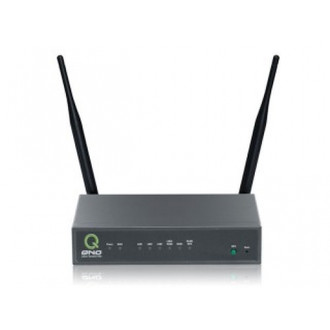
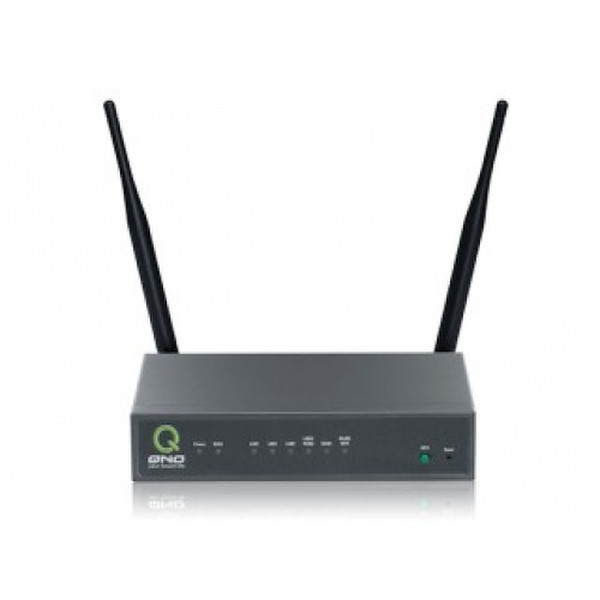
The QNO Wireless QoS VPN Firewall Router (QVF7309) is an 802.11b/g/n compliant device that delivers up to 300Mbps. Connect the QVF7309 to a cable or DSL modem and provide high-speed Internet access to multiple computers, game consoles, and media players. The Setup Wizard will guide you through setting up a secure wireless network to share photos, files, music, videos, printers, and network storage.
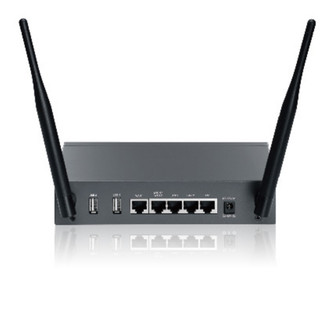
Equipped with two external antennas, this router provides superior wireless coverage for larger homes and offices, or for users running bandwidth-intensive applications. The QVF7309 also includes a 2-Port WAN with load balance and redundancy to guarantee business essential data exchange.
<b>High-speed & High-efficiency</b>
- Supporting 12,000 sessions and being an 802.11b/g/n compliant device that delivers up to 300Mbps.
- Build-in 1~2 WAN ports, 3~4 LAN ports to help businesses build efficient network.
<b>IPv6</b>
- Its interoperability with IPv4 is a transition for IPv6 time's coming. The newest IPv6 tunneling and IPv4/IPv6 dual stack make users coming and going freely between IPv4 and IPv6.
<b>USB Storage (Samba/FTP)</b>
- The USB port allows the connection of a USB disk or hard drive for Samba/FTP file transfer through the Internet or local networks. The network administrator can set username/password and directory/file access privilege for individual users.
<b>Wireless Access Point</b>
- In addition to WEP/WPA/WPA2 and MAC Address Control, the router also provides WPS. With Wi-Fi Protected Setup (WPS), the wireless network name (SSID) and encryption keys are automatically generated and broadcast to the client devices.
- The router supports the Wi-Fi Alliance's standard for WDS. It allows a wireless network to be expanded using multiple access points without the traditional requirement for a wired backbone to link them.
<b>L7 VIP Priority Channel + WMM</b>
- With Wi-Fi Multimedia (WMM) and our intelligent L7 VIP priority channel, jitter-free Internet phone calls (VoIP), high-definition video streaming and Web gaming are prioritized achievable on your wired and wireless networks.
-
<b>Guest Networks Access</b>
- QNO offers secure, easy to manage guest access out-of-the-box – without extra appliances, licenses, or complex VLAN configurations. QNO's built-in firewall and DHCP server provide a complete guest Wi-Fi solution, enabling secure, Internet-only access that protects your LAN and other clients from virus or information leaks.
<b>L7 Management-Blocking</b>
- QNO L7 Management can recognize these applications on the same port and block the applications. Administrators can list the blocking applications to restrict the services.
<b>L7 QoS</b>
- It spends administrators a lot of time on checking which misuses too much bandwidth and causes disconnection. QNO L7 QoS can recognize applications even using the same port, thus guarantee/restrict its normal ongoing.
<b>Multi-WAN Ports</b>
- Realizing Bandwidth Averaging with 2 WAN ports and reserving the possibility of bandwidth expansion in the future.
- Supporting Optical Fiber or ADSL access/PPPoE/Cable Modem/FTTX and other kinds of protocols.
- Supporting 3 Balance modes: Session-based, IP-based, and Strategy Routing to optimize bandwidth usage. Strategy Routing specially solves cross-net bottleneck problem for different ISPs access.
- Featured auto line back-up: switch all the sessions from dropped line automatically to another to keep an always on-line network.
<b>IPSec VPN</b>
- Providing up to 10 IPSec VPN connections.
- Providing comprehensive IPSec VPN with DES/3DES/AES encryptions, MD5/SHA1 identifications and automatically/manually IKE Pre-Share Key exchanges.
- Supporting IPSec VPN in Gateway to Gateway or Client to Gateway.
- Supporting NATT to translate IPSec ESP packets into UDP packets to pass through SOHO routers using in most of small offices.
- Passing VPNC's authentication and collocating with other VPN devices.
- Possessing VPN Heartbeat to maintain a more stable VPN connection and being compatible for VPN tunnels among different VPN devices.
<b>PPTP VPN</b>
- Providing up to 5 PPTP VPN connections.
- Displaying status of PPTP VPN connections.
- Allowing using Windows embedded PPTP client to dial to router.
<b>QoS Bandwidth Management</b>
- Allocating bandwidth according to different time periods to fit into diverse network environments.
- Prioritizing different person/group or applications in bandwidth using for a better reasonable management.
<b>Easy-to-Use System Management</b>
- Helping administrators to record the change/abnormal of the whole network' status and take actions according to the log information.
- Supporting remote management by web browser with user name and password to realize router management from remote places.
- Featured SMS alert to notify administrators at 1st time about threatened problems to make actions.
- Characterized easy to setup with clear configuration steps and plain GUI. Administrators can adjust the configurations quickly and simply.