显示器
| 显示倾斜 |
N |
| 易于阅读的显示 屏 |
Y |
| 背光式显示 |
N |
| 数字 |
16 |
| 第二个液晶屏 |
N |
| 显示器行数 |
4 lines |
| 显示类型 |
LCD |
性能
| 象征符号 |
Pi |
| 确切/十进制近似值开关 |
Y |
| 之间的转换 |
Decimal, Fraction, Percent |
| 自动简化分数 |
Y |
| 随机数/整数生成器 |
Y |
| 否定关键 |
Y |
| 将角度转换为弧度 |
Gradian, Radian |
| 待定操作的最大数量 |
8 |
| 括号等级的最大数量 |
23 |
| x10n 键 |
Y |
设计
| 遮盖罩 |
N |
| 格式要素 |
Pocket |
| 类型 |
Scientific calculator |
能量控制
| 电源 |
Battery/Solar |
| 自动关闭电源 |
Y |
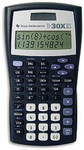
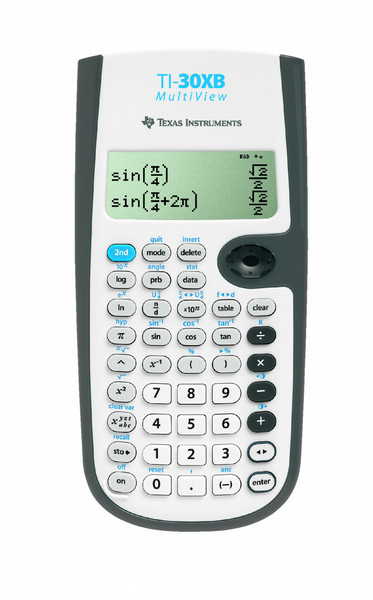
TI-30XB MultiView, 16 digits, LCD, 145 g, Grey/White
Key features
- Four-line display
- One- and two-variable statistics
- MathPrint™ feature
- Fraction/decimal conversion
- Step-by-step fraction simplification
- Edit, cut and paste entries
- Solar and battery powered
View more calculations at a time
Four-line display allows you to enter more than one calculation, compare results and explore patterns, all on the same screen.
MathPrint™ feature
Use the MathPrint™ feature to display expressions, symbols, and fractions just as they appear in textbooks.
Scientific notation output
View scientific notation with the proper superscripted exponents and see the output in scientific notation.
Explore (x,y) table of values
Students can easily explore an (x,y) table of values for a given function, automatically or by entering specific x values.