显示器
| 显示倾斜 |
N |
| 背光式显示 |
N |
| 数字 |
16 |
| 第二个液晶屏 |
N |
| 显示器行数 |
4 lines |
设计
| 遮盖罩 |
N |
| 类型 |
Scientific calculator |
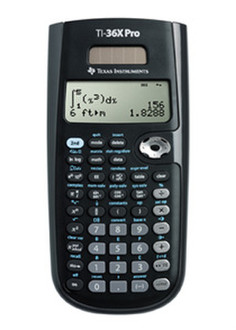
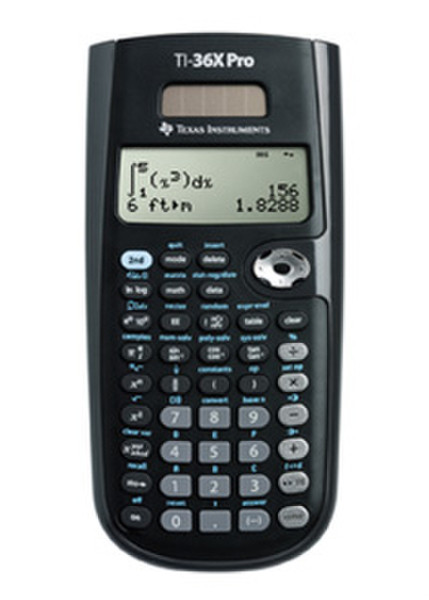
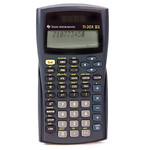
TI-36X Pro Scientific Calculator
Features Summary
TI’s latest and most advanced scientific calculator features a high-quality MultiView™ display and MathPrint™ capability. Enhanced math functionality makes it ideal for computer science and engineering courses and topics in which graphing technology may not be permitted.
The TI-36X Pro has been designed in collaboration with practitioners around the world. Beyond extensive abilities as a scientific calculator, it serves as an excellent tool for student learning and exploring.
Ideal for:
- Algebra 1 & 2
- Geometry
- Trigonometry
- Statistics
- Precalculus
- Calculus
- Biology
- Chemistry
- Physics
- Computer Science
- College Math
- College Science
- College Engineering
MultiView display
View multiple calculations at the same time, compare results and explore patterns on-screen. The MultiView display supports up to four lines.
MathPrint feature
See math expressions, symbols and stacked fractions exactly the way they appear in textbooks — no need to adapt to a technical syntax. Also provides quick access to frequently used functions.
Scrolling and editing
Easily input data, scroll through entries, make edits and investigate patterns as you would on a graphing calculator.
Toggle key
Quickly view fractions, decimals and terms — including Pi — in alternate forms while exploring more advanced topics.
Key Features:
Mode menu
The menu is structured for easy, intuitive access to commands. Select degrees/radians, floating/fix, Classic/MathPrint or number format.
Memory variables
Store real numbers and expressions that result in real numbers as one of seven available memory variables.
Data list editor
Enter statistical data in up to three lists, with a maximum of 42 items per list. Any list formulas that are entered can accept all calculator functions. Readily perform one- and two-variable analysis, and display six different regression models.
Solvers
Choose from three solvers to use: numeric equation, polynomial and system of linear equations.
Function Table
Display a defined function in a tabular form.
Derivative & Integral
Determine the numeric derivative and integral for real functions.
Vectors & Matrices
Perform vectors and matrices using a vector and matrix entry window — a feature similar to the matrix functionality of TI-84 Plus graphing calculators.
Constants & Conversions
Choose from nine physical constants that can be pasted into various windows and an easy-to-use menu that includes 18 Metric/English conversions.