安全
| 防火墙 |
NAT/SPI |
| 认证方法 |
MD5, SHA1 |
| 支持虚拟专用网 |
PPTP, L2TP |
| 虚拟专用网信道数量 |
10 |
| 防火墙 |
Y |
| 网页(URL)过滤 |
Y |
| MAC(媒体存储控制)地址过滤 |
Y |
以太网LAN特性
| 布线技术 |
10/100/1000Base-T(X) |
| 以太网LAN接口类型 |
Gigabit Ethernet |
| 以太网的数据传输率 |
10, 100, 1000 Mbit/s |
软件
| 可支持的Linux操作系统 |
Y |
| 可支持的Mac操作系统 |
Y |
管理功能
| 通用即插即用(UPnP) |
Y |
| 支持服务质量(QoS) |
Y |
| 重启按钮 |
Y |
| 网上管理 |
Y |
无线局域网的特点
| Wi-Fi 频段 |
Dual-band (2.4 GHz / 5 GHz) |
| Wi-Fi标准 |
IEEE 802.11n |
| WLAN的数据传输率(最大值) |
300 Mbit/s |
| 无线局域网类型 |
IEEE 802.11a, IEEE 802.11b, IEEE 802.11g, IEEE 802.11n |
ADSL的特点
| ADSL说明书 |
G.992.1, G.994.1, G.995.1, G.992.3, G.992.5 |
| ADSL2 + |
Y |
其他功能
| Mobile network connection |
N |
| xDSL connection |
Y |
| 频率范围 |
2.4 - 5 GHz |
| 机架安装 |
N |
| 频段 |
2.4 & 5 GHz |
| USB版本 |
2.0 |
| USB 端口数量 |
2 |
天线
| 天线类型 |
Internal & external |
| 天线接口类型 |
RP-SMA |
| 天线数量 |
5 |
| 可拆式天线(S) |
Y |
另外
| 以太网连接器 |
Y |
| 开/关切换钮 |
Y |
| 过滤 |
MAC/IP/URL |
| 包括 AC 适配器 |
Y |
| 以太网路(RJ-45)连接接口数量 |
4 |
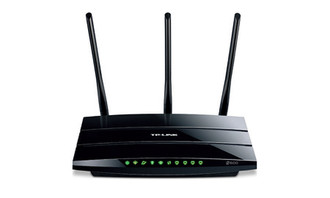
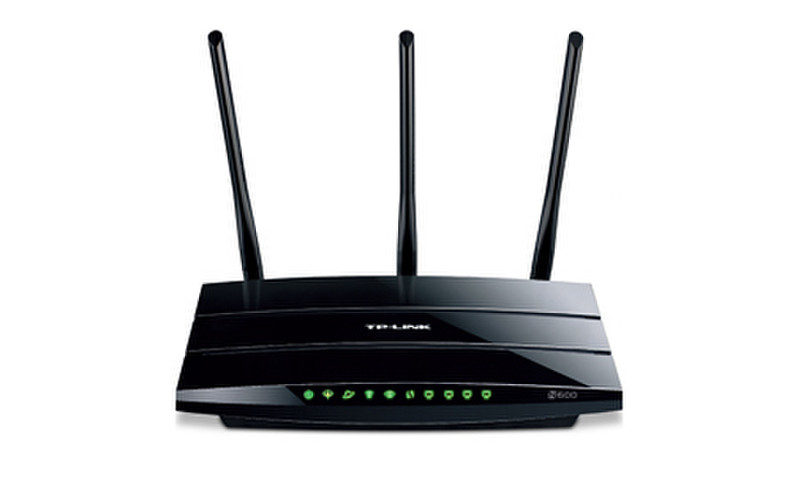
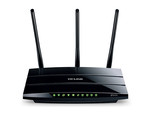
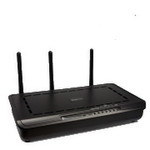
N600 Wireless Dual Band Gigabit ADSL2+ Modem Router (Annex B)
TP-LINK’s N600 Wireless Dual Band Gigabit ADSL2+ Modem Router TD-W8980B is an incredibly robust all-in-one device combining the crystal clear 5GHz band and the traditional 2.4GHz band. With 600Mbps of total bandwidth, simple tasks like sending e-mails can be handled by the 2.4GHz band while bandwidth intensive tasks like online gaming or HD video streaming can be processed by the 5GHz band – all at the same time. Its all gigabit ports allow users to access high-speed internet connections and share them wirelessly at blazing 300Mbps wireless speeds or by using one of its 4 gigabit LAN ports. With 2 multifunctional USB ports, users can share printers, files and media across the local network or the internet. What’s more, this All-in-one device allows for two different connection types: ADSL, or Ethernet WAN, giving users the flexibility to access the Internet whichever method is most convenient.
Clear up your desktop!
The TD-W8980B does the work of several networking devices packed into one sleek device. With an ADSL2+ Modem, NAT Router, 4-Port Switch and Wireless N Access Point, this device eliminates the need to purchase multiple devices to access and share a high-speed Internet connections.
Simultaneous Dual Band.
Two separate wireless networks that will run on either the 2.4GHz or 5GHz band, simultaneously. The traditional 2.4GHz band can provide more range and is great for everyday web surfing use but it is more susceptible to interference from wireless devices running on the same frequency. While the 5GHz band can provide faster wireless speeds and avoid much interference .This way, the 5GHz band is just right for bandwidth heavy tasks like on-line gaming and HD streaming. Now you can enjoy both advantages of the two bands by just having one device.
Full Gigabit Ports - More Power to You.
With 300Mbps 802.11n wireless and 4 gigabit LAN ports, the TD-W8980B is the ideal choice for bandwidth heavy users that rely on speedy, reliable connections for bandwidth intensive work or entertainment such as lag-free conference calls, HD video streaming or online gaming.
2 USB Sharing Ports - Easy Sharing.
Using the TD-W8980B’s two multi-functional USB 2.0 ports, users can share printers, files and media either throughout the network at home with several different computers or even away, using the device’s FTP server functions so that you never have to part with your files.
Interchangeable LAN/WAN Port - Versatile Connectivity.
The TD-W8980B supports ADSL or Ethernet WAN connections (EWAN) that allow users to have the flexibility of different Internet connections among ADSL, cable or fiber modem using its interchangeable LAN/WAN port. This unique feature makes it easier when users need to change to fiber or cable services when necessary.
IPv6 Ready.
This device supports IPv6, which is foundational to the next generation Internet and enables a range of new services and improved user experiences.
Virtually Impregnable-10 VPN IPsec tunnels.
The ability to support up to 10 IPsec VPN tunnels simultaneously gives TD-W8980B users the flexibility to set up a virtual private network, to guarantee network security and take advantage of network access whether at home or away, for work or simply to access files from their local networks.