联网
| MAC 地址表 |
24 entries |
| 接收机灵敏度 |
802.11a: -68 dBm @ 54 Mbps\n802.11b: -84 dBm @ 11 Mpbs\n802.11g: -72 dBm @ 54 Mbps\n802.11n: -68 dBm @ 450 Mbps\n802.11ac: -55 dBm @ 1.3 Gbps |
安全
| 防火墙 |
NAT, SPI, DMZ |
| 支持虚拟专用网 |
IPsec/PPTP/L2TP |
| 支持安全算法 |
128-bit WEP, 64-bit WEP, 802.1x RADIUS, WPA, WPA2-PSK |
| MAC(媒体存储控制)地址过滤 |
Y |
以太网LAN特性
| 布线技术 |
10/100/1000Base-T(X) |
| 以太网的数据传输率 |
10, 100, 1000 Mbit/s |
| 以太网LAN接口类型 |
Gigabit Ethernet |
管理功能
| 通用即插即用(UPnP) |
Y |
| 支持服务质量(QoS) |
Y |
| 重启按钮 |
Y |
其他功能
| 支持无线局域网数据传输率 |
11, 54, 450 Mbit/s |
| USB 端口数量 |
1 |
| xDSL connection |
N |
| 频率范围 |
2.4 - 5 GHz |
| 机架安装 |
N |
| USB 连接器形状 |
USB Type-A |
| 输入电流 |
0.8 A |
| 频段 |
2.4 & 5 GHz |
协议
| DMZ支持 |
Y |
| 动态主机配置协议服务器 |
Y |
| 支持网络协议 |
IGMP v1/2/3, UPnP, Dynamic DNS, NTP, IPv6 |
无线局域网的特点
| Wi-Fi 频段 |
Dual-band (2.4 GHz / 5 GHz) |
| Wi-Fi标准 |
IEEE 802.11n |
| WLAN的数据传输率(最大值) |
450 Mbit/s |
| 无线局域网类型 |
IEEE 802.11a, IEEE 802.11b, IEEE 802.11g, IEEE 802.11n |
| 调制 |
16-QAM, 256-QAM, 64-QAM, BPSK, CCK, DBPSK, DQPSK, OFDM, QPSK |
设计
| 液晶显示器指示灯 |
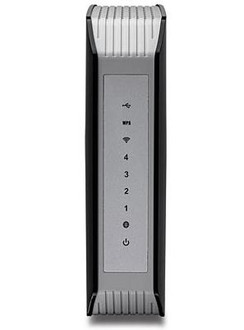
LAN, Power, WAN, WLAN |
天线
| 天线类型 |
internal |
| 天线增益水平(最大值) |
2 dBi |
| 天线数量 |
3 |
另外
| 以太网连接器 |
Y |
| 过滤 |
IP, URL |
| 以太网路(RJ-45)连接接口数量 |
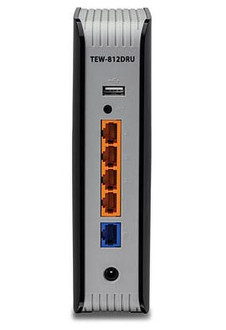
4 |
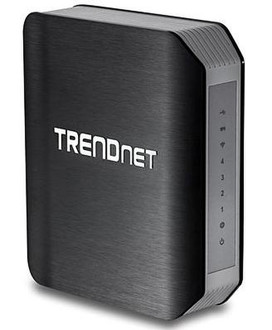
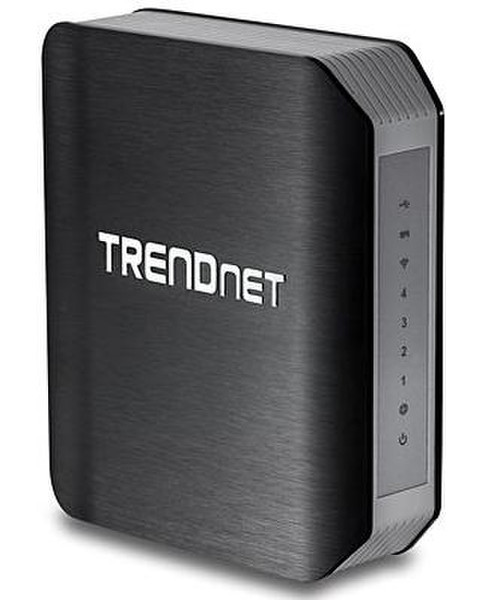
1 Gbps, 4x RJ-45, 1x RJ-45 WAN, 1x USB, IPv4/IPv6, black
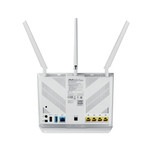
TRENDnet’s AC1750 Dual Band Wireless Router, model TEW-812DRU, produces the ultimate wireless experience with gigabit wireless speeds. Manage two wireless networks—the 1300 Mbps Wireless AC band for the fastest wireless available and the 450 Mbps Wireless N band to connect common wireless devices. The TEW-812DRU can easily handle the demands of multiple HD streams in a busy connected home.
Plug in a USB flash or NAS drive to share HD videos and music across the network. Gigabit ports on the back of the router maintain high speed wired connections. Create a secure isolated guest network for guest internet access. Beamforming technology directs the strongest signal to each connected device. Multiple-MIMO technology enables communica-tion with multiple devices simultaneously. Wi-Fi Protected Setup (WPS) connects other WPS supported wireless adapters at the touch of a button. Manage access to websites and file types with advanced access controls.
Gigabit Wireless: Next generation Gigabit Wireless AC
Simultaneous Dual Band: Gigabit Wireless AC band + Wireless N band for every day devices
One Touch Connection: Connect to the router at the touch of the Wi-Fi Protected Setup (WPS) button
Guest Network Access: Create an isolated network for guest internet access
USB Share Port: Plug in a USB flash or NAS drive to share HD videos and music
Parental Controls: Control access to specific websites or types of content
Gigabit Wired: Gigabit Ethernet port maintains high performance network connections