触控输入
| 分辨率触摸输入 |
101.6 DPI |
| 报告率(触摸) |
50 pps |
平板
| Working area |
125 x 85 mm |
| 最大读写高度 |
16 mm |
系统要求
| 可支持的Mac操作系统 |
Y |
| 最低处理器 |
Intel, PowerPC |
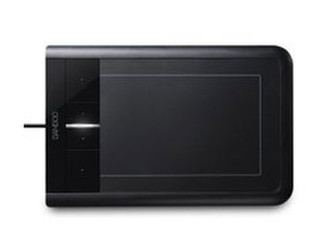
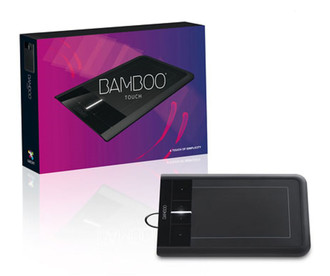
Bamboo Touch, UK Version
Bringing simplicity to your digital life.
The new Bamboo Touch offers you the most popular touch experience, instantly simplifying your workflow and giving you a completely new way to work.
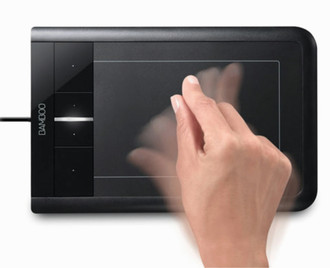
Whether you are flicking through an ebook, a presentation or other documents, or scrolling and zooming web pages or photos, you will appreciate its extreme comfort in handling.
But that′s not all: a variety of useful Bamboo Mini software applications inside Bamboo Dock are kept ready for download. Make every gesture count – easily and intuitively.
Bamboo Touch – A touch of simplicity
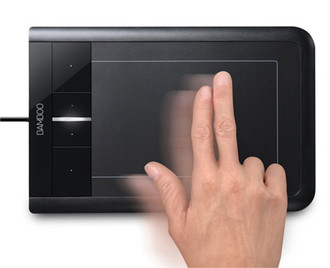
- Gain the benefits of multi-touch and use gestures in all standard applications. Bamboo is flexible, versatile and intelligent, and can be customised to your needs. The smart experience
- Immerse yourself in your computer in an all-new way from the very first touch. Multi-touch makes complex commands as easy as a gesture. Bamboo gives you the most popular touch experiences, all on the ample space of the tablet. Get right on it.
- Make every gesture count. Scroll, zoom, rotate or flip through photos and documents – easily and intuitively. Everything at your fingertips.
Features & Benefits
- Multi-touch sensor for intuitive and direct control.
- Support of multi-touch gestures to scroll, zoom, rotate and more.
- Spacious touch area for all gestures.
- Reversible tablet design for left- or right-handed use.
- Four customisable ExpressKeys for quick function access.
- Easy USB connection.
- Interactive tutorial to make the most of Bamboo.