笔
| 无电池笔 |
Y |
| 无线笔 |
Y |
| 压力敏感度等级 |
8192 |
| 包含笔 |
Y |
内容包装
| 笔尖数 |
10 |
| 补充镊子 |
Y |
| 笔架 |
Y |
| 快速入门指南 |
Y |
平板
| 可编程按键的数量 |
8 |
| Working area |
224 x 148 mm |
| 分辨率 |
5080 lpi |
| 平板输入类型 |
Pen |
系统要求
| Mac兼容性 |
Y |
| 可支持的Mac操作系统 |
Mac OS X 10.10 Yosemite, Mac OS X 10.11 El Capitan, Mac OS X 10.12 Sierra |
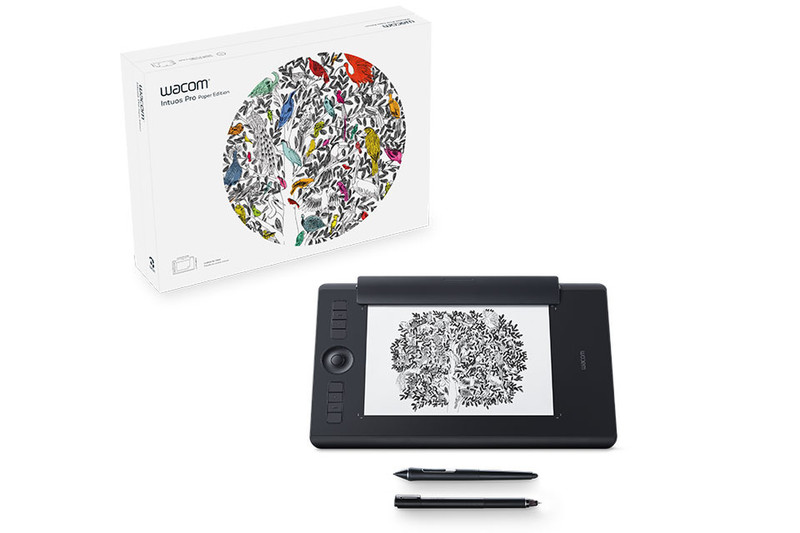
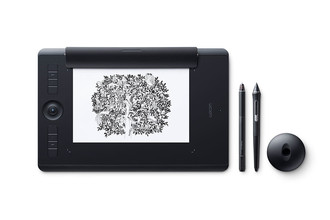
Intuos Pro Paper Edition M South, 338 x 219 x 8mm, Pro Pen 2, Finetip Pen, Paper Clip, 8192 pen pressure levels, 8 ExpressKeys, Bluetooth, A5
Redefining the professional standard in creative pen tablets… with paper
Wacom Intuos Pro Paper Edition combines the very latest Wacom technologies with the drawing paper of your choice to offer a new – but familiar – way of working. Enjoy the feel of drawing with the Finetip Pen on paper while Wacom Intuos Pro Paper Edition captures every stroke, ready for further work in your favorite software. Or connect Wacom Intuos Pro Paper Edition to your computer and work directly into any application you choose with the Wacom Pro Pen 2.
Live. Dare. Create.
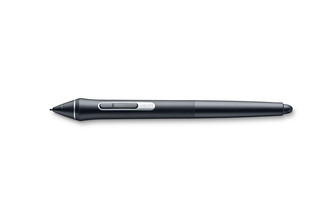
New Wacom Pro Pen 2: natural and precise
Our new Wacom Pro Pen 2 is designed to quickly become a natural extension of your hand. Its exceptional sensitivity and responsiveness gives you the control you need to take your work to the next level.
- Outstanding pressure sensitivity
- Natural tilt support
- Virtually no lag
- No batteries or recharging
An age-old way to be creative, brought up to date
Wacom Intuos Pro Paper Edition adds a new medium to your digital workflow - paper.
Paper-to-digital workflow, step by step:
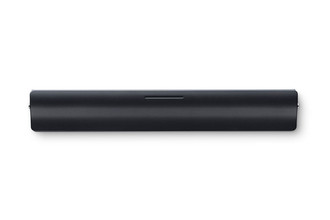
1. Clip your favorite drawing paper on the surface of the Wacom Intuos Pro Paper Edition and sketch with that familiar feel. Work on A5 paper (half-letter size) with our Medium model and A4 paper (letter size) with the Large model.
2. As you draw with the Finetip Pen (or optional Ballpoint Pen), Wacom Intuos Pro Paper Edition captures every stroke as an editable file that can be opened in your favorite creative software.
3. You don't need to be connected to a computer or the internet; Wacom Intuos Pro Paper Edition will store up to 200 multi-layered or 1000 one-layered drawings, ready for you to access on other devices
4. Connect Wacom Intuos Pro Paper Edition to your computer with USB. Using Inkspace*, you can sync, store and export your sketches in common creative file formats - including layered raster and vector.
5. Continue your work with your Wacom Intuos Pro attached to your computer and the sensitive new Wacom Pro Pen 2.
Slim and sleek design
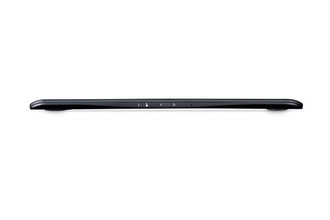
Wacom Intuos Pro Paper Edition comes in both Medium and Large sizes. Each has a smaller, more compact footprint than previous models. Wacom Intuos Pro is built using premium materials such as black anodized aluminum and fiberglass composite resin. The result is a pen tablet that feels reassuringly strong but is a mere 8mm thick.
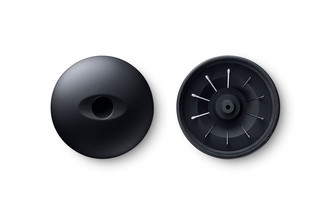
Included with every Wacom Intuos Pro, the new steel based Pen Stand stores your spare nibs and has a built-in tool to make replacing them super-simple.
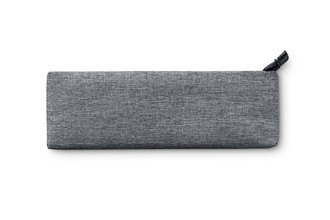
Wacom Intuos Pro Paper Edition comes with an Accessory Soft Case for carrying your Paper Clip, pens, and other accessories.

Convert your paper sketches to layered raster and vector formats
Wacom Intuos Pro Paper Edition comes with invaluable Inkspace features specifically designed for artists and designers. They give you total, flexible control over your work:
- Export your work in layered raster or vector formats (such as PSD and SVG)
- Sync your creations across multiple devices
- Share your creative projects with colleagues and clients
Work your way
Wacom Intuos Pro Paper Edition is designed to let you focus on what’s important – your creativity.
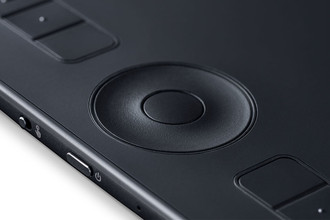
Customizable ExpressKeys™ and Touch Ring provide quick and easy shortcuts for everyday tasks.
Multi-touch gestures make navigating around your work as simple as using your smartphone.
Wacom Pro Pen 2’s side switches put shortcuts and controls literally at your fingertips.
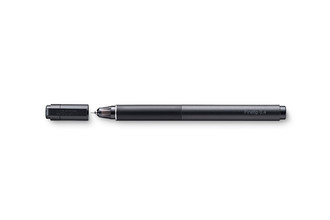
Nail every detail with our 0.4mm diameter Finetip Pen - a smooth gel-ink pen with replaceable refills* that works in harmony with Wacom Intuos Pro Paper Edition.
Choose from three different Texture Sheets* to change the feel of your Wacom Intuos Pro. Each simulates different drawing papers, from smooth to rough.
* Sold separately
Choose your Wacom Intuos Pro Paper Edition
Wacom Intuous Pro Paper Edition is available in two sizes. Medium is lighter and more compact, ready to slip into your bag and take wherever you need to sketch. Large offers the most expansive drawing area.