Power
| Battery life (max) |
20 h |
| Number of batteries supported |
4 |
| Battery type |
AAA |
System requirements
| Mac operating systems supported |
Y |
Additionally
| Wireless technologies |
Wired |
CyberPad A4
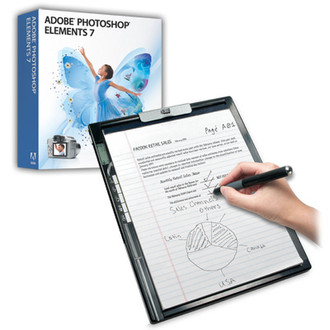
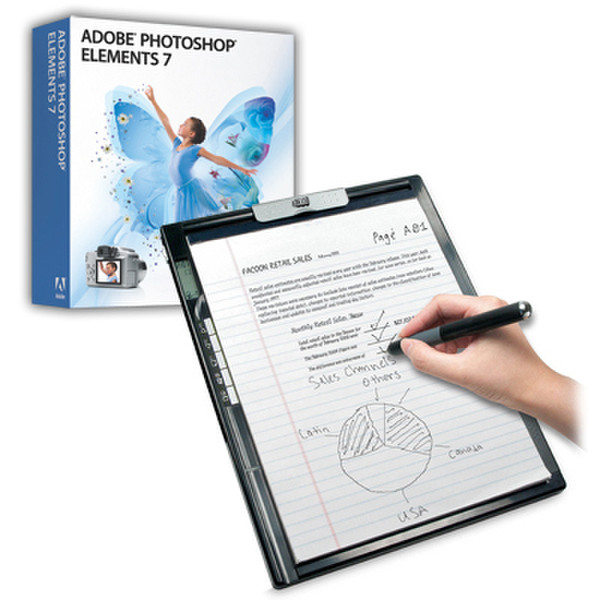
The CyberPad is the ultimate notepad for anyone and everyone that takes notes. With the Cyberpad A4 version it is bundled with Adobe Photoshop Elements 7.0 for Windows and 6.0 for Mac OS X. It is the only solution that links handwritten notes and graphics to the PC, providing a digital reproduction for future reference. With the bundled software, users can convert their handwriting into digital text. An optional SD slot makes it perfect for additional storage. You can easily view, edit, organize and email your handwritten notes on your computer.
The CyberPad includes 32MB of internal memory which provides 26 directories (A-Z) with 99 pages available in each and is further expandable with the integrated SD slot which can be also an SD card reader. It then connects to a PC via USB to instantly transfer and manage notes and images. Once connected to a PC, Adesso’s CyberPad can also convert into a fully-functional PC tablet, which is an ideal input solution for computer artists, graphic designers, photo editors, MS Office and CAD/CAM applications. Other emerging applications include Internet whiteboard graphics, and signature verification for e-commerce.
Form Filling:
Digitally captures and store everything you write in real time with the ink on an ordinary letter or A4 (8.5” x 11”) size paper. Instantly get both a digital record and a hardcopy duplicate of your handwritten notes even when you are on the move. This is one of the excellent parts of the form filling application which translates the hardcopy to a digital data.
Hand Writing Recognition:
With MyScript, handwriting can be made interactive and converted into digital text. Users can benefit from the ergonomics of input methods such as digital pen and paper and touch screen devices, the power of a PC and the ease of use of handwriting. With MyScript handwriting recognition technology there is no more need to retype handwritten notes.
View, Edit and E-mail your Hand Writing Notes:
With CyberPad’s software bundle such as MyScript and Photoshop Elements you can easily view, edit and organize your handwriting to be converted to digital pages using. Save any digital pages as an image file and share your notes with others through e-Mail and you can even send notes to your PDA. Windows Vista's Tablet feature let's you write over or make remarks with your e-mail, reports, notes and other documents.
Works as a Graphics Tablet:
Connecting the CyberPad through the USB port of your PC or Notebook, it enables you to capture, organize, and share your handwritten notes, drawings, and sketches. In a Tablet mode, the CyberPad changes to a landscape set, as it recognizes the area of your monitor. As a drawing tablet it lets you write or draw on the surface of the Cyberpad as your artistic work will displays on your computer monitor.
Create and Customize Forms... with a touch of a button:
Creating forms has never been so easy. With the help of My Form and Microsoft Office Suite, the Cyberpad can create the simple to the most advanced forms. This is suitable for medical professionals, office clerks, lawyers, or anybody who uses forms on a daily basis. It saves and stores your forms onto your computer for easy access at anytime.
Organize your Notes:
Place any ordinary paper on the digital pad. Then write on the paper with the cyberpen, digital inking pen. The pad digitally records anything you write on it and it is store as one digital page. On the right side of your CyberPad you have options to organize your notes and creating folders. The LCD screen shown on your left will tell you which page and folder you’re writing on.
Edit, Create and Share your Photos
With Adobe Photoshop Elements 7.0 see all of your photos in one convenient place, and find photos using visual keyword tags and a variety of viewing options. Experience improved performance that helps you find what you need faster, even when your library grows to include thousands of photos.
Take advantage of options that make it easy for you to edit your photos your way. You can perform one-click fixes, count on step-by-step editing assistance to learn how to improve your photos, or explore advanced options for finer adjustments..