Software
| Mac operating systems supported |
Mac OS X 10.6 Snow Leopard, Mac OS X 10.5 Leopard, Mac OS X 10.4 Tiger, Mac OS X 10.7 Lion |
Security
| IP address filtering |
Y |
| MAC address filtering |
Y |
| URL filtering |
Y |
| Firewall |
Y |
| Firewall security |
NAT, SPI |
Protocols
| DHCP server |
Y |
| DHCP client |
Y |
| Supported network protocols |
PPPoE, PPTP, L2TP |
Management features
| Web-based management |
Y |
| Reset button |
Y |
Other features
| Frequency band |
2.4 GHz |
| xDSL connection |
N |
| Rack mounting |
N |
| Mobile network connection |
N |
Wireless LAN features
| Top Wi-Fi standard |
IEEE 802.11n |
| Wi-Fi standards |
IEEE 802.11n, IEEE 802.11g, IEEE 802.11b |
| WLAN data transfer rate (max) |
300 Mbit/s |
Antenna
| Antenna type |
External |
| Antennas quantity |
2 |
| Antenna gain level (max) |
5 dBi |
Ethernet LAN features
| Ethernet LAN interface type |
Fast Ethernet |
| Ethernet LAN data rates |
10, 100 Mbit/s |
Additionally
| On/Off switch |
Y |
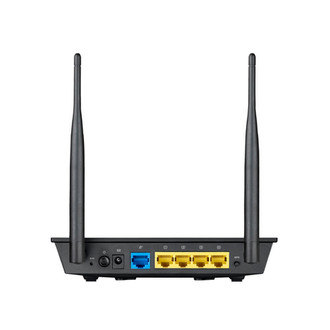
| Ethernet LAN (RJ-45) ports quantity |
5 |
| Ethernet LAN connection |
Y |
| AC adapter bundled |
Y |
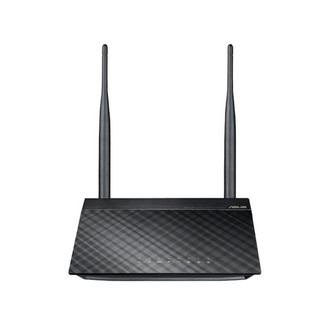
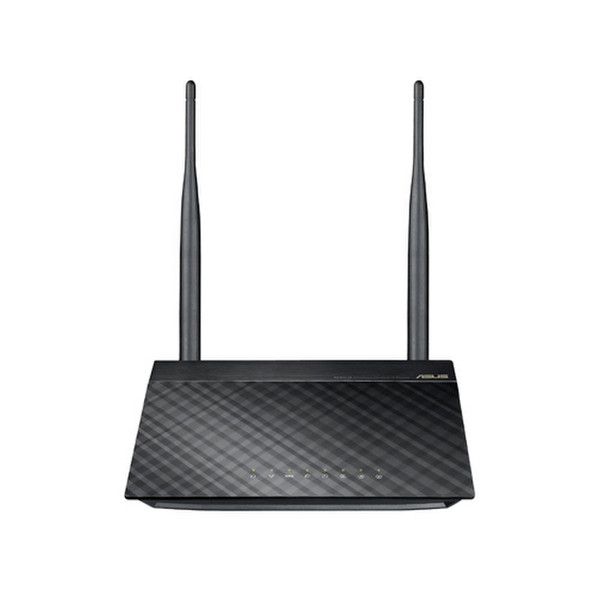
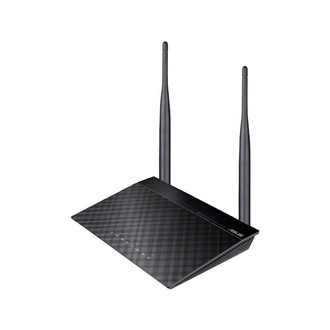
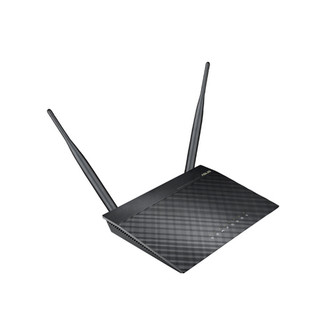
300Mbps, 2.4GHz, 64/128bit WEP, WPA/WPA2-PSK, WPS, IEEE 802.11 i/b/d/e/g/n, IEEE 802.3/u, Fast Ethernet, 210g, black
ASUS RT-N12E supports 802.11 b/g/n and has 300 Mbps high speed. With CD free easy installation and stable data transmission, RT-N12E is the basic solution for wireless internet setup. It also contents Green WLAN technology so it consumes less power during stand by mode.
<b>Plug-n-Surf Installation</b>
3-steps is all you need to set up the router. You don't need a CD for installation.
<b>Save the planet and your pocket</b>
Compared with generic Wireless-N routers, ASUS ECO-WiFi CPU reduces 72% of energy consumption and utility cost.
<b>Extended Network Coverage</b>
The RT-N12E features a 5dBi high-gain antenna that boosts the wireless signal, thereby extending coverage range.
<b>Network Map-Manual Free Management</b>
Straight-forward design to help users to:
- Display the whole network status and clearly provide WAN/LAN status;
- Securely connect to your wireless network and prevent intruders from using it;
- Manage your network in minutes;
- Try our EZ UI software.
<b>WPS Function& WPA/WPA2 Encryption</b>
WEP encryption is not enough for Wi-Fi connection nowadays, and intruders may access your Internet flagrantly. Using WPS function and WPA/WPA2 encryption can firmly secure your home networks and protect the private resources.