Display
| Display diagonal |
42 " |
| Aspect ratio |
16:9 |
| Response time |
5 ms |
| Picture-in-Picture |
Y |
| Contrast ratio (typical) |
1500:1 |
| Display resolution |
1920 x 1080 pixels |
| Viewing angle, horizontal |
178 ° |
| Viewing angle, vertical |
178 ° |
| Display brightness |
440 cd/m² |
| Full HD |
Y |
| 3D |
N |
| Backlight type |
CCFL |
Ports & interfaces
| Composite video in |
1 |
| DVI-D ports quantity |
1 |
| Audio input |
Y |
| Audio output |
Y |
| Component video (YPbPr/YCbCr) in |
1 |
| HDMI ports quantity |
1 |
| VGA (D-Sub) ports quantity |
1 |
Ergonomics
| Placement supported |
Horizontal |
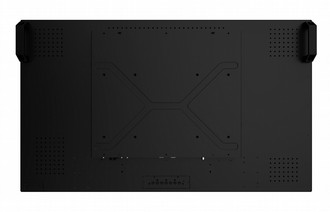
| VESA mounting interfaces |
400 x 200 mm |
| Wall mountable |
Y |
Performance
| Number of speakers |
2 |
| RMS rated power |
24 W |
| Built-in speaker(s) |
Y |
Power
| Power consumption (typical) |
210 W |
| Power consumption (standby) |
0.5 W |
Weight & dimensions
| Depth |
585 mm |
| Width |
992 mm |
| Weight |
30500 g |
| Height |
128.9 mm |
Additionally
| S-Video in |
1 |
| RS-232 port |
1 |
T420 - 42”, 16:09, 1920 x 1080, 1500:1, 5ms, 60Hz
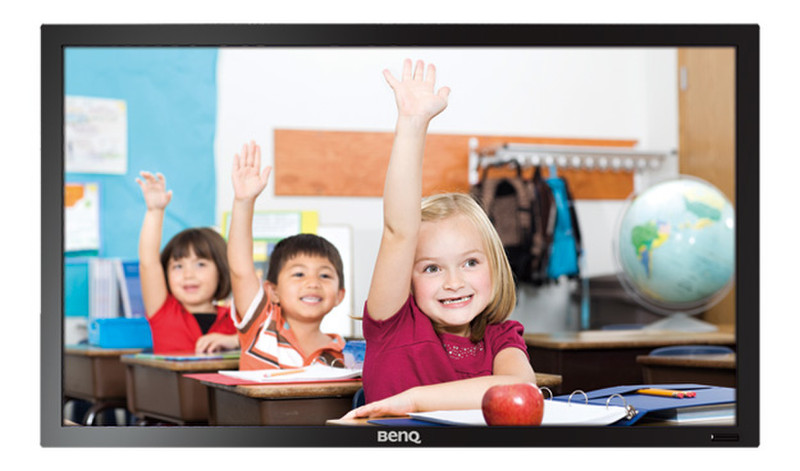
BenQ Interactive Flat Panel T420 combines the power of touch technology and multimedia connectivity to maximize the learning experience of all types of learners.
Interactive displays have become one of the most powerful teaching tools today, replacing traditional classroom instructions with a new style of learning that's research-proven to enhance academic performances, collaborative learning and team building. A perfect solution for e-classrooms, the BenQ Interactive Flat Panel T420 combines the power of touch technology and multimedia connectivity to maximize the learning experience of all types of learners. Designed with safety and flexibility in mind, the T420 is easy and simple to install in any classroom setting using a VESA wall mount.
Optical Sensing Touch Technology
Built with the Optical Sensing Touch technology, the T420 allows you to control your computer directly by touching the screen. It's faster, easier and far more precise when all you need to do is point and touch with the tip of your finger. Connect your computer to the T420 with a USB cable to get started!
Optical Dual Touch Technology
Pair the T420 with Windows 7 and watch the Optical Dual Touch Technology works its magic turning the displayed image into a multi-touch screen. Teachers can invite two students to come up to the board for a quick one-on-one contest.
Ambient Light Sensor
The T420 is built with an ambient light sensor to detect the amount of ambient lighting in its surrounding and adjust the display setting accordingly without user intervention. This means teachers and students can always enjoy optimal picture quality in class.
Integrated Speaker
To help teachers enrich their class with multimedia learning resources, BenQ has built 12W speakers into the T420. The use of videos, music and sound effects make every lesson more engaging and effective.