Technical details
| Supported connectors |
RJ-45 |
| Display type |
LCD |
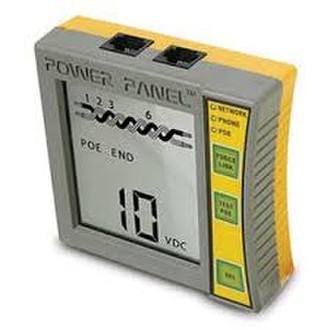
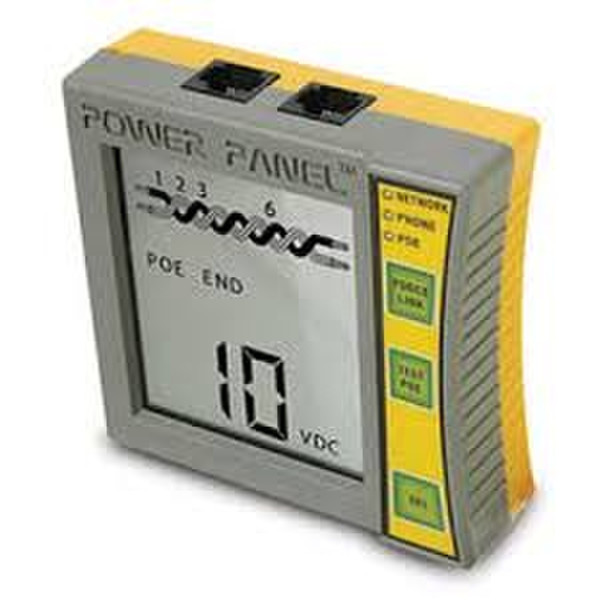
Power Panel CAT5/CAT6 DVM, Network PoE Tester, LCD Display, 9V
- This combo Digital Voltmeter (DVM) and Power over Ethernet (PoE) tester belongs in every network technician's toolbox.
- Know what's running on your CAT5/CAT6 lines before you plug in expensive equipment.
- Make sure you don't have too much power draw—the leading reason for IP/PoE network failure.
- Trace wires and locate breaks and open circuits with the tone generator feature.
- Identify network devices, such as switches, NICs, and more.
- Detect PoE equipment, such as VoIP phones, surveillance cameras, and more.
<b>Further Details</b>
- See a display of PoE voltages and power level in watts.
- Connect two PoE devices inline and measure the power (in watts) passing through.
- Ultrabright LEDs alert you to the presence of devices and voltage.
- Scans and identifies each cable pair and determines what is running on each, such as device type, voltage, and power level.
- Indicates network switches speed and duplex operation.
- Shows PoE voltage amplitude (discovery and full) and end or mid-span pairs.
- Send signals to prompt and test communications with network switches and NICs.
- Simulate a PoE device to check PoE voltage.
- Discover any connected telephones and fax machines.
Protect your investment in expensive network equipment and test the lines before you plug in anything. With the increasing popularity of connecting PoE equipment over data lines, you can fry sensitive equipment with a simple misconnection.
That's why the Power Panel CAT5/CAT6 DVM and Network/PoE Tester should be a part of every network technician's toolbox. This tester tells you what's connected to each pair: network switches, NICs, PoE devices, VoIP phones, surveillance camers, etc. It also tells you if a PoE voltage is detected and what level watts it has. You can't get any better info than that when deciphering what's running on network lines.
Monitor system activity by connecting two devices inline. The power passes through the VoIP phone or cameras, and the tester displays what the power draw is. Too much of a power draw is the leading reason for IP/PoE network failure—and this tester easily prevents that.
You can also test communications with Ethernet devices. Push the Force Link button to send link pulses and prompt communications, especially with unresponsive NICs.
With the Test PoE button, you can simulate a PoE device and check if the necessary voltage is being delivered. This handheld tester features a large, easy-to-read display, bright LEDs, and several interactive buttons.