Technical details
| Roll external diameter |
150 mm |
| Power supply type |
AC |
| Power supply |
100 W |
| Networking features |
Gigabit Ethernet |
| Maximum roll length |
18 m |
| Interface |
USB 2.0 |
| Print technology |
Inkjet |
Media formats
| Standard media sizes |
10", 14", 16", 24", A2+, A3+. |
Operational conditions
| Operating temperature (T-T) |
59 - 86 °F |
Power
| Power consumption (off) |
1 W |
Paper handling
| ISO B-series sizes (B0...B9) |
B4, B2 |
Additionally
| Resolution color |
2400 x 1200 DPI |
| Print noise level |
47 dB |
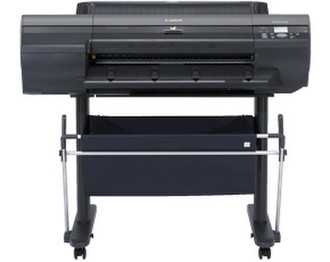
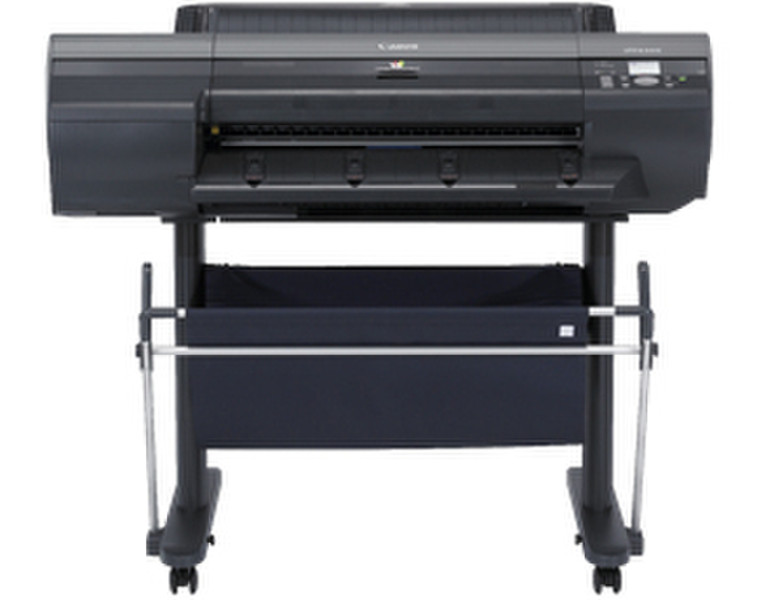
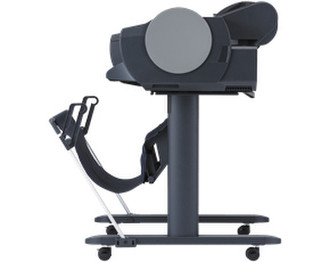
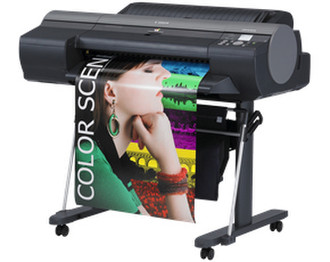
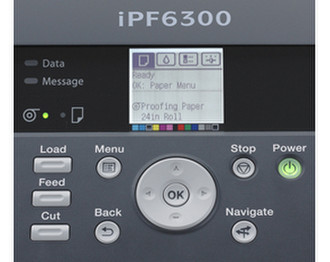
imagePROGRAF iPF6300, 60.96 cm (24 ") , 2400x1200dpi, RAM 384MB, USB 2.0, Gigabit Ethernet
Ideal for business-minded photographers and artists who need to maximize their earning opportunities without compromising their creative potential, the 24-inch imagePROGRAF iPF6300 offers the optimum balance of ultra-high-quality printing and performance. Equipped with LUCIA EX 12 color inks, high-precision printing modes and an Accounting Manager feature, the iPF6300 is the ideal solution for the graphic, fine art, photography and proofing markets.
With the LUCIA EX ink set, expect exquisite photographic output, even more expressive, crisp blacks, smooth color gradations and the capability to reproduce the finest details in the shadow areas of photographs. And with the Print Plug-in for Photoshop, now with support for Adobe CMM, users can process images in 16-bit. Developed to expand Canon's array of media options, the Media Configuration Tool allows users to input profiles for third party media. By combining Canon's technological achievements, the imagePROGRAF iPF6300 achieves consistently breathtaking, durable and long lasting prints. Designed for efficiency, reliability, and above all quality, the iPF6300 is the professional's answer to superior quality large format prints.
<b>LUCIA EX Ink Set</b>
This re-formulated 12-color LUCIA pigment ink system increases the achievable color gamut by approximately 20% from previous imagePROGRAF 12-color series. With LUCIA EX, expect exquisite photographic output, more expressive black tones, smooth color gradations, and the capability to reproduce fine details, even in the shadow areas of photographs. The LUCIA EX ink set improves scratch resistance while reducing bronzing and metamerism, for consistent ultra high quality output.
- Wider color gamut;
- Better scratch resistance;
- Less graininess;
- Smoother gradation;
- Reduced bronzing;
- Sharper blacks;
- Deeper dark tones.
<b>Print Plug-in for Adobe Photoshop</b>
This export module allows 16-bit image processing, preserving the expanded color spectrum and high gradation of the original file. The Print Plug-in reduces the possibility of incorrect settings, by providing an integrated interface for print settings in Photoshop and the printer driver, enabling efficient production. In addition, the plug-in supports an Adobe Color Conversion Module (CMM) and proof printing is now possible by simulating the colors produced by printing presses.
The following enhanced features are provided in the Print Plug-In for Photoshop:
- Adobe CMM support;
- Proof printing support;
- High-Precision Text/Line mode support;
- High-Precision Photo mode support;
- New image processing technology;
- Support for commercial profile creation tools.
<b>Print Plug-in for Digital Photo Professional</b>
This export module allow users to directly process and print RAW image files from DPP. This plug-in bypasses the operating system's dependent print driver, allowing processing of 16-bit RGB images directly, which dramatically increases gradations and as a result, overall image quality.
Features:
- Full screen preview;
- More print quality selections;
- Categorized paper type view;
- Roll paper layout view;
- Bi-cubic enlargement.
<b>Media Configuration Tool</b>
Recognizing the expanding array of media options for large format printers and to further improve the versatility of these new imagePROGRAF models, Canon has developed a new Media Configuration Tool, which not only allows customers to utilize Canon-branded media, but provides the ability to make adjustments to printer settings to enhance the precision and quality of output achieved with third party media.
Settings that can be configured using media parameter adjustment features include:
- Media weight and thickness;
- Ink drying time for rolls;
- Automatic cutting settings for rolls;
- Borderless printing for rolls;
- Paper feed amount
- Print-head height;
- Vacuum strength;
- Maximum ink usage.
<b>High-Precision Print Modes</b>
Two print output options have been added to the Printer Driver to give users in proofing and photography environments the ability to create exquisite prints with exceptional detail. These print modes were designed to deliver a level of quality a step above the previously available print modes, giving users more choices when creating prints.
The high-precision printing mode for photographs delivers output with less graininess, enhanced glossiness, sharper blacks and deeper dark tones.
The high-precision printing mode for text and fine lines reduces excessive thickness in text and fine lines while reducing the misrepresentation of colors produced.
<b>Accounting Manager</b>
The Accounting Manager serves as a powerful feature, used for accurate management of printing costs and other information that is increasingly important in today's economic environment. With Accounting Manager feature you can track how much ink and paper is being consumed when printing large format output. Costs can be assigned to the ink and paper to determine expenses based on your own "Cost of goods". Each individual ink tank can have its own cost associated to it, as well as a variety of different paper types. The user can also input a variable cost that will be added to the total of the print cost. The data is exportable to a .csv format for Microsoft Excel so the data can be used for billing purposes. This feature will allow you to determine the cost of each print based on your actual cost.
Features include:
- Log Recording Time;
- Job Name;
- Job Owner;
- Client Job ID;
- Client Job Submission Time;
- Job Completion Time;
- Job Completion State;
- Ink consumption per job;
- Media Type;
- Number of completed pages;
- Media consumption area per job.
<b>Print Plug-in for Microsoft Office</b>
This utility makes it easy to print large format documents created in Microsoft Word, Excel, or PowerPoint. The plug-in appears in a tool bar inside the Microsoft application and has an easy-to-follow "Wizard". The plug-in will bypass the printer driver to simplify the printing process. A few simple steps convert your 8.5" x 11" office document to poster size.
<b>Built-in Calibration</b>
The iPF6300 printer is equipped with the ability to easily reset back to the original optimal factory settings and apply any necessary adjustments across all the printer's media types in just minutes. At the same times this creates a stable, predictable printing platform on which superior results can be consistently achieved. The system has built-in calibration sensors that help compensate for adverse environmental conditions while providing a predictable platform for color management and consistent color reproduction.