Technical details
| Buttons quantity |
8 |
| Scroll |
Y |
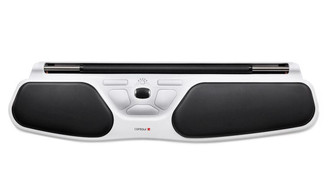
| Wrist rest |
Y |
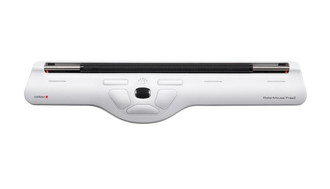
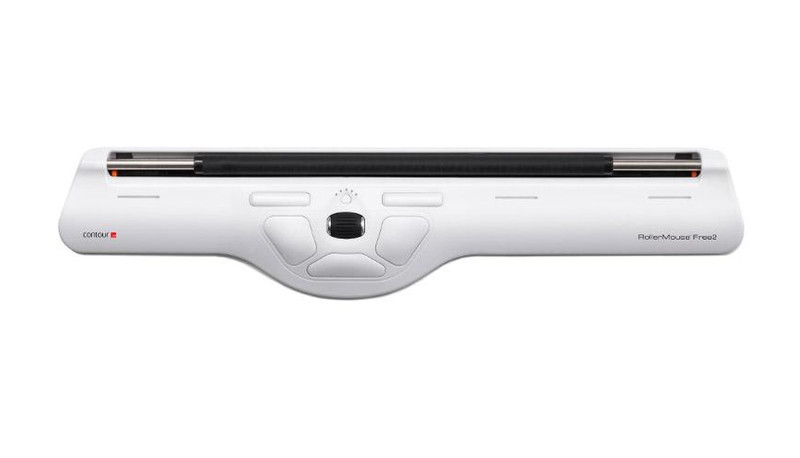
RollerMouse Free2, 800/1000/1200/1400/1600 dpi, USB, 44.5 x 1.95 x 11.5 cm
<b>It’s a free movement</b>
<b>Feel the difference.</b>
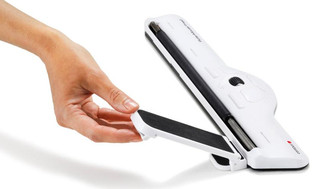
RollerMouse Free2 is modern, intuitive and slim. Its design is inspired by users and our ergonomic expertise. It’s an ultra-low ergonomic mouse alternative that is placed right in front of you. This central and flat position allows you to work safer, faster and more comfortably. RollerMouse Free2 offers complete freedom, functionality and flexibility.
<b>A better way to work</b>
<b>Work safer and faster.</b>
Less physical strain and improved precision help you work more efficiently.
<b>Two hands are better than one.</b>
Using both hands helps avoid discomfort and prevent pain by varying your position.
<b>Get in an ergonomic position.</b>
Everything you need placed right in front of you.
<b>Key functions</b>
Popular and often used functions are in easy reach. This central position reduces unnecessary and harmful micro movements.
- The Rollerbar. Roll the bar up, down and sideways to move the cursor. Use both hands for better variation and flexibility with the fully open rollerbar.
- Copy. Ctrl + C with just one click.
- Left click. Use the large left button to left click.
- Quick and easy speed selection. Get high precision with a click. Choose between five cursor speeds ranging from 800 dpi to 1600 dpi.
- Scroll wheel. A new, wider, rubber coated scroll wheel makes the click function even easier and smoother. Move up and down, middle click, and auto-scroll lock.
- Double Click. Get two clicks in one with the ‘one touch’ double click.
- Right click. Use the large right button to right click.
- Paste. The ‘one touch’ paste button.
<b>Made for your keyboard</b>
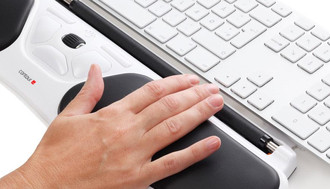
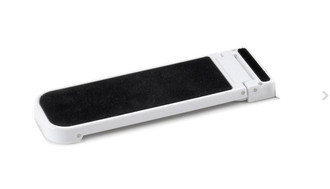
Use the keyboard risers to customize the height and angle of your keyboard to find the most comfortable typing position. The ultra-low and slim RollerMouse Free2 keeps your hands and wrists flat on a desk or table - the safest working position for your body.
Tip: Try to keep your wrists and hands flat on the desk or table. It's the safest working position for your body.
<b>An ergonomic position</b>
The central position keeps your arms and hands comfortably in front of you. This is the most relaxed position because it reduces the number of unnecessary movements.
There's no need to reach to the side, everything you need to control your computer is right in front of you. RollerMouse Free2 is 30% lower than its predecessor, which makes it even easier to get into a comfortable, safe and truly ergonomic position.
<b>Complete access</b>
You control the cursor by lightly moving the rollerbar with your fingertips, giving you the freedom to use both hands. Touch, move and control the cursor from any point on RollerMouse Free2.
The rollerbar is fully open and accessible to allow for even greater movement and position variation.
Tip: Change your position and use both hands to avoid discomfort and prevent pain.
<b>Designed for you</b>
Your feedback and preferences influenced the design of RollerMouse Free2.
It is preprogrammed with eight functions, including the practical 'one touch' double click and copy/paste.
You can also customize button functions with a driver.