File formats
| Import image formats supported |
TIF, PNG, JPG, GIF, BMP |
| Export image formats supported |
TIF, PNG, JPG, GIF, BMP |
| Export audio formats supported |
WMA, WAV, MP3, AAC |
| Import audio formats supported |
WMA, WAV, MP3, AAC |
| Export video formats supported |
WMV, MP4, DIVX, AVI |
| Import video formats supported |
WMV, MP4, MOV, DIVX, AVI |
Ports & interfaces
| Component video (YPbPr/YCbCr) out |
1 |
| HDMI in |
1 |
| Component video (YPbPr/YCbCr) in |
1 |
System requirements
| Minimum hard disk space |
10 GB |
| Minimum processor |
Intel Core 2 Duo/AMD Athlon x2 64 |
| Minimum RAM |
2048 MB |
Technical details
| Host interface |
USB 2.0 |
| Internal |
N |
| Capturing from |
Game console |
| Image formats supported |
TIF, PNG, JPG, GIF, BMP |
Packaging content
| Quick installation guide |
Y |
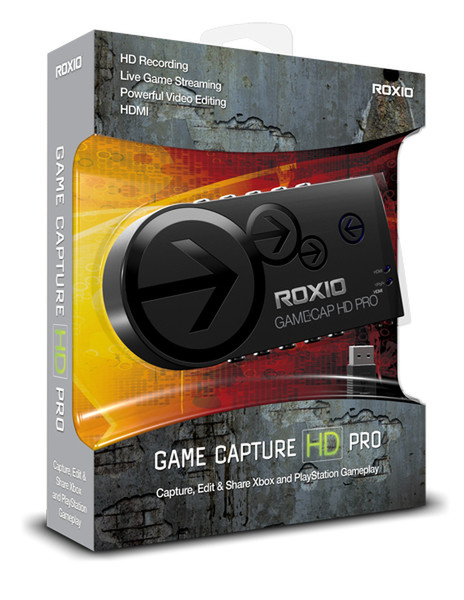
Game Capture HD Pro, Win, ML
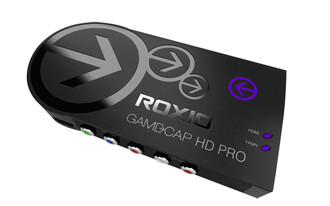
Roxio Game Capture HD PRO is an all in one solution to capture, edit, stream and upload your most memorable Xbox, PlayStation and Wii moments in stunning HD quality. Easy set up between console, TV and PC. Included in the product is hardware, software and a USB cable. Capture in resolutions up to 1080/30p or 1080 60i with HDMI or Component input and output. Stream game play and commentary live to TwitchTV. Edit videos, add transitions, picture-in-picture, special effects, text and voiceovers. Share videos with one click to YouTube, Facebook and other sharing sites. Everything you need to easily showcase your best game play.

