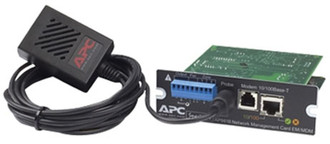
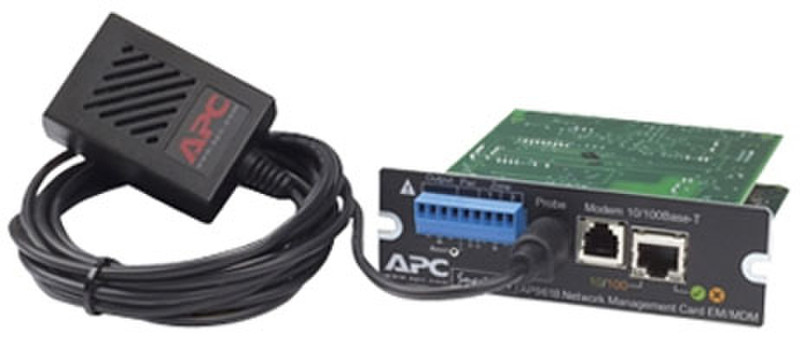
DELL A7399215 UPS network management card

DELL A7399215 UPS network management card

MPN: A7399215
🚚 Select the country of delivery:
Delivery from:
Germany
Updating price ... 📣 Send Price inquiry Не поставляется
Delivery cost & estimated delivery time:
От
days

Where to buy and prices (Advertising *)

On Top
в наличии
* Alle Preise inkl. der jeweils geltenden gesetzlichen Mehrwertsteuer, ggfs. zzgl. Versandkosten. Alle Angaben ohne Gewähr. Preisänderungen sind in der Zwischenzeit möglich.

Technical specifications

On Top

Networking

Cabling technology 10/100BaseT(X)
Ethernet LAN data rates 10, 100 Mbit/s

Features

Modem (RJ-11) ports 1

Management features

Management protocols SNMP, Telnet, HTTP
Supported network protocols TCP/IP, FTP

Additionally

Ethernet LAN (RJ-45) ports quantity 1
Remote management adapter, Fast Ethernet, 140g, black APC's UPS Network Management Cards provide management of your UPSs by connecting the UPS directly to the network with a dedicated IP address, avoiding the need for a proxy such as a server. Embedded technology provides exceptional reliability and enables the UPS to reboot hung equipment. Manage each APC UPS individually via web browser, Telnet or SSH. Notification features inform you of problems as they occur. For protected servers, graceful unattended shutdown is provided in case of extended power outages.

The AP9618 Management Card includes an Integrated Environmental Monitor that provides the following features: A temperature sensor; Two input contacts; Two-position output relay. In addition to the Integrated Environmental Monitor, an AP9618 Management Card can also monitor and manage an Environmental Monitoring Card.

An AP9618 Network Management Card EM/MDM has an internal analog modem that provides for the following out-of-band communication: Dial-out notifications for APC Remote Monitoring Service (RMS); Dial-in access to the Management Card's Console Interface.

The Management Card can be installed into the following APC devices: any Smart-UPS or Matrix-UPS model that has an internal expansion slot, as well as any Silcon, Symmetra, or Symmetra PX UPS. A Silcon UPS, which does not have an expansion slot, requires using a Silcon Triple Expansion Chassis.
Фотографии

    Password recovery
    To recover your password, please enter in the box below your email address with which you have registered:
    The password reset code has been sent to your Email.
    Код уже был отправлен Вам ранее.
    Вы можете ввести его в поле выше, или получить новый код через сек.
    An error has occurred. Please check your e-mail address and try again.
    Ваш новый пароль:

    Name is empty


    Выберите страну доставки

    You have not written a message

    By clicking on the "Send" button, you agree that your data will be used to process your request. Further information and revocation instructions can be found in the data protection declaration.

    Your message has been sent!

    Close

    1
    Catalog
    Cancel Close
    Бренды:
      Выберите бренды
        Show more close
          Area search
          Worldwide
          Категории
            Product

