Display
| Display diagonal |
23.8 " |
| Vertical scan range |
50 - 76 Hz |
| Viewable size, horizontal |
527.04 mm |
| Viewable size, vertical |
296.46 mm |
| Viewable size diagonal |
604.7 mm |
| Aspect ratio |
16:9 |
| Touchscreen technology |
Projected capacitive system |
| Response time |
6 ms |
| Height adjustment |
Y |
| Color gamut |
84% |
| Contrast ratio (typical) |
1000:1 |
| Display resolution |
1920 x 1080 pixels |
| Viewing angle, horizontal |
178 ° |
| Viewing angle, vertical |
178 ° |
| Pixel pitch |
0.275 x 0.275 mm |
| Display viewable area HxV |
527.04 x 296.46 mm |
| Display brightness |
250 cd/m² |
| Swivel angle range |
-30 - 30 ° |
| Full HD |
Y |
| Display technology |
IPS |
| Display |
IPS |
| LED backlight |
Y |
| Display type |
IPS |
Power
| Power consumption (PowerSave) |
16 W |
| Power consumption (typical) |
18 W |
| Power consumption (standby) |
0.3 W |
| AC input voltage |
100-240 V |
| AC input frequency |
50/60 Hz |
| Energy Star certified |
Y |
| Power supply type |
AC |
Ports & interfaces
| Cables included |
AC, DisplayPort, USB, VGA |
| Audio output |
1 |
| USB 2.0 ports quantity |
2 |
| DisplayPorts quantity |
1 |
| USB 3.0 (3.1 Gen 1) Type-A ports quantity |
2 |
| USB 2.0 Type-A ports quantity |
2 |
| HDMI ports quantity |
1 |
| VGA (D-Sub) ports quantity |
1 |
Weight & dimensions
| Dimensions (W x D x H) with stand |
537.8 x 234.8 x 419.6 mm |
| Weight with stand |
7420 g |
| Depth |
54.1 mm |
| Weight |
3120 g |
| Width |
537.8 mm |
| Height |
321.4 mm |
Ergonomics
| VESA mounting |
Y |
| Cable lock slot |
Y |
| VESA mounting interfaces |
100 x 100 mm |
| Height adjustment |
90 mm |
| Tilt adjustment |
Y |
| LED indicators |
Y |
| Wall mountable |
Y |
| Tilt angle |
-5 - 60 ° |
Performance
| Built-in microphone |
N |
| Number of simultaneous touchpoints (Windows 7) |
10 |
| OmniTapps Multitouch compatibility |
N |
| Connection to PC |
Y |
| Touch technology |
Multi-touch |
| Built-in camera |
N |
| Windows operating systems supported |
Windows 10 Education, Windows 10 Enterprise, Windows 10 Enterprise x64, Windows 10 Home, Windows 10 Home x64, Windows 10 IOT Core, Windows 10 Pro, Windows 10 Pro x64, Windows 7 Enterprise, Windows 7 Enterprise x64, Windows 7 Home Basic, Windows 7 Home Basic x64, Windows 7 Home Premium, Windows 7 Home Premium x64, Windows 7 Professional, Windows 7 Professional x64, Windows 7 Starter, Windows 7 Starter x64, Windows 7 Ultimate, Windows 7 Ultimate x64, Windows 8, Windows 8 Enterprise, Windows 8 Enterprise x64, Windows 8 Pro, Windows 8 Pro x64, Windows 8 x64, Windows 8.1, Windows 8.1 Enterprise, Windows 8.1 Enterprise x64, Windows 8.1 Pro, Windows 8.1 Pro x64, Windows 8.1 x64 |
| Dell E-Value Code |
P2418HT |
| Response area |
156246.2 mm |
Operational conditions
| Operating relative humidity (H-H) |
10 - 80% |
| Storage temperature (T-T) |
-20 - 60 °C |
| Storage relative humidity (H-H) |
5 - 90% |
| Non-operating altitude |
0 - 12192 m |
| Operating altitude |
0 - 5000 m |
Additionally
| Display scan frequency (horizontal) |
30 - 83 kHz |
| Colour of product |
Black |
| Display diagonal |
60.47 cm |
| Operating temperature range (T-T) |
0 - 40 °C |
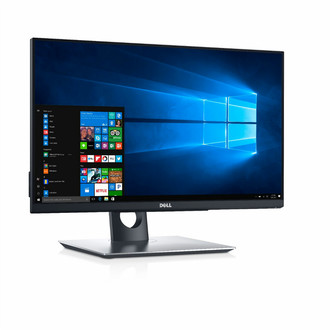
60.452 cm (23.8 ") , IPS, FHD (1920 x 1080), 250 cd/m2, 6 ms, DisplayPort, HDMI, VGA, 2 x USB 2.0, 2 x USB 3.0, 18 W, VESA (100 mm), 3.12 Kg
A hands-on work experience
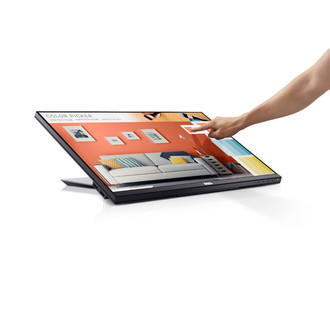
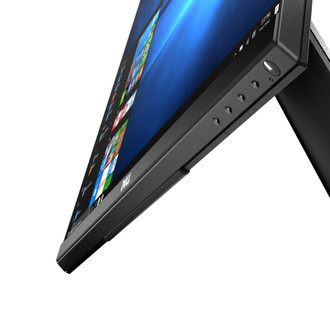
Intuitive touch: The 10-point touch feature delivers a more natural and responsive experience, so you can tap, swipe, slide and pinch in a snap. Enjoy smoother navigation with two-handed touch control across the anti-glare screen, from edge-to-edge.
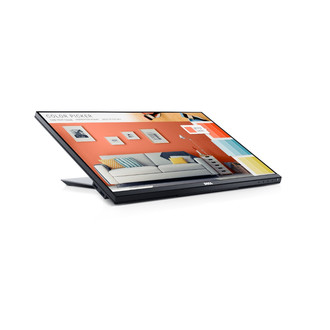
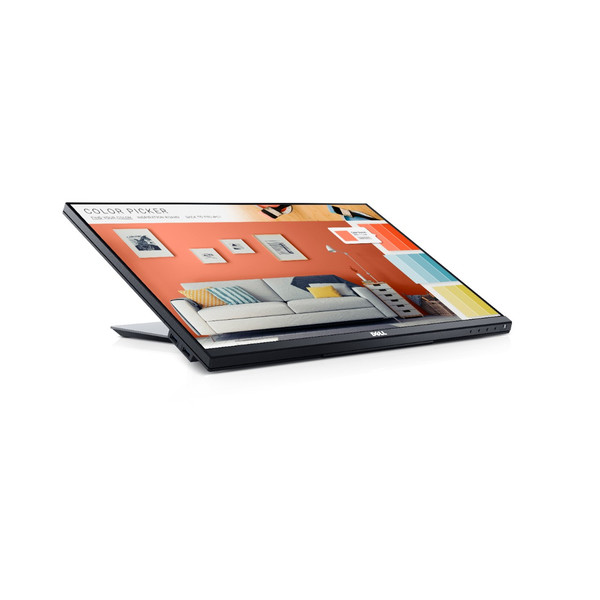
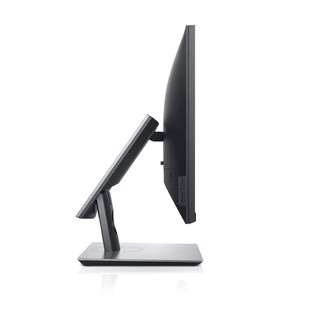
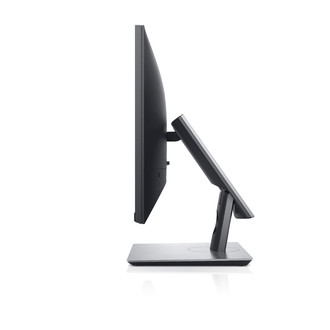
Work from any position: An articulating stand transitions from a standard desktop monitor to a downward 60-degree angle touch orientation. It also supports extended tilt and swivel capabilities, so you can adjust the screen to your task or a more comfortable position. Plus, a protective cushion offers a durable buffer against bumps when the stand is fully compressed.
See clearly: State-of-the-art Advanced In-Cell Touch technology eliminates the need for the glass screen found in traditional monitors, delivering an anti-glare surface that reduces distracting reflections and fingerprints. The result is a smooth display with improved clarity that’s easy on the eyes.
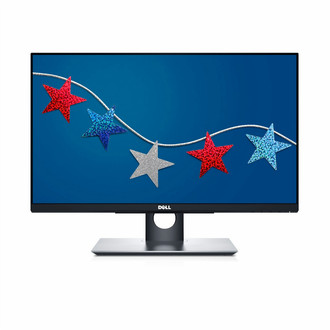
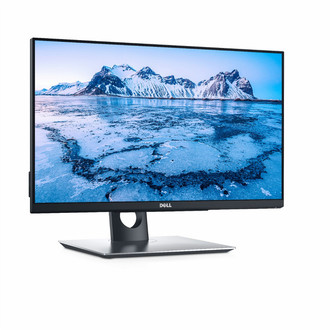
A seamless view: An ultrathin bezel is a stylish, elegant way to achieve unobstructed views when working across multiple monitors.
Outstanding usability
Stunning views: Full HD resolution and an 8 million to 1 dynamic contrast ratio create an exceptional quality display. See consistent colors and effectively collaborate across the 178ᵒ /178ᵒ wide viewing angle enabled by In-Plane Switching Technology.
Work comfortably: Enjoy an anti-glare, flicker-free screen with ComfortView™, a feature that filters out harmful blue light emissions. Plus, it’s TUV Certifiedi.
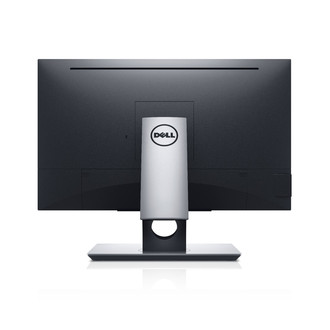
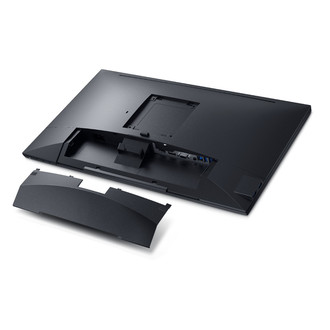
Freedom from clutter: Collaborate in an organized workspace with a thoughtfully designed cable management system. Cable routing prevents cables from getting in the way when your monitor stand is adjusted down, while a cable sleeve binds them together. Connectivity ports are discreetly concealed by a cable cover.
Do more in your workday
Multitask: The Dell Display Manager software lets you multitask and save time. Quickly tile and view applications side by side with the Easy Arrange feature. Customize and pre-set the color settings of your applications with Auto-Mode.
Connectivity ports: Extensive connectivity ports including VGA, DP, HDMI, USB3.0 and USB2.0 allow you to easily connect to a wide range of devices.
Ideal for multiple layouts: Adapt to different office layouts thanks to VESA-compatibility. Choose to mount your monitor to the wall or attach it to monitor arms and enjoy a more flexible workspace.