Other features
| Drive bays |
2 x 3.5” SATA/SAS |
Processor special features
| Intel® Quick Sync Video Technology |
N |
| Processor ARK ID |
34694 |
| Intel Virtualization Technology (VT-x) |
Y |
| Intel Trusted Execution Technology |
N |
| Intel Flex Memory Access |
N |
| Intel Fast Memory Access |
N |
| Intel Rapid Storage Technology |
N |
| Intel® Turbo Boost Technology |
N |
| Intel Enhanced Halt State |
Y |
| Intel Hyper-Threading Technology |
N |
| Intel® Anti-Theft Technology (Intel® AT) |
N |
| Intel Virtualization Technology for Directed I/O (VT-d) |
N |
| Intel Dual Display Capable Technology |
N |
| Intel Clear Video Technology |
N |
| Intel 64 |
Y |
| Intel® Insider™ |
N |
| Intel® Clear Video HD Technology (Intel® CVT HD) |
N |
| Intel® Wireless Display (Intel® WiDi) |
N |
| Intel Demand Based Switching |
N |
| Enhanced Intel SpeedStep Technology |
Y |
| Intel FDI Technology |
N |
| Intel VT-x with Extended Page Tables (EPT) |
Y |
| Intel vPro Technology |
N |
| Intel Clear Video Technology for MID |
N |
| Intel® My WiFi Technology (Intel® MWT) |
N |
Processor
| Processor cache type |
L2 |
| Processor codename |
Wolfdale |
| Processor code |
SLAPM |
| Thermal Monitoring Technologies |
Y |
| Idle States |
Y |
| Execute Disable Bit |
Y |
| Processor core voltage (AC) |
1.225 - 0.956 V |
| Processor cache |
6 MB |
| Number of processors installed |
1 |
| Thermal Design Power (TDP) |
65 W |
| CPU multiplier (bus/core ratio) |
9 |
| Processor lithography |
45 nm |
| Processor package size |
37.5 mm |
| Processor operating modes |
64-bit |
| Embedded options available |
N |
| FSB Parity |
N |
| Number of Processing Die Transistors |
410 M |
| Processor front side bus |
1333 MHz |
| Conflict Free processor |
N |
| Bus type |
FSB |
| ECC supported by processor |
N |
| Tcase |
72.4 °C |
| Processor frequency |
3 GHz |
| Stepping |
C0 |
| Processor system type |
UP |
| Processor cores |
2 |
Memory
| ECC |
Y |
| Internal memory |
2 GB |
| Internal memory type |
DDR2-SDRAM |
Expansion slots
| PCI Express x8 slots |
3 |
| PCI-X slots |
1 |
Graphics
| Maximum graphics adapter memory |
32 MB |
Ports & interfaces
| Serial ports quantity |
1 |
| VGA (D-Sub) ports quantity |
2 |
| PS/2 ports quantity |
2 |
Storage
| Hot-swap |
Y |
| Hard drive interface |
Serial ATA |
| Total storage capacity |
1500 GB |
| Number of hard drives installed |
2 |
| Hard drive capacity |
750 GB |
Additionally
| InTru™ 3D Technology |
N |
| Processing die size |
107 mm² |
| Chipset |
Intel 3200 |
| Intel AES New Instructions |
N |
| Graphics |
ES1000 |
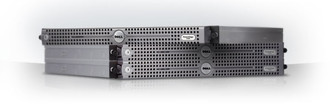
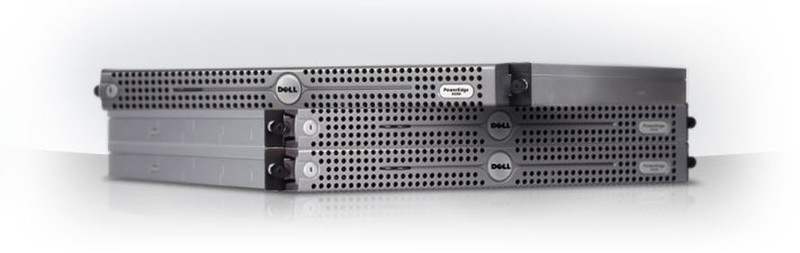
PowerEdge R200 Rack Server, Xeon E3110 (3GHz, 1333MHz, 6MB), 2x1GB DDR2-800, 2x750GB-SATA (C4 SAS6iR), DVD-ROM
1-Socket 1U Rack Server
The PowerEdge R200 is an enterprise-class rack server designed to maximize datacenter density and performance while reducing power consumption. Easy to manage and easy to service, this server is ideal for network infrastructure or web development applications.
Latest Processor Technology
The PowerEdge R200 server uses the latest Intel Processor technology, featuring a 1333MHz FSB, 800MHz RAM and supporting the latest Intel® Xeon Quad-Core processors. Get the system your business needs with flexible processor configurations to meet the demands of various application workloads; select from Quad-Core processors up to 2.66GHz and Dual-Core processors up to 3GHz.
Memory
The PowerEdge R200 rack server offers up to 8GB of DDR-2 memory, which is designed to provide superb bandwidth and low latency to improve system performance.
Hard Drives
Serial-Attached SCSI (SAS) hard drives1 deliver the next generation of SCSI performance and are designed to deliver faster speed and enhanced reliability than SATA. SATA is the better choice for businesses that need affordable, large capacity drives.
Operating System
Microsoft Windows® Server 2008
Microsoft Windows® Server 2008 running on Dell PowerEdgeTM servers provides your business with a secure, reliable, robust server environment. Advanced security and reliability enhancements help organizations to prevent data theft with Rights Management Services, BitLocker, and Group Policy technologies.
Whether you need assistance evaluating Windows Server 2008 or are ready to implement, Dell has the expertise, resources and tools to assist organizations of any size.
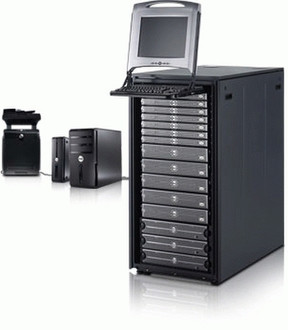
Server Networking Basics
Want to know how to set up a server-based network? Check out Dell's new Server Networking Basics site where your small businesses has access to great tools and resources that will help get them get started. Sample tutorials include:
-Setting Up Hardware and Software — Help protect your business and guard against data loss
-How To Set Up Shared Email — Go mobile and access your e-mails and calendar while away from the office
-Setting Up Shared Files and Printer — Become more efficient by sharing resources: files, printers, fax machines and more.