Processor special features
| Enhanced Intel SpeedStep Technology |
Y |
| Intel FDI Technology |
N |
| Intel VT-x with Extended Page Tables (EPT) |
Y |
| Intel vPro Technology |
N |
| Intel Clear Video Technology for MID |
N |
| Intel® My WiFi Technology (Intel® MWT) |
N |
| Intel Enhanced Halt State |
Y |
| Intel Hyper-Threading Technology |
N |
| Intel® Anti-Theft Technology (Intel® AT) |
N |
| Intel® Smart Cache |
Y |
| Intel Virtualization Technology for Directed I/O (VT-d) |
Y |
| CPU configuration (max) |
2 |
| Intel Dual Display Capable Technology |
N |
| Intel Clear Video Technology |
N |
| Intel 64 |
Y |
| Intel Trusted Execution Technology |
N |
| Intel Flex Memory Access |
N |
| Intel Fast Memory Access |
N |
| Intel Rapid Storage Technology |
N |
| Intel® Turbo Boost Technology |
N |
| Intel® Insider™ |
N |
| Intel® Quick Sync Video Technology |
N |
| Processor ARK ID |
40711 |
| Intel Virtualization Technology (VT-x) |
Y |
| Intel® Clear Video HD Technology (Intel® CVT HD) |
N |
| Intel® Wireless Display (Intel® WiDi) |
N |
| Intel Demand Based Switching |
Y |
Storage
| Hard drive interface |
Serial Attached SCSI (SAS) |
| Hot-swap |
Y |
| Hard drive size |
2.5 " |
Processor
| Maximum internal memory supported by processor |
144 GB |
| Processor frequency |
2 GHz |
| Stepping |
D0 |
| Processor cores |
4 |
| Processor system type |
DP |
| Processor operating modes |
64-bit |
| Embedded options available |
Y |
| FSB Parity |
N |
| Conflict Free processor |
N |
| Physical Address Extension (PAE) |
Y |
| Memory channels supported by processor |
Triple |
| Memory bandwidth supported by processor (max) |
19.2 GB/s |
| Thermal Monitoring Technologies |
N |
| Idle States |
Y |
| Execute Disable Bit |
Y |
| Processor lithography |
45 nm |
| Number of QPI links |
2 |
| Processor cache |
4 MB |
| Number of processors installed |
1 |
| Thermal Design Power (TDP) |
80 W |
| CPU multiplier (bus/core ratio) |
15 |
| Memory clock speeds supported by processor |
800 MHz |
| Processor cache type |
Smart Cache |
| Processor code |
SLBF9 |
| Physical Address Extension (PAE) |
40 bit |
| Processor package size |
42.5 mm |
| Bus type |
QPI |
| Memory types supported by processor |
DDR3-SDRAM |
| ECC supported by processor |
Y |
| Tcase |
76 °C |
Memory
| Maximum internal memory |
96 GB |
| Internal memory |
8 GB |
| Internal memory type |
DDR3-SDRAM |
| Memory clock speed |
1066 MHz |
Other features
| Non-operating relative humidity (non-condensing) |
5 - 95% |
| Network cards |
Broadcom NetXtreme II 5709c |
Graphics
| Maximum graphics adapter memory |
8 MB |
Ports & interfaces
| Serial ports quantity |
1 |
| VGA (D-Sub) ports quantity |
1 |
Design
| Optical drive type |
DvD-ROM |
| Chassis type |
Rack (1U) |
Networking
| Networking features |
Gigabit Ethernet |
Additionally
| System bus data transfer rate |
4.8 GT/s |
| Graphics |
G200 |
| Chipset |
Intel 5520 |
| Ethernet LAN (RJ-45) ports quantity |
4 |
| InTru™ 3D Technology |
N |
| Intel AES New Instructions |
N |
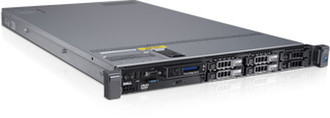
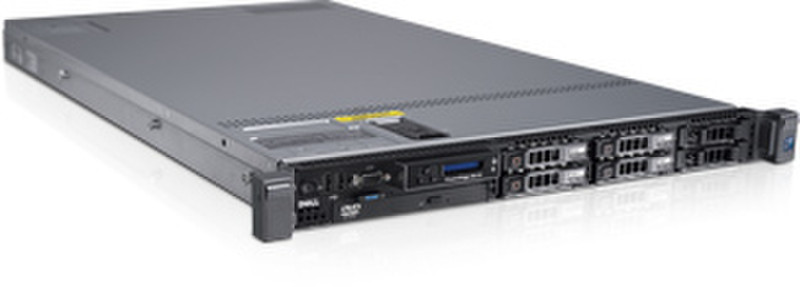
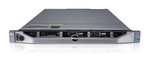
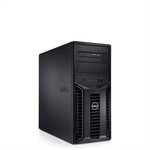
PowerEdge R610 Intel Xeon E5504 2.0GHz, 4x2GB DDR3, Matrox G200, diskless, DVD-ROM
Customer Inspired Design
Dell’s servers offer world class system and image commonality and customer inspired usability. The DellTM PowerEdgeTM R610 takes advantage of Dell’s system commonality; When IT managers learn one system, they have learned the logic required to manage Dell’s next generation servers. The logical layout of components and power supply placement enables a simple and straight forward installation and a simplified redeployment experience in the future.
In addition, Dell’s latest PowerEdge servers provide a graphical and interactive LCD for system health monitoring, alerting and control of basic management configuration right in the front of the server. Customers have an AC power meter and ambient temperature thermometer built into the server which they can monitor on this display without any software tools.
Virtualisation Ready
Virtualisation on Dell PowerEdge servers just got a performance boost. Featuring Intel Xeon 5500 series processors, embedded hypervisors and expanded memory and I/O, Dell’s servers offer better overall system performance regarding virtualisation and more virtual machines per server capacity than ever before. Dell provides a smart path to virtualisation, a path that is grounded in choice and defined by industry standards. Customers can choose their hypervisor from market leaders such as VMware , Citrix and Microsoft , enabling virtualisation with a few clicks of a mouse.
Energy Tuned Technologies
Dell’s newest servers feature energy tuned technologies designed to reduce power consumption while increasing performance and capacity. Enhancements include efficient power supply units right-sized for system requirements, effective system-level design efficiency, policy-driven power and thermal management and highly efficient standards-based Energy Smart components. Dell's advanced thermal control is designed to deliver optimal performance at minimum system and fan power consumption resulting in our quietest mainstream 1U servers to date. These elements drive efficiency as a design standard while delivering the performance businesses require.
Simplified Infrastructure Management
Dell’s systems management solutions span from the desktop to the datacenter and from on-site self managed tools to the “cloud.” Dell can even fully manage your infrastructure through our innovative Software as a Service capabilities. Regardless of the complexity of your management requirements and your IT staff capabilities, Dell has a solution that can meet your needs – while helping to reduce the costs and complexity typically associated with infrastructure management.
Dell’s next generation of the Dell OpenManageTM suite of management tools offers efficient operations and standards-based commands designed to integrate with existing systems for effective control. OpenManage enables you to reduce tasks from hours and multiple steps to a single step and lays the framework for automated operations.
Additional features include a single console interface with the ability to add technology from other partners – as easily as a plug-in – for effective software and systems management. With the new OpenManage tools, Dell is delivering a simple, scalable, streamlined solution. These new tools give you the ability to configure and manage your systems, monitor and provide updates, manage your assets, migrate and backup your servers, protect your data, and provide help desk service.